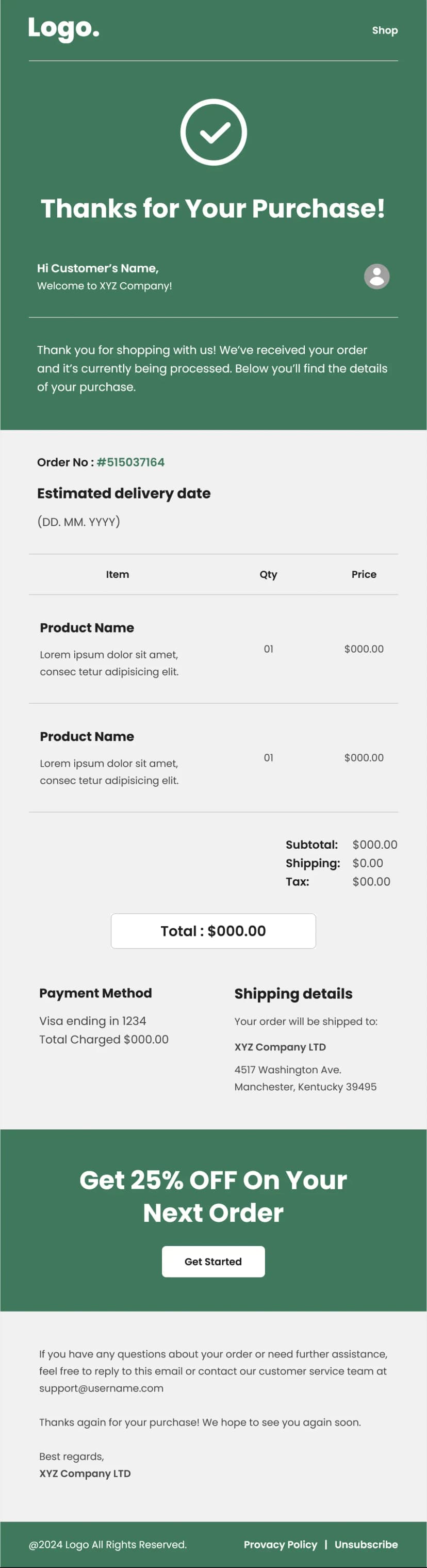


This is about as lean as an invoice can get while still being a proper invoice. Date and invoice number at the top, a thank-you line, three itemized rows each with a product thumbnail, quantity, and price, then a four-line breakdown running subtotal, discount, tax, and total, and a PDF download to close. Near-black type on white with one green accent on the total. Nothing else. This invoice email template exists for businesses that want the document to be readable in five seconds and archivable forever, without a single element competing with the numbers. Built for ecommerce stores, freelancers, small businesses, digital product sellers, and anyone who bills customers and wants the receipt to look like a receipt.
What's Inside This Invoice Email Template
The logo sits at the top with the invoice date on one side and the invoice number on the other. Those two fields belong together and belong first, because they are what a customer searches for when they need to find this email again months later.
A short thank-you line follows and does not overstay. Invoices that open with a paragraph of appreciation push the numbers down the screen, and the numbers are the reason the email exists.
The item rows are the most distinctive part of this template. Each line carries a small product thumbnail alongside the item name, quantity, and price. Most invoice templates use text-only rows, and adding the image is a meaningful improvement for anyone selling physical goods. A customer glancing at the receipt recognizes what they bought instantly, without having to decode a product code or a truncated title, and that recognition is what stops a routine charge turning into a disputed one.
Quantity sits next to each item rather than in a separate column header, which keeps the row readable at mobile width. Three items are shown in the sample, and the pattern repeats cleanly for as many as an order needs.
The summary block runs four lines: subtotal, discount, tax, and total, with the total picked out in green. Separating tax onto its own line rather than folding it into the total is what makes this usable as a business document, since anyone reclaiming tax needs the figure isolated, and a receipt that hides it will generate a request for one that does not.
Showing the discount line even at zero is the same principle. Transparent arithmetic lets a customer reconcile the receipt against their card statement without doing subtraction, and every figure they have to work out themselves is a potential support email.
A PDF invoice button with a document icon closes the content, followed by a privacy policy link and an unsubscribe link. That is the entire email, and the restraint is the point.
Use Cases
- Ecommerce purchase invoices and receipts
- Freelancer and small business billing
- Digital product and download receipts
- Service invoices with itemized charges
- Order summary and payment records
- Subscription and one-off charge invoices
- Marketplace seller transaction records
- Expense and accounting documentation
Why Use an Invoice Email Template
Invoices get treated as an afterthought by most businesses, which is strange given how often they are opened. A customer who ignores every campaign you send will still open the invoice, read it, and frequently keep it. That makes it one of the few emails where you have guaranteed attention, and the best use of that attention is not a promotion. It is doing the job properly.
The extreme minimalism of this invoice email template is a deliberate strategy. Financial documents that arrive covered in branding, banners, and product recommendations read as marketing, and marketing gets deleted. A clean invoice gets filed, and a filed invoice is a document your customer can find when they need to reorder or claim a refund, which is a quiet retention advantage.
Product thumbnails in the line items are the standout feature and the reason to pick this template over a plain-text one. Chargeback disputes frequently begin with a customer not recognizing a charge, and a visual receipt resolves that in a glance. It also makes reordering easier, because the customer knows exactly which variant they bought.
Isolating the tax line matters more than it seems. Any business customer, freelancer, or self-employed buyer needs that figure separated for their own accounting, and a receipt that omits it forces them to contact you for a proper one. One line of the template removes an entire recurring support task.
And the PDF button handles the same need at a document level. People need files they can attach to expense claims, and a link to a web page does not serve that purpose. Offering the download directly means the request never reaches your inbox.
How to Customize This Template
Open this invoice email template in Maileditor and connect every field to your billing system before doing anything else. Invoice number, date, item names, thumbnails, quantities, prices, and all four summary figures should populate automatically, since manual entry on financial documents is where costly errors happen.
Note that the sample data is entirely placeholder, with zero values throughout and an invoice number that appears to be a color code. Replace all of it with real merge tags rather than editing the sample figures.
Drop your logo in and keep the palette as restrained as it is. A single accent on the total is enough. Resist the temptation to add a promotional block or a cross-sell section, because anything that pushes the item rows down the screen works against the purpose of the document.
Make the item rows repeatable so the template handles orders of any length, and use real product thumbnails pulled from your catalog rather than generic placeholders. If you sell services rather than goods, replace the thumbnails with simple icons or drop the image column entirely.
Add a shipping line to the summary if you charge for delivery, and label your tax row with the correct term for your market, whether that is sales tax, VAT, or GST. If you invoice internationally, state the currency explicitly next to the total rather than relying on the symbol alone.
Consider adding your business address and tax registration number, since many jurisdictions require both for an invoice to be valid for accounting purposes. Point the PDF button at a genuinely generated file, keep the privacy and unsubscribe links, and confirm the whole thing meets the invoicing rules where you operate. The layout is fully responsive across all major email clients, and once it looks right, export it easily to your preferred email service platform like Klaviyo, Mailchimp, HubSpot, or Omnisend. No coding needed.