• Home
  • Features
  • Templates
  • Pricing

MailEditor – Create, customize, and send beautiful emails effortlessly. Designed for marketers, built for results.

icon[email protected]icon+15057558453

icon1209 MOUNTAIN ROAD PL NE STE R,
ALBUQUERQUE, NM 87110

Product

  • Import & Edit
  • Integrations
  • Email Test
  • Signature Generator
  • Email Signatures
  • Signature Copier
  • HTML Formatter

Our Company

  • Contact us
  • About
  • Features
  • Why Maileditor
  • FAQ

Resources

  • Documentation
  • MailEditor Blog
  • Blueprints
  • What's New

Email Template for

  • ActiveCampaign
  • Campaign Monitor
  • Hubspot
  • Mautic
  • Braze
  • Brevo
  • Clicksend
  • Klaviyo
  • Moosend
  • Postmark
  • Gmail
  • Aweber
  • Mailchimp
  • Sendgrid
  • Benchmark Email
  • Outlook
  • Marketo
  • Mandrill

Sign up for the newsletter

Secure checkout powered bystripe logopayment method
  • Clicksend
  • Klaviyo
  • Moosend
  • Postmark
  • Gmail
  • Aweber
  • Mailchimp
  • Sendgrid
  • Benchmark Email
  • Outlook
  • Marketo
  • Mandrill

© 2019-2026 Maileditor. All rights reserved.
Photos supplied by Unsplash, Freepik, and Pixabay.

SitemapSecurityPrivacy PolicyTerms of Service
MailEditor plugin

Put a real email builder inside your SaaS

Embed the MailEditor drag-and-drop builder into your product in an afternoon. Your interface, your brand, your storage, and no charge per email your users create.

Book a demoGet started for free

Free tier, no card. Tested against 80+ inboxes.

app.yourproduct.com/campaigns/new
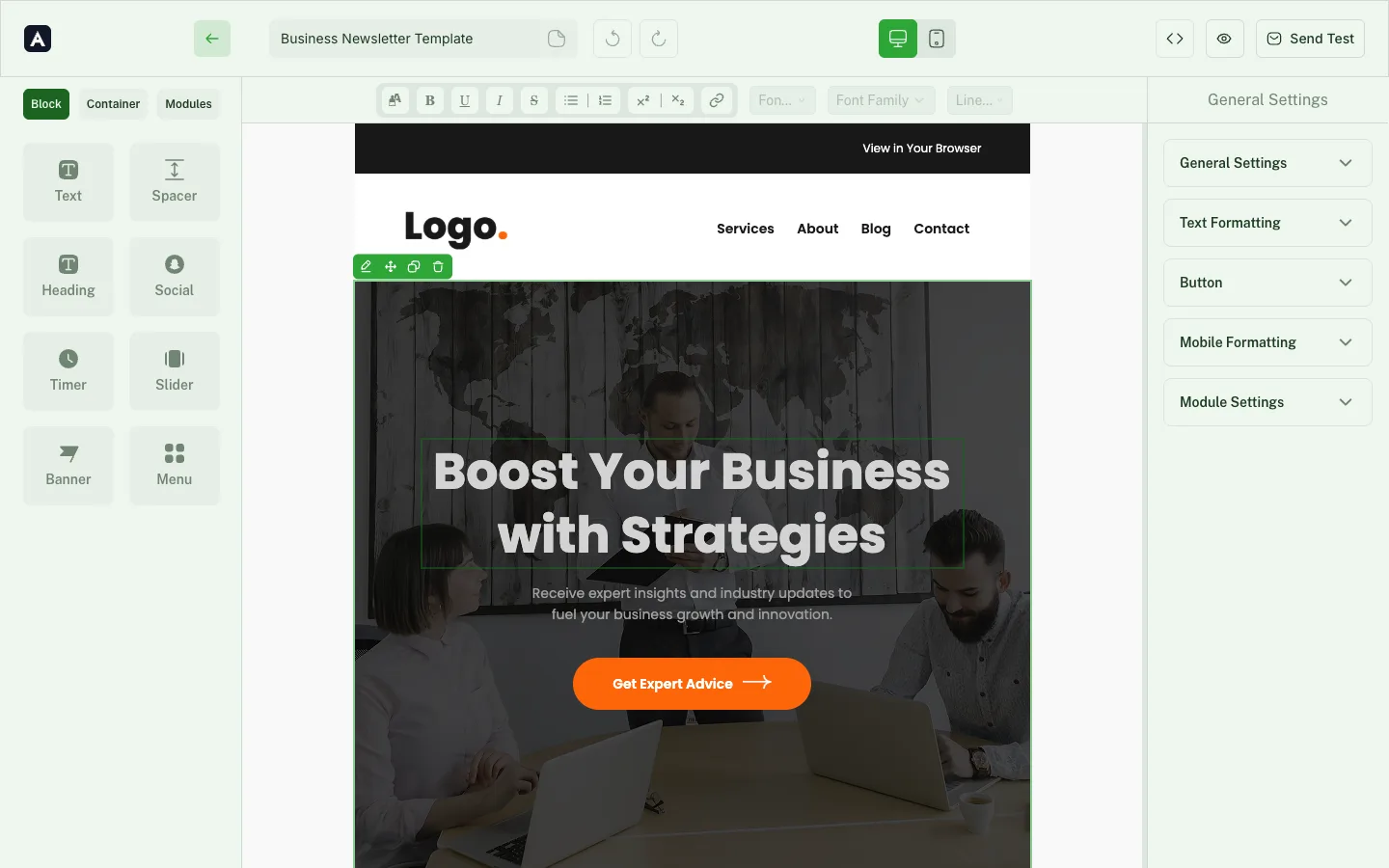
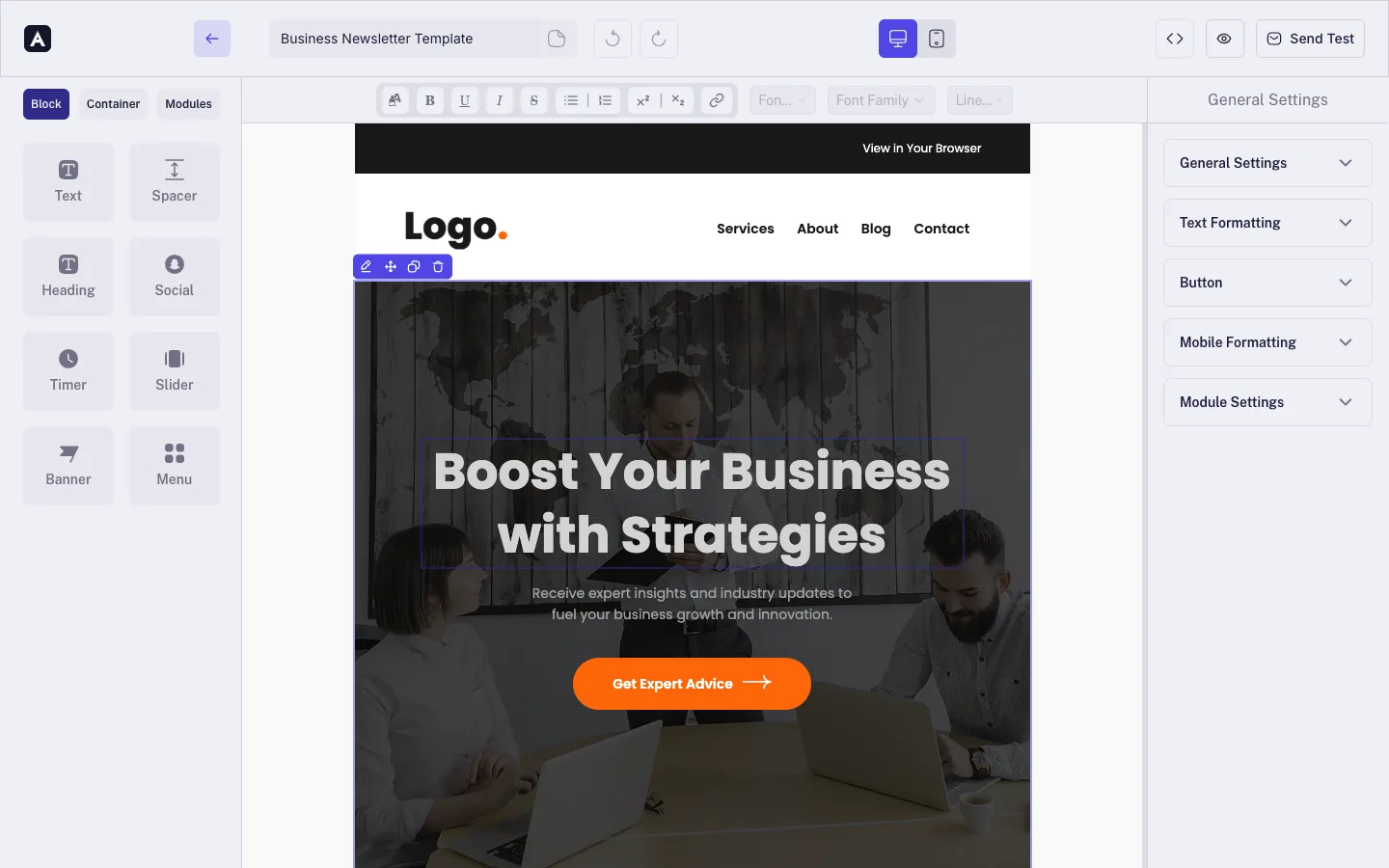
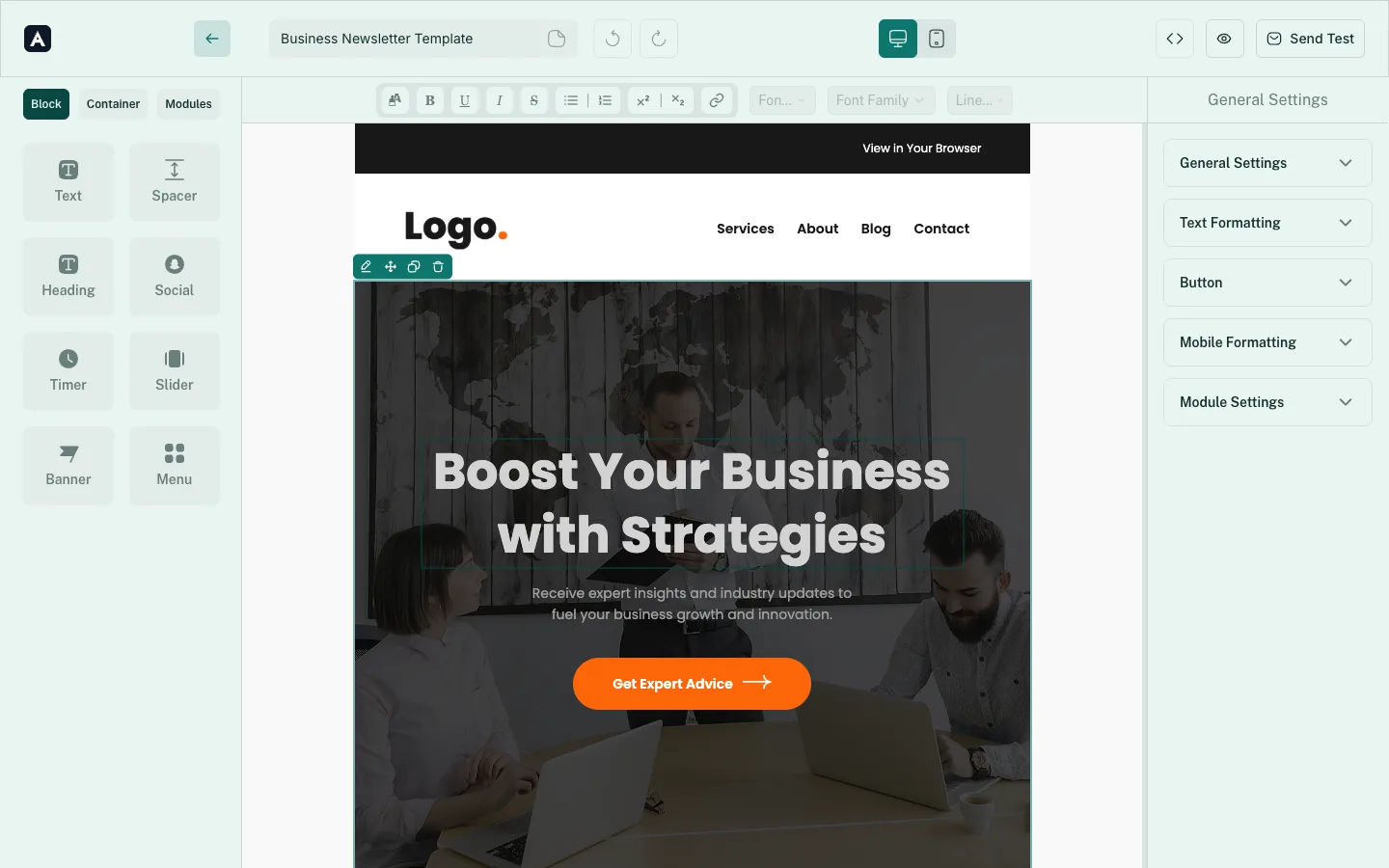
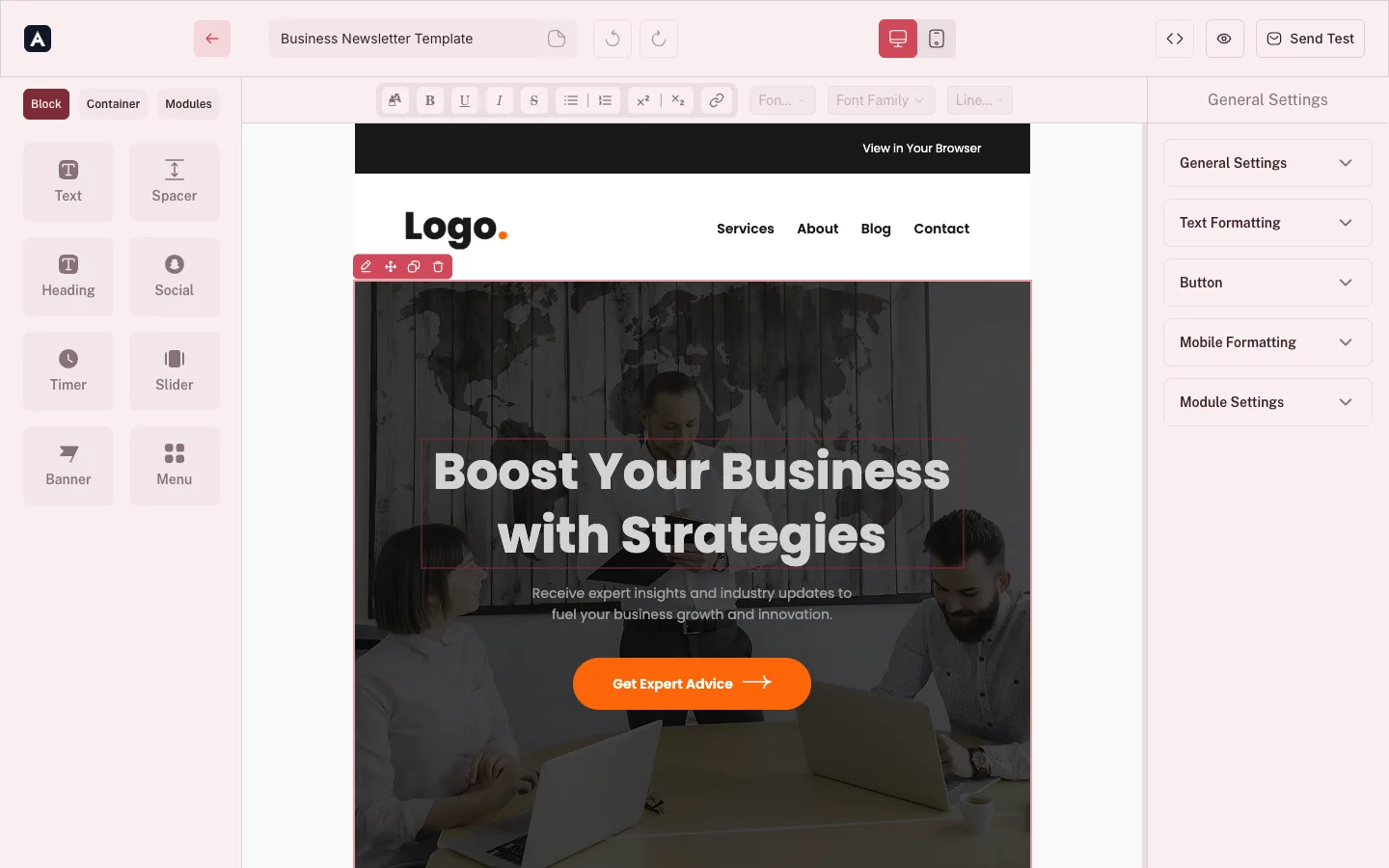
The MailEditor plugin running inside a customer's product, themed in greenThe MailEditor plugin running inside a customer's product, themed in indigoThe MailEditor plugin running inside a customer's product, themed in tealThe MailEditor plugin running inside a customer's product, themed in crimsonThe MailEditor plugin running inside a customer's product, themed in amber
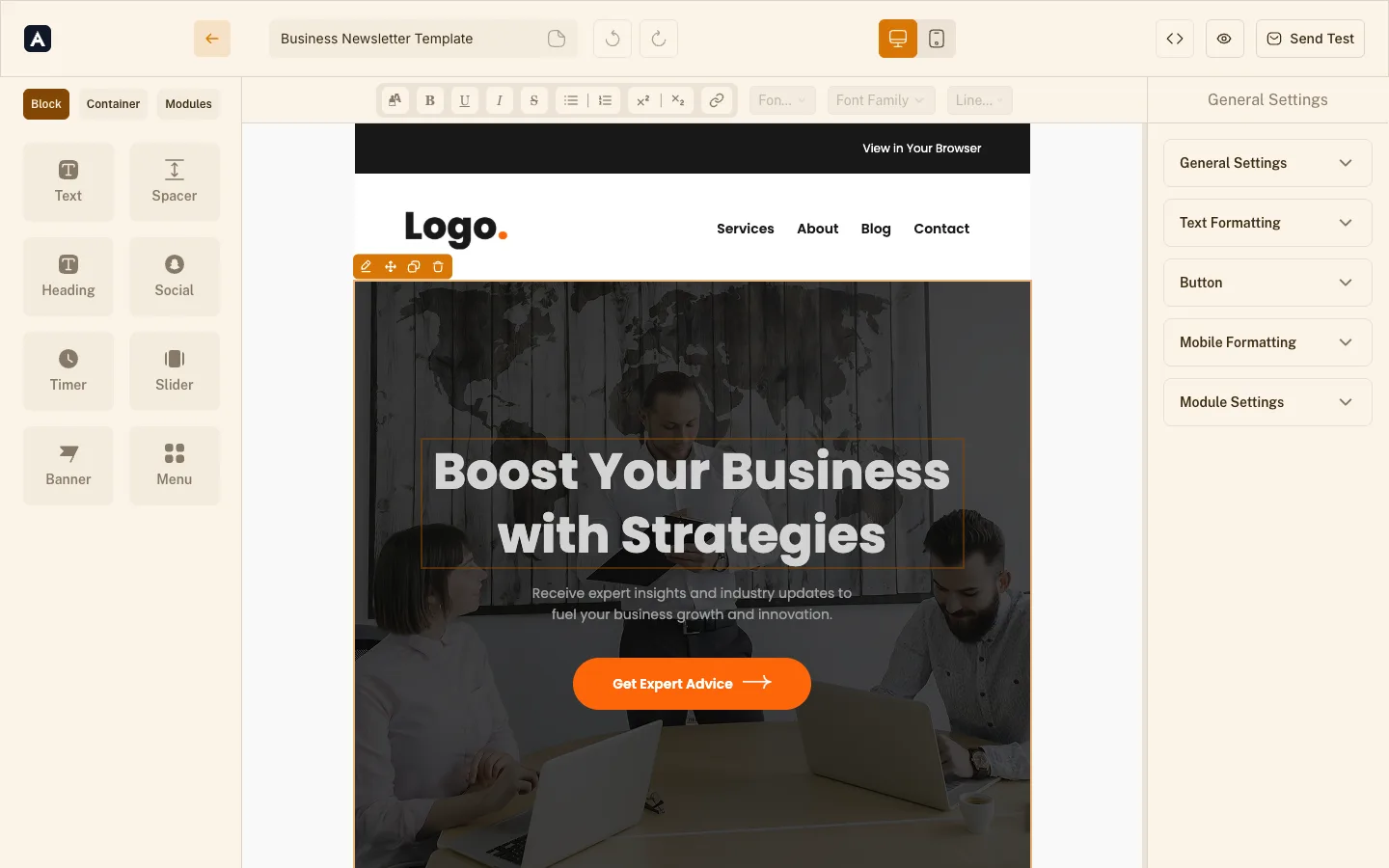
The MailEditor plugin embedded in a customer's application, showing the block library, formatting toolbar, an email template being edited, and the settings panel, all in the customer's own brand colour.
See it in your brand colour:
How it works

One iframe, signed on your server

An iframe, a signed user id, and each user sees only their own templates. Read the HTML back through the Backend API. We never send the emails.

  1. 1

    Create a plugin

    Add one in your dashboard, list the domains it may run on, and copy the Plugin ID and Secret. The free tier starts immediately.

  2. 2

    Sign the user on your server

    Build a short-lived HMAC signature over your user id with the Secret. The Secret never reaches the browser.

  3. 3

    Render the iframe

    Point an iframe at the editor URL with the signed values. That's the integration: no script, no client library.

import { useEffect, useState } from 'react'

export function App() {
  const [auth, setAuth] = useState(null)

  useEffect(() => {
    fetch('/api/auth')
      .then((res) => res.json())
      .then(setAuth)
  }, [])

  if (!auth) return null
  return (
    <iframe
      src={
        'https://maileditor.net/plugin-editor/v1/9f3c1e7a-4b21-4c8e-9a77-1d2f5b6c8e10' +
        `?external_user_id=${auth.externalUserId}` +
        `&identity_expires=${auth.identityExpires}` +
        `&identity_signature=${auth.identitySignature}`
      }
      width="100%"
      height="100%"
    />
  )
}
<script setup>
import { onMounted, ref } from 'vue'

const auth = ref(null)

onMounted(() => {
  fetch('/api/auth')
    .then((res) => res.json())
    .then((data) => (auth.value = data))
})
</script>

<template>
  <iframe
    v-if="auth"
    :src="
      'https://maileditor.net/plugin-editor/v1/9f3c1e7a-4b21-4c8e-9a77-1d2f5b6c8e10' +
      `?external_user_id=${auth.externalUserId}` +
      `&identity_expires=${auth.identityExpires}` +
      `&identity_signature=${auth.identitySignature}`
    "
    width="100%"
    height="100%"
  />
</template>
<script>
  import { onMount } from 'svelte'
  let auth = $state(null)

  onMount(() => {
    fetch('/api/auth')
      .then((res) => res.json())
      .then((data) => {
        auth = data
      })
  })
</script>

{#if auth}
  <iframe
    src={
      'https://maileditor.net/plugin-editor/v1/9f3c1e7a-4b21-4c8e-9a77-1d2f5b6c8e10' +
      `?external_user_id=${auth.externalUserId}` +
      `&identity_expires=${auth.identityExpires}` +
      `&identity_signature=${auth.identitySignature}`
    }
    width="100%"
    height="100%"
  ></iframe>
{/if}
<!doctype html>
<html lang="en">
<head>
  <meta charset="utf-8" />
  <meta name="viewport" content="width=device-width, initial-scale=1" />
  <title>Email editor</title>
</head>
<body>
  <iframe id="editor" width="100%" height="100%"></iframe>

  <script>
    function loadEditor(auth) {
      document.getElementById('editor').src =
        'https://maileditor.net/plugin-editor/v1/9f3c1e7a-4b21-4c8e-9a77-1d2f5b6c8e10' +
        `?external_user_id=${auth.externalUserId}` +
        `&identity_expires=${auth.identityExpires}` +
        `&identity_signature=${auth.identitySignature}`
    }

    fetch('/api/auth')
      .then((res) => res.json())
      .then(loadEditor)
  </script>
</body>
</html>
What your users get

Everything they need to build,
nothing they have to learn

Read the docs

Custom blocks and reusable modules

Your users build a header once and reuse it across every campaign. Save any section as a module, share it across a team, and update it everywhere at once. The fastest route to consistent branding without a design review on every send.


A saved header module with logo and navigation linksA saved contact card module with photo, name, role and button

Merge tags

Drop personalisation into any text field and preview it with sample data before anything ships.

Hi {{first_name}}, your {{plan}} renews soon.

Your storage server

Point image and module storage at your own bucket. No ceiling, no add-on fees, no assets leaving your infrastructure.

Amazon S3GCSAzure

Version history

Every template keeps its own timeline. Roll back a bad edit without a support ticket.

  • Now - Priya edited hero
  • 2h ago - Marcus edited footer
  • Yesterday - Created

Custom fonts

Load your own typefaces so emails match the rest of your brand, with sensible fallbacks handled for you.

AaAaAa

The full template gallery, included

Your users start from a tested, responsive layout instead of an empty canvas. Every template in the MailEditor gallery is available inside the plugin. Or hide the gallery entirely and show only your own house templates.

Email template 1
Email template 2
Email template 3
Email template 4

Styled to your app

Set the accent colour, corner radius and panel placement so the builder reads as part of your interface, not a widget bolted on.

The plugin editor themed in indigoThe plugin editor themed in tealThe plugin editor themed in crimsonThe plugin editor themed in amber
Pricing you can forecast

Your users build more.
Your bill stays put.

You pay for the plan, not for activity. Creating and editing emails costs nothing extra at any volume, and connecting your own storage bucket removes the capacity ceiling entirely.

See the plansStart free
$0Additional cost per email created or modified, on every plan
No limitImage and template storage when you connect your own server
Plans

Pick a plan, ship the editor

Start on the free tier with no card and no agreement. Move up when your users do.

Talk to sales

Scroll sideways to compare all plans.

Plans are billed monthly and can be changed at any time. Your integration and configuration carry over untouched when you upgrade.

Questions

Before you integrate

Ask us something else

An embeddable version of MailEditor. It's the editor served in an iframe inside your application, giving your users the same drag-and-drop building experience they'd get on maileditor.net, inside your product, under your brand.

Products that need an email builder but shouldn't be building one. ESPs and CRMs where email creation is the core job, and platforms where it's adjacent: course tools, booking systems, recruitment software, anything that sends on a customer's behalf.

If you've scoped building your own editor and seen the number, this is the alternative.

No. The plugin receives HTML and CSS and returns HTML and CSS. We don't send your emails, we don't hold your recipient lists, and we don't process contact data. Connect your own storage bucket and image assets stay on your infrastructure too.

A working editor in a page takes an afternoon. Most of the remaining effort goes into decisions rather than code: which blocks to show, which fonts to load, where saved templates live in your schema.

Our team will sit with yours during the build; it's included from the Startup plan up.

Yes. You choose which blocks appear in the library, whether the template gallery is visible, and which settings panels your users can open. Plenty of teams ship a deliberately narrow editor so their customers never see a control they don't need.

Upgrade in your account and the change is immediate. The editor you configured stays exactly as it was: no reintegration, no new keys, no downtime for your users.

There's never a per-email charge on top, so a customer who builds four hundred campaigns a month costs you the same as one who builds four.

See it running in your product

Thirty minutes with an engineer who has done this before. We'll look at your stack, show you the integration, and tell you honestly whether it fits.

Book a demoRead the docs



