Christmas Email Examples: Campaign Ideas & Templates
Explore Christmas email examples, campaign ideas, subject lines, and customizable templates. Create festive emails faster with MailEditor.

Md. Yaikub Hossain Razon
Looking for Christmas email examples that feel festive without sounding like every other promotion in the inbox? The strongest holiday emails give readers a clear reason to open, a relevant message to read, and one obvious next step. That could mean shopping a gift guide, reserving a party seat, checking an order deadline, or simply receiving a thoughtful seasonal greeting.
Below are 12 original, copy-ready Christmas email examples, subject lines and preheaders, a practical campaign timeline, and five MailEditor templates you can adapt to your own brand. The example messages are illustrative copy written for this guide, not screenshots or quotations from real brand campaigns.
Quick answer: A good Christmas email combines a timely reason to send, a concise subject line, a warm or useful message, and a clear CTA. Send gift discovery emails early, switch to verified delivery or pickup deadlines later, and save Christmas Day for gratitude unless a promotion genuinely fits your audience. Start with one campaign goal instead of trying to fit a greeting, gift guide, sale, and event invitation into the same message.
Which Christmas Email Should You Send?
Start with what the reader needs at that point in December. A loyal customer may appreciate a sincere thank-you, while a first-time shopper may need a curated gift guide. An event attendee needs the date, location, and registration link. A last-minute shopper needs honest fulfillment information, not vague urgency.
| Your goal | Best format | Primary CTA |
|---|---|---|
| Drive seasonal purchases | Sale or product spotlight | Shop the Collection |
| Help customers choose gifts | Gift guide or gift-card offer | Explore Gift Ideas |
| Strengthen relationships | Greeting or thank-you | Read Our Note / No CTA |
| Fill an event | Christmas party invitation | Reserve a Spot |
| Help late shoppers | Shipping or pickup reminder | Check Delivery Options |
For shoppers looking primarily for editable designs rather than campaign-writing advice, go directly to the MailEditor Christmas email template collection. This guide focuses on examples, messaging decisions, and when to use each format.
12 Christmas Email Examples You Can Copy and Customize
These examples are original illustrative messages. Replace every bracketed field with accurate information, remove any unsupported offer or promise, and adjust the tone to your subscribers. Subject lines, preheaders, and CTA labels are supplied so you can build a complete campaign rather than just borrowing a headline.
1. Early Christmas Preview Email
Best for: Retail, ecommerce, and VIP subscribers.
Customize it: Send when the seasonal collection or preview page is genuinely available. Avoid promising early access if every subscriber sees the same offer.
2. Christmas Sale Announcement
Best for: Retailers, bakeries, and seasonal ecommerce.
Customize it: Use a verified discount, a working collection URL, and a real expiration time. If no discount exists, feature new products instead.
3. Christmas Gift Guide
Best for: Gift shops, lifestyle stores, and marketplaces.
Customize it: Organize by recipient, price, or category. Avoid listing gifts that are unavailable or unlikely to arrive on time.
4. Holiday Greetings Without a Sale
Best for: Customer relationships, creators, professional services.
Customize it: Make this message about the recipient. Include a useful link only if it genuinely adds value; a greeting does not need a discount.
5. Christmas Bakery or Seasonal Product Spotlight
Best for: Bakeries, cafes, food brands, and local shops.
Customize it: Feature real product photos, allergen information where relevant, and confirmed ordering and pickup details.
6. Last Order Date Reminder
Best for: Stores with shipping, delivery, or pickup cutoffs.
Customize it: Only state dates confirmed by your operations team or carrier. Never guarantee delivery unless your service terms support it.
7. Digital Gift Card Email
Best for: Last-minute gifting and service businesses.
Customize it: Confirm that digital delivery and gift-card functionality actually exist; include expiration or regional limits where required.
8. Customer Appreciation Email
Best for: Loyal customers, memberships, and service brands.
Customize it: Personalize by customer relationship when appropriate. Do not use purchase totals or personal data unless they are accurate and expected.
9. Christmas Party Invitation
Best for: Communities, nonprofits, companies, and event organizers.
Customize it: Include the real date, time zone, venue, cost if any, accessibility details, and an active registration URL.
10. Christmas Newsletter Roundup
Best for: Publishers, creators, educators, and brands.
Customize it: Use meaningful article titles and real links. One featured story plus two supporting reads is often easier to scan than a long digest.
11. Christmas Giving Campaign
Best for: Nonprofits, local initiatives, and community groups.
Customize it: Use documented impact statements, transparent donation terms, and no invented beneficiary counts or outcomes.
12. After-Christmas Thank-You and Next Steps
Best for: Customer retention and post-holiday follow-up.
Customize it: Send only to the relevant audience segment. If mentioning returns or exchanges, state the actual policy rather than promising exceptions.
Choose a ready-to-edit Christmas layout rather than building every email section from scratch.
5 MailEditor Christmas Email Templates to Customize
The examples above are original email copy. The five designs below are real MailEditor template listings selected for different campaign goals. Follow each product link to see the actual template, then replace demo content, branding, images, links, and dates. Some templates may be free and others premium; check the individual listing for current access.
1. Christmas Sale Email Template for Bakeries & Ecommerce
Best for: Seasonal ecommerce and food promotions
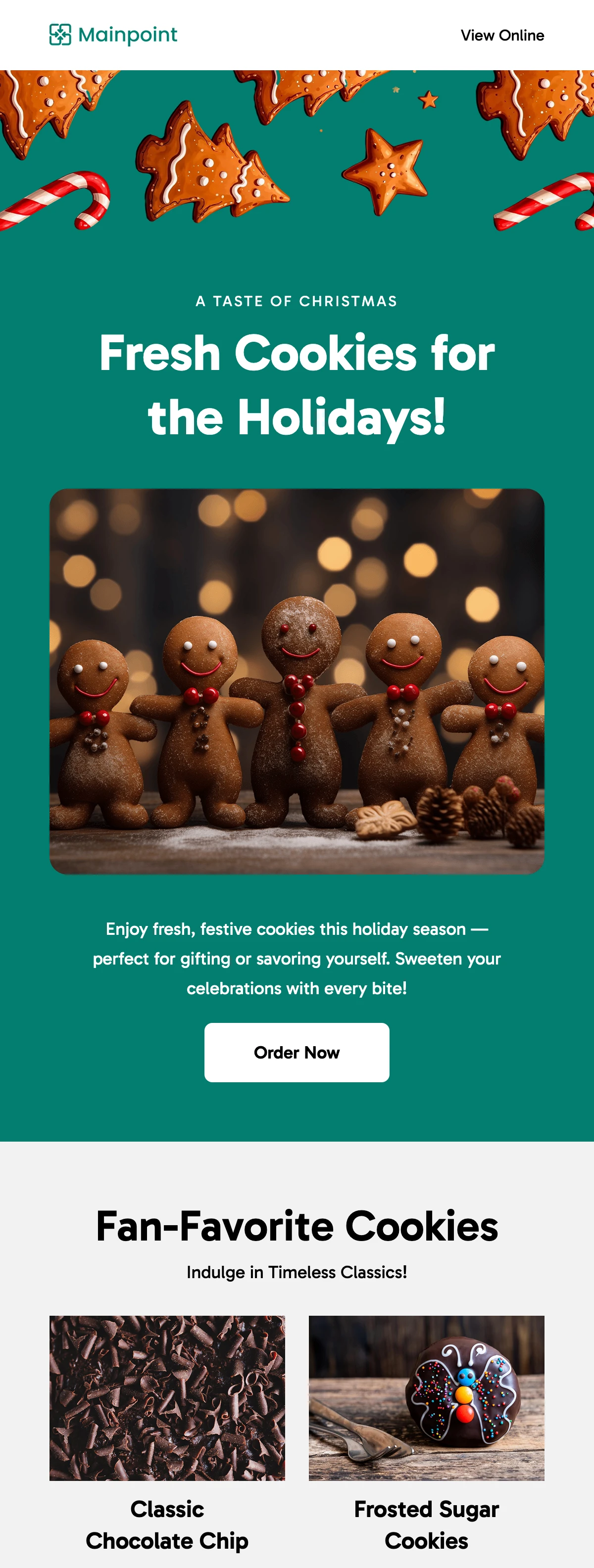
Opens the actual MailEditor template listing. Confirm availability and edit the sample content before sending.
Why it works: The listed design combines a festive teal hero, warm bakery imagery, a four-product grid, and a distinct final-offer section. That gives readers both product discovery and deadline-focused next steps.
Customize it: Swap the sample photos for real products, rewrite placeholder descriptions, replace the offer with your actual terms, and confirm shipping or store-visit information.
2. Holiday Greetings Newsletter Email Template
Best for: Thoughtful Christmas greetings and customer appreciation
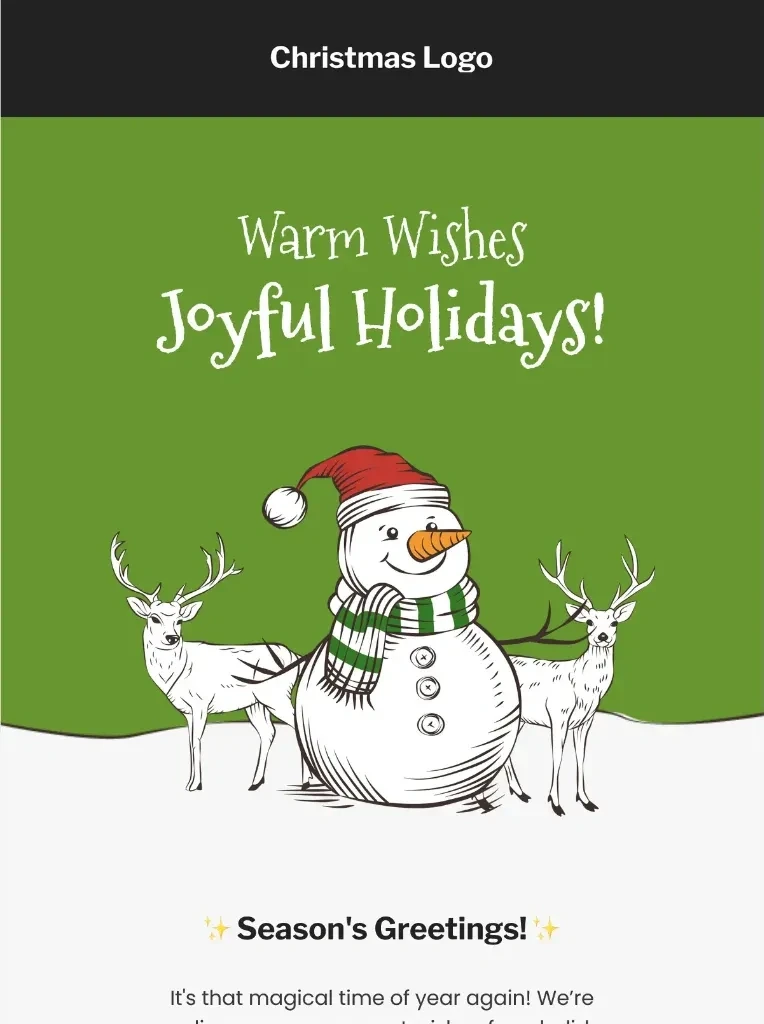
Opens the actual MailEditor template listing. Confirm availability and edit the sample content before sending.
Why it works: Choose this template when the message is the relationship, not a shopping promotion. Keep the seasonal greeting and thank-you prominent, with supporting details only when helpful.
Customize it: Use your brand greeting, a short appreciation note, and any relevant opening-hour or service update. Avoid adding a hard-sell CTA to a purely personal message.
3. Christmas Holiday Gift Email Newsletter Template
Best for: Holiday gift recommendations and product discovery
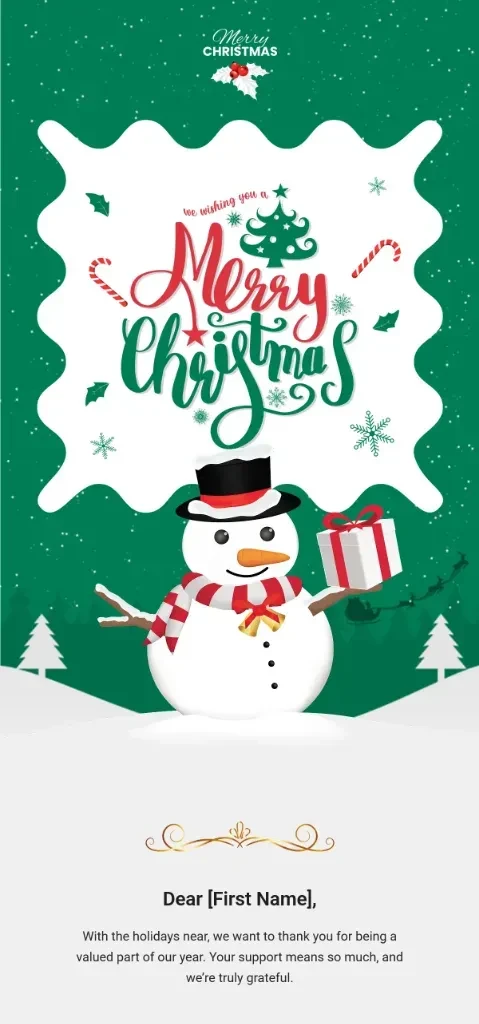
Opens the actual MailEditor template listing. Confirm availability and edit the sample content before sending.
Why it works: A gift-led newsletter is useful for readers who need help choosing rather than another generic discount. Organize featured items around meaningful gift categories.
Customize it: Replace all demo items with in-stock recommendations, include clear prices where relevant, and link each product to its real destination.
4. Christmas Holiday Party Newsletter Template
Best for: Christmas events, RSVP campaigns, and celebrations
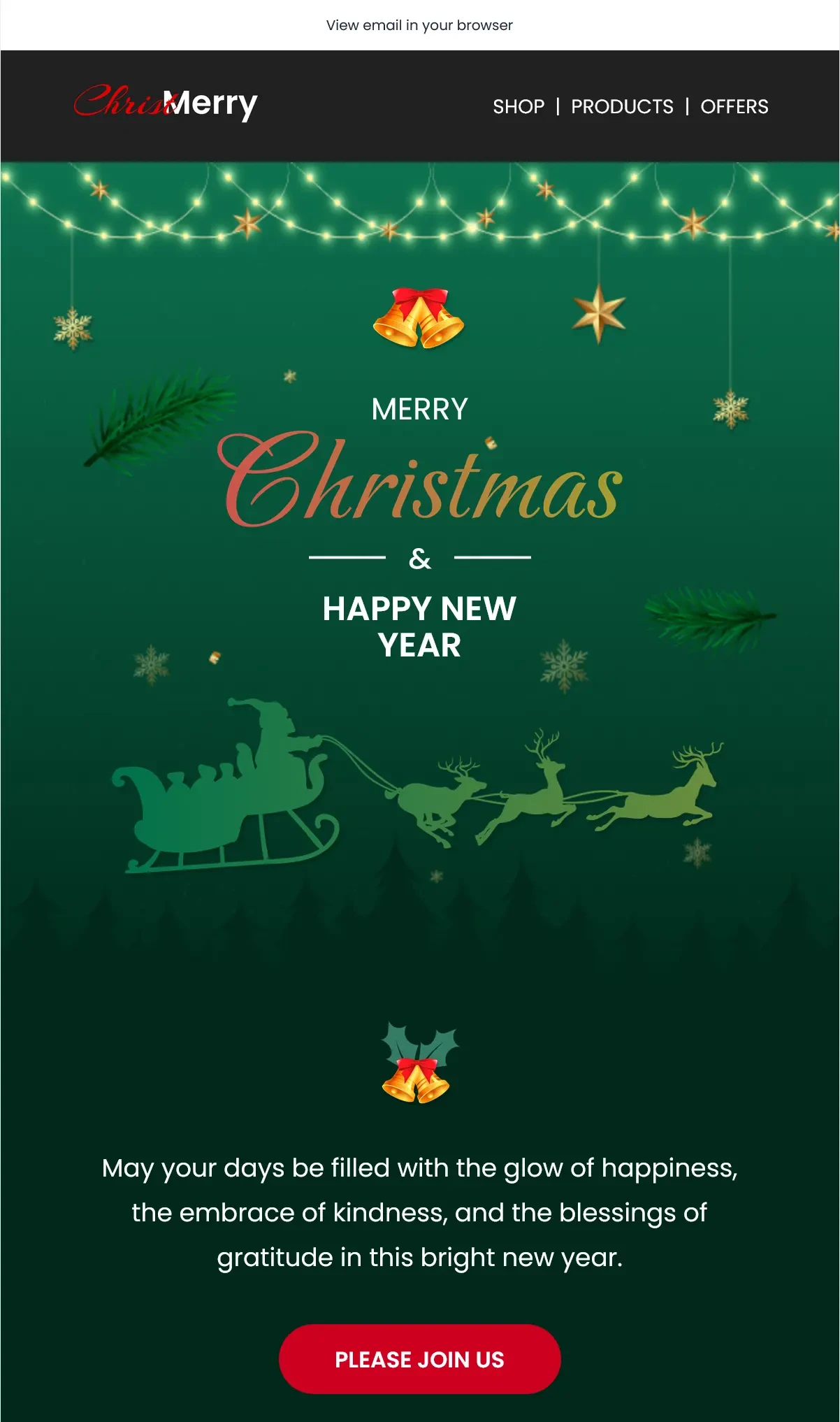
Opens the actual MailEditor template listing. Confirm availability and edit the sample content before sending.
Why it works: An event invitation should make the occasion, date, venue, and response action immediately understandable. Keep the registration path more prominent than secondary links.
Customize it: Update the title, real event date, local time zone, location or meeting link, RSVP deadline, and any attendee instructions.
5. Festive Christmas Reading Newsletter Template
Best for: Christmas editorials, publishing, and content roundups
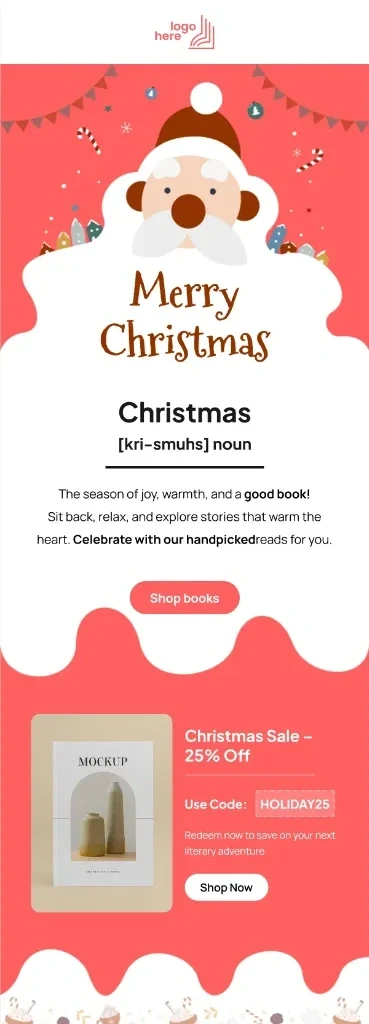
Opens the actual MailEditor template listing. Confirm availability and edit the sample content before sending.
Why it works: This is a useful choice for a seasonal reading digest that encourages engagement without relying on a discount. One featured story can lead, followed by a few supporting links.
Customize it: Replace article teasers with real content, use strong editorial headlines, and choose a single primary reading CTA.
If these five do not fit your brand, explore more styles in the Christmas template collection. That page is the place to compare the full library; here we focus on choosing the right campaign approach.
Christmas Email Subject Lines and Preheaders
A useful Christmas subject line tells readers what they will find inside. Pair it with a preheader that adds new information rather than repeating the same words. Use an offer, date, or urgency cue only when it is true for that campaign.
| Campaign | Subject line | Preheader |
|---|---|---|
| Early preview | Your Christmas first look is here | Explore what is coming before the festive rush. |
| Sale | The Christmas sale starts today | Find seasonal favorites and see the offer details. |
| Gift guide | Thoughtful gifts, made simpler | Browse ideas by recipient and budget. |
| Greetings | Merry Christmas from all of us | A short note of appreciation this season. |
| Bakery | Something sweet for Christmas | See our holiday menu and pickup options. |
| Shipping | Order by [Date] for Christmas delivery | Check eligible shipping methods and cutoffs. |
| Last-minute | Still choosing a Christmas gift? | A digital option may be available. |
| Loyalty | Thank you for a wonderful year | We are grateful to have you with us. |
| Event | You are invited to [Event Name] | RSVP for [date, time, and venue]. |
| Newsletter | Your Christmas reading list is ready | Discover our favorite seasonal stories. |
| Donation | This Christmas, support [Cause] | Learn how this community project works. |
| After Christmas | A thank-you before the year ends | Support and next steps in one place. |
| Minimalist | A little holiday note from [Brand] | Warm wishes, with no sales pitch. |
| Personalized | A Christmas pick for [Audience] | See recommendations chosen for your needs. |
| Post-holiday | Your after-Christmas update | Helpful service details and more. |
For additional ideas on preview text and subject line alignment, read our email preheader best practices guide. Test a few honest, clearly different options with the audiences you actually serve rather than assuming a particular emoji or phrase guarantees more opens.
Christmas Email Campaign Timeline: When to Send Each Message
This is a planning framework for Christmas 2026, not a universal send schedule. Your audience, shipping operations, retail calendar, location, and past engagement data should determine the final dates and frequency. Christmas Day falls on Friday, December 25, 2026.
Suggested window: Mid-November to early December. Seasonal previews, curated gift guides, early collections, and genuine early-access offers.
CTA example: Explore Gift Ideas
Suggested window: Early to mid-December. Product highlights, customer reviews, pickup details, gift-card options, and relevant promotional sends.
CTA example: Shop Holiday Picks
Suggested window: Before your confirmed cutoff. Clear region-specific shipping or local pickup deadline, fulfillment expectations, and available alternatives.
CTA example: Check Delivery Options
Suggested window: Christmas Day through after Christmas. A warm Christmas greeting, thanks, holiday service information, or a genuine post-holiday follow-up.
CTA example: Read Our Holiday Note
Important: Do not use December 24 or any generic date as a promised delivery cutoff. Carriers, countries, product stock, and fulfillment methods differ. Confirm and clearly label your own deadline, time zone, and regions served.
Christmas Email Design Best Practices
1. Lead with one primary goal
Choose whether your message is a sale, gift guide, greeting, reminder, or event invitation. Keep the hero headline, body copy, and main CTA aligned with that decision.
2. Use festive branding without burying the message
Seasonal colors and illustrations can set the mood, but keep the logo recognizable and text readable. Give important offer terms, dates, and links as live text rather than only inside a banner image.
3. Make the design mobile-friendly
Use a readable single-column structure where possible, visible buttons, short navigation, and responsive image sizes. Preview at narrow widths and confirm that headings do not wrap awkwardly.
4. Write real offer and delivery details
Only mention discounts, gifts, free shipping, scarcity, or order deadlines you can honor. State exclusions and eligible locations where they matter.
5. Segment by relevance, not just the holiday
A previous buyer may appreciate a reorder option; a new subscriber may need a product introduction. Do not send an irrelevant Christmas discount to every person on your list.
6. Respect accessibility and inbox differences
Include descriptive image alt text, sufficient contrast, a clear reading order, and a usable text-only interpretation. Test with blocked images and different dark-mode clients.
7. Check links and consent
Ensure CTA destinations, preference links, and required unsubscribe details work, and send only to contacts you are permitted to email.
For implementation details, see mobile-responsive email design best practices, how to improve email click-through rates, and the email pre-send checklist. These linked guides go deeper than this Christmas-specific overview.
How to Customize a Christmas Email in MailEditor
MailEditor can help you move from a seasonal idea to an editable message without coding every block. Use these steps for a practical Blog → Template → Editor workflow.
- Select a campaign goal. Choose one example above and define who should receive it.
- Choose a template. Open one of the five listed designs or browse the Christmas collection.
- Customize the content. Replace placeholder text, brand identity, logos, pictures, pricing, event details, and links.
- Make the CTA specific. Point it to the actual product, collection, reservation, story, support page, or form.
- Review mobile and desktop. Check images, spacing, dark-mode contrast, and the most common inboxes for your audience.
- Export for your sending workflow. Recheck the final email in the platform where you will deliver it.
Want to build a new seasonal layout from reusable sections? Read how to create templates faster with MailEditor modules or use the AI email template generator for a starting point you can refine.
Browse the Christmas collection, pick an editable design, and make the holiday message your own in MailEditor.
Christmas Email Pre-Send Checklist
- Subject line and preheader describe the actual email.
- Audience segment, sender name, and sending time are appropriate.
- All bracketed example fields and demo product descriptions are replaced.
- Offers, price details, inventory, and discount terms are accurate.
- Shipping, pickup, and event dates include the right region or time zone.
- The main CTA and every linked image point to a working destination.
- Mobile view, dark mode, image blocking, and alt text are checked.
- Footer information, preferences, and unsubscribe functionality are present where required.
- A real test email has been inspected in the relevant inboxes.
Final Answer
The best Christmas email is the one that makes the holiday relevant to the reader. Use a gift guide to help shoppers decide, a sale email to explain a genuine offer, a reminder to clarify delivery deadlines, an invitation to fill a real event, or a warm greeting to strengthen a relationship without asking for a purchase.
Start with one of the 12 original email examples above, adapt the subject line and preheader, and choose a template that supports the message. MailEditor's Christmas email templates offer a place to find an editable layout, while the five selected examples show useful starting points for sales, greetings, gifting, events, and editorial newsletters. Test the finished message before you send it.
Frequently Asked Questions
Popular Blogs
Email Design2 mins to read
Top Email Template Builders & HTML Email Editors for 2026
Compare the best email template builders and HTML editors to design professional, responsive campaigns without coding.
Email Design9 mins to read
Email Signature Size and Image Best Practices
The ideal email signature is 320–600px wide and 90–200px high. Learn the best image sizes, formats, file limits, and mobile-friendly design tips.

Email Tips7 mins to read
Best Drag and Drop Email Editors in 2026
Discover the best drag and drop email editors in 2026. Compare top tools, features, templates, pricing, and automation to build stunning emails fast.
Marketing7 mins to read
4 Best Unlayer Alternatives to Design Emails
Looking for Unlayer alternatives? Explore the 4 best email design tools to create beautiful, responsive emails faster and easier.
Marketing6 mins to read
5 Beefree Alternatives to Upgrade Email Design Workflows
Looking for a better email design tool? Explore 5 Beefree alternatives that streamline workflows, improve collaboration, and elevate email campaigns.