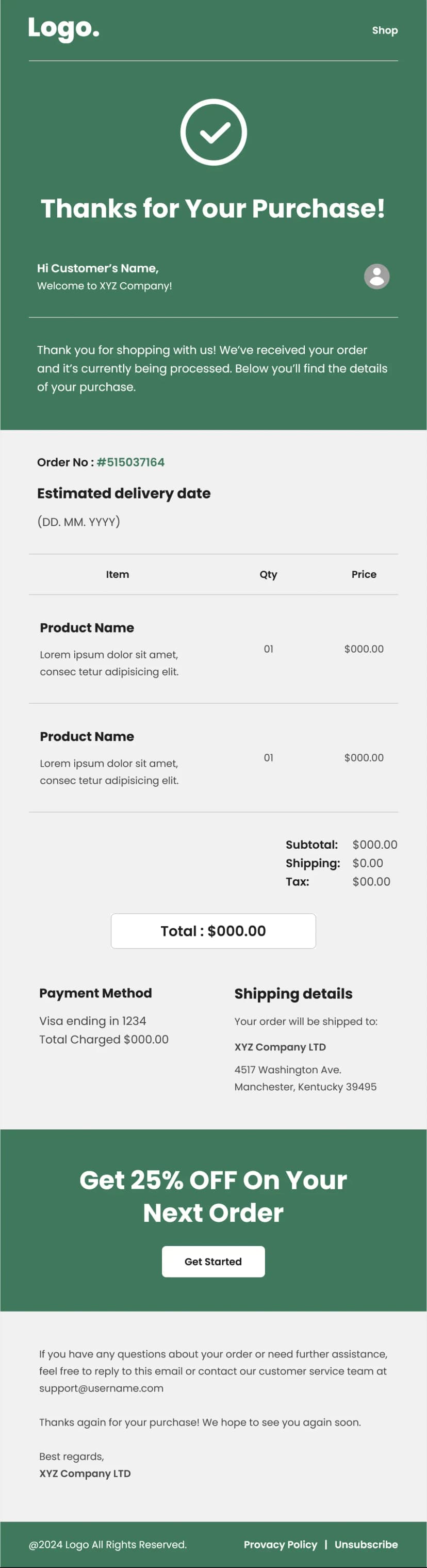


An order confirmation is the most-opened email a store ever sends. Open rates routinely clear seventy percent, because the customer has just spent money and wants proof it went through. That makes it the wrong place for design flourishes and the right place for absolute clarity. This order confirmation email template strips everything back to what the buyer actually needs: a thank-you line, full seller contact details, customer and tracking information, an itemized purchase summary, an estimated delivery date, and a clear total. White background, black text, one blue link accent, nothing competing for attention. Built for ecommerce stores, electronics and hardware retailers, marketplaces, and any business that needs a confirmation email people can read in five seconds and find again in six months.
What's Inside This Order Confirmation Email Template
The email opens with the logo and a single thank-you line that also sets the next expectation, telling the customer a further confirmation is coming when the order ships. That second half is the part most confirmations forget, and it prevents a lot of unnecessary support contact from people wondering whether anything else will happen.
A full seller contact block follows with the business name, phone number, email address, street address, and website. Putting all five in the body rather than in a footer is deliberate. Order emails are the ones customers dig out of an archive months later when something goes wrong, and every contact route needs to be in the document itself.
The customer details section lists the buyer name, their contact number, and a tracking ID. Giving the tracking reference its own labeled row rather than embedding it in a paragraph makes it easy to copy on a phone, which is exactly what the customer will be doing when they check on the delivery.
Item details come next with the full product description, quantity, purchase date, and estimated delivery date. Writing out the complete product name including the model and specification is the right call, because a customer who ordered from several stores in the same week needs to know which order this email refers to without opening a link.
The estimated delivery date is the single most valuable field in the whole email. It is the piece of information customers come back to check most often, and providing it upfront removes the most common reason people contact support after ordering.
The summation block closes the numbers out with subtotal, discount, and total on separate lines. Showing the discount row even when it is zero keeps the arithmetic transparent, which matters for anyone reconciling a receipt against a card statement.
A pay-now button follows for orders awaiting payment, then a support line with a direct email address and an unsubscribe link.
Use Cases
- Ecommerce order confirmation emails
- Purchase receipts and transaction summaries
- Electronics and hardware retailer confirmations
- Marketplace and multi-seller order notifications
- Pending payment and pay-later order emails
- Shipping and tracking notification sends
- B2B order acknowledgement emails
- Pre-order and backorder confirmations
Why Use an Order Confirmation Email Template
Transactional emails are where trust is either confirmed or quietly lost. A customer who has just handed over card details to a store they may not know well is looking for reassurance, and a confirmation that arrives fast and reads clearly does more for repeat purchase rates than most marketing campaigns ever will.
The minimal design is the correct choice, not a limitation. Heavy branding, promotional banners, and product recommendations inside a confirmation email push the actual order details further down the screen, and they make the message look less like a record and more like an advertisement. Customers archive receipts, and a receipt that looks like a receipt gets kept.
The labeled row structure is what makes this order confirmation email template work across devices. Every piece of information sits in its own labeled line rather than in a paragraph, which means it stays scannable at any width and remains readable when a customer forwards it to a colleague, an accounts team, or a family member.
Including the estimated delivery date up front is the most practical improvement any store can make to its confirmations. Where is my order is consistently the highest-volume support query in ecommerce, and a large share of it comes from customers who were never told when to expect delivery in the first place.
And the pay-now button makes this template unusually flexible. Many stores need two separate emails, one confirming a paid order and one chasing an unpaid one, and this layout handles both. Keep the button for pending payments, remove it for completed ones, and swap in a tracking link when the order ships.
How to Customize This Template
Open this order confirmation email template in Maileditor and start by connecting every field to your store's merge tags. Customer name, contact number, tracking ID, product description, quantity, dates, and totals should all populate automatically, since manual entry on transactional email is where errors creep in.
Drop your logo in and update the seller contact block with your real business details. Use a monitored support inbox rather than a no-reply address, because customers will reply to this email whether you intend them to or not.
Check your date formatting carefully. The sample data in this template has an estimated delivery date almost a year after the purchase date, which is the kind of error that generates immediate cancellations if it goes out live. Set the format to match your primary market, and consider spelling out the month to avoid ambiguity between regions.
Extend the item details block to handle multiple products if your orders typically contain more than one, repeating the description, quantity, and line price for each. Add shipping cost and tax rows to the summation block if they apply, keeping the total bold and last.
Decide what the button should do. For a paid order, replace the pay-now action with an order tracking link or an account page. For an unpaid one, point it at a secure payment page and consider adding a payment deadline underneath so the customer knows how long the order will be held.
Keep the design minimal when you brand it. A logo and a single accent color is enough, and resist adding promotional blocks, since anything that pushes the order details below the fold works against the purpose of the email. Update the support address and unsubscribe link, and confirm your setup complies with the transactional email rules in your market. The layout is fully responsive across all major email clients, and once it looks right, export it easily to your preferred email service platform like Klaviyo, Mailchimp, HubSpot, or Omnisend. No coding needed.