Webinar Invitation Email: Examples, Templates & Tips
Webinar invitation emails promote upcoming webinars and drive registrations. Explore copy-ready examples, customizable templates, subject lines, and tips.

Md. Yaikub Hossain Razon
A strong webinar invitation email explains what attendees will learn, who will lead the session, when it happens, and how to register. The goal is not to fit every detail into an email; it is to give the right audience a compelling reason to reserve a place.
Below you will find practical webinar invitation examples, complete copy-ready messages, subject lines and preheaders, a simple invitation schedule, and an HTML starting point. You will also see customizable MailEditor designs that can turn your invitation copy into a visual campaign.
What Is a Webinar Invitation Email?
A webinar invitation email is a message sent to prospective participants to encourage registration for an online presentation, workshop, training, demonstration, or panel. It typically includes the session topic, an audience-specific benefit, the date and time, the presenter, and a link to register.
An invitation is different from a confirmation or reminder. An invitation targets people who have not registered. A confirmation provides registration details, while a reminder helps existing registrants attend. For the latter, use our event reminder email examples rather than repeating a post-registration workflow here.
What Should a Webinar Invitation Email Include?
A useful invite answers six practical questions without overwhelming the reader. Use this compact anatomy as a content checklist—not as a mandatory design.
Webinar invitation anatomy
For a general audience, start with the outcome and the event details rather than an extended company introduction. For a warm customer audience, one sentence explaining why they were invited can add useful context. Include the timezone explicitly so the recipient does not have to guess.
10 Webinar Invitation Email Examples You Can Copy
Each example below is original sample copy. Replace bracketed information, verify event claims, and connect CTAs to a real registration page. These examples cover different registration scenarios rather than minor rewordings of the same message.
1. Professional B2B Webinar Invitation
One focused invitation for teams that want an actionable takeaway.
Best for: Prospects and industry contacts
Subject: A practical session for [Audience]
Preheader: Join us for [Specific Outcome] on [Date]
Hi [First Name],
We are hosting a live webinar on [Webinar Topic] for [Job Role / Team]. In [Duration] minutes, you will learn how to [Outcome 1], [Outcome 2], and [Outcome 3].
When: [Date] at [Time] [Timezone]
Speaker: [Name], [Relevant Role or Credential]
You will leave with [Practical Deliverable]. We would be glad to have you join us.
[Team / Company Name]
Sample CTA; link it to your own registration page.
Customization tip: Keep the benefit in the first two lines and ensure the registration page repeats the same promise.
2. Free Educational Webinar Invitation
A learning-first invitation without exaggerated urgency.
Best for: Subscribers seeking useful instruction
Subject: Free webinar: Learn [Skill] with [Expert]
Preheader: Get the session outline and reserve your free spot.
Hi [First Name],
Want a clearer way to [Solve Problem]? Our free live webinar, [Webinar Name], walks through a practical approach step by step.
We will cover:
• [Learning objective 1]
• [Learning objective 2]
• [Learning objective 3]
Date and time: [Date], [Time] [Timezone]
Host: [Speaker Name]
Registration is free. Save your place and bring your questions.
[Organizer Name]
Sample CTA; link it to your own registration page.
Customization tip: Make sure the webinar is genuinely free before using this language.
3. SaaS Product Demonstration Webinar
A demonstration invitation centered on a specific use case.
Best for: Trial users and evaluators
Subject: See [Product Feature] in action—live demo
Preheader: Watch a walkthrough and ask product questions.
Hello [First Name],
See how [Product] helps teams [Job to Be Done] in our upcoming live demonstration.
We will show [Workflow 1], [Workflow 2], and a common setup question. There will be time for audience Q&A at the end.
Live demo: [Date] at [Time] [Timezone]
Duration: [Minutes]
If you are evaluating [Product Category], this session will help you see whether the workflow fits your team.
[Product Team]
Sample CTA; link it to your own registration page.
Customization tip: Keep feature claims precise and link to the actual demo registration form.
4. Expert-Led Masterclass Invitation
A credibility-led invitation when speaker expertise is the main draw.
Best for: Advanced practitioners
Subject: Masterclass: [Topic] with [Expert Name]
Preheader: Learn the framework behind [Result].
Hi [First Name],
You are invited to an online masterclass with [Expert Name], [Verified Professional Title].
During the session, [Expert Name] will explain [Framework or Technique] and demonstrate how to apply it to [Audience Challenge].
Date: [Date]
Time: [Time] [Timezone]
Length: [Duration]
Register to receive your confirmation and access details.
[Organizer Name]
Sample CTA; link it to your own registration page.
Customization tip: Use only verified speaker credentials; do not invent awards or results.
5. Panel Discussion Webinar Invitation
An agenda-led invitation for a multi-speaker format.
Best for: Industry communities
Subject: Live panel: What is changing in [Industry]?
Preheader: Hear different viewpoints from [Number] specialists.
Hello [First Name],
Join our live panel, [Panel Title], for a discussion of [Industry Challenge]. Our guests will examine [Question 1], [Question 2], and practical next steps for [Audience].
Panelists: [Name, Role]; [Name, Role]; [Name, Role]
When: [Date], [Time] [Timezone]
Register to attend and submit a question in advance if you would like.
[Event Team]
Sample CTA; link it to your own registration page.
Customization tip: Use short role descriptions and keep the panel’s central question visible.
6. Customer Training Webinar Invitation
A customer education invitation without turning it into a marketing blast.
Best for: Existing customers
Subject: Customer workshop: Get more from [Feature]
Preheader: Practical workflows and time for live Q&A.
Hi [First Name],
We are running a customer training session to help you use [Feature] more confidently.
We will cover setup, a real-world workflow, and common questions. Whether you are getting started or refining an existing process, you can follow along.
Session: [Webinar Title]
When: [Date] at [Time] [Timezone]
Register to receive the joining information and any preparation notes.
[Customer Success Team]
Sample CTA; link it to your own registration page.
Customization tip: Segment invitations by customer interest or product access when possible.
7. Industry Research Webinar Invitation
A data-led invitation with a clear source and implication.
Best for: Analysts and decision-makers
Subject: New findings: [Research Topic] webinar
Preheader: See the findings and what they mean for your team.
Hi [First Name],
Our team will present findings from [Study or Report Title] and discuss the implications for [Industry / Role].
Join us to examine [Finding Category 1], [Finding Category 2], and questions to consider next.
Date: [Date]
Time: [Time] [Timezone]
Presenter: [Name / Organization]
Register to take part in the live session.
[Research Team]
Sample CTA; link it to your own registration page.
Customization tip: Do not claim proprietary research unless you own or have permission to present it.
8. Co-Hosted Partner Webinar Invitation
A collaborative invitation that establishes the value of both hosts.
Best for: Combined audiences
Subject: [Brand A] + [Brand B]: Live webinar on [Topic]
Preheader: Two perspectives, one practical session.
Hi [First Name],
[Brand A] and [Brand B] are teaming up for a live webinar on [Shared Topic].
You will hear [Perspective or Skill from Host A] and [Perspective or Skill from Host B], followed by a practical discussion of [Audience Challenge].
When: [Date] at [Time] [Timezone]
Speakers: [Names and Roles]
Save your place to join the conversation.
[Joint Event Team]
Sample CTA; link it to your own registration page.
Customization tip: Agree on the registration destination and privacy disclosures with your partner.
9. Personalized Invitation from a Host
A human invitation when outreach is relevant and specific.
Best for: Small, targeted prospect lists
Subject: [First Name], invitation to [Webinar Topic]
Preheader: Thought this session might be useful for [Team / Role].
Hi [First Name],
I wanted to invite you to a short session we are hosting on [Topic]. Since your team works on [Relevant Area], I thought the discussion about [Practical Outcome] might be useful.
It is on [Date] at [Time] [Timezone], and [Speaker] will walk through [Agenda Highlight].
If it fits your schedule, you can register here: [Registration Link].
Best,
[Real Sender Name]
Sample CTA; link it to your own registration page.
Customization tip: Personalize with accurate context, not guessed personal details.
10. Last-Call Registration Invitation
A time-sensitive invitation that does not target people already registered.
Best for: Interested non-registrants
Subject: Registration closes [Day] for [Webinar]
Preheader: A final chance to reserve your spot before the deadline.
Hi [First Name],
Registration for [Webinar Name] closes on [Real Deadline]. If you wanted to join the live session about [Primary Benefit], there is still time to sign up.
Session: [Date] at [Time] [Timezone]
You will learn: [Key Takeaway]
Use the registration link below before [Deadline and Timezone].
[Organizer Name]
Sample CTA; link it to your own registration page.
Customization tip: Use a truthful deadline and exclude confirmed registrants from this send.
For additional messaging around a genuinely closing registration window, see our last chance email templates. Use that resource for campaign sequencing rather than replacing the initial invitation with repeated urgency.
Webinar Invitation Subject Lines and Preheaders
The subject line should clearly communicate the topic or expected benefit. Pair it with a preheader that supplies the missing detail rather than repeating the subject. The examples below can be adapted to your event without promising unsupported outcomes.
| Angle | Subject line | Preheader |
|---|---|---|
| Benefit-first | Learn [Skill] in our live webinar | A practical session on [Date] with [Speaker]. |
| Question-led | Struggling with [Challenge]? Join our webinar | Explore an approach and ask questions live. |
| Speaker-led | [Expert] on [Topic]: Live session | Hear practical examples from [Verified Role]. |
| B2B | A live session for [Role] teams | See approaches to [Relevant Workflow]. |
| Beginner-friendly | New to [Topic]? Start here | Join our introductory session on [Date]. |
| Product demo | See [Product Workflow] live | A guided demonstration plus Q&A. |
| Panel | Live panel: [Industry Question] | Perspectives from [Panelists]. |
| Research | What our [Study] found about [Topic] | Join the discussion of findings and implications. |
| Partner | [Brand A] + [Brand B] invite you | A live webinar on [Shared Topic]. |
| Customer training | Get more from [Feature] | A live product workshop for customers. |
| Short personal | [First Name], a session on [Topic] | Thought it could be useful for your work. |
| Last call | Webinar registration closes [Day] | Reserve a spot before the actual deadline. |
Webinar Invitation Email Templates You Can Customize
If you would rather edit a visual invitation than build one from scratch, start with a layout that already supports event details, speaker introductions, and registration buttons. The following three MailEditor templates are useful starting points. The first two are designed for webinars; the third is an event invitation that can be adapted for an online wellness workshop.
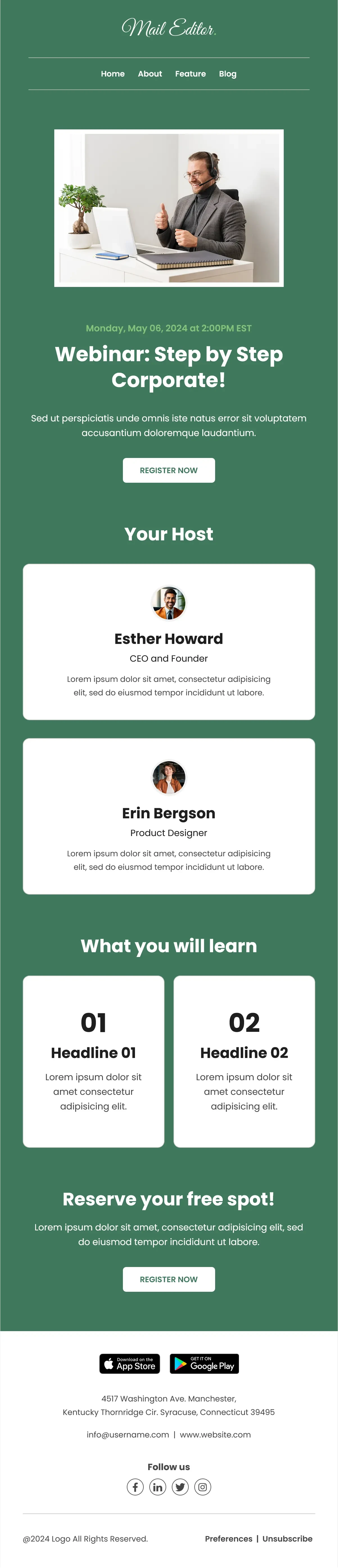
1. Corporate Webinar Newsletter Template
Best for: Webinar registration, B2B event announcements, speaker-led sessions
Scroll inside the preview to explore the design, or click the image to open it full size.
This green-layout example includes webinar headline, host blocks, and a clear registration action. Update the headline, benefits, speaker biographies, date, timezone, and registration destination.
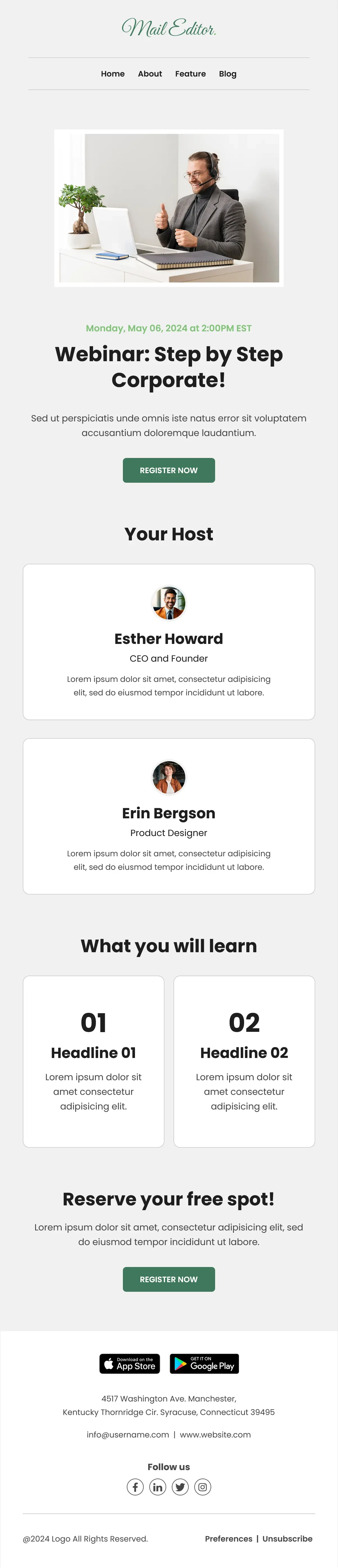
2. Corporate Webinar Email Template
Best for: Clean webinar promotions, customer education, professional invitations
Scroll inside the preview to explore the design, or click the image to open it full size.
A lighter visual variation of the corporate webinar design. Choose it when you want the same information hierarchy with a quieter presentation; avoid using both variations in one campaign without a reason.
3. Women's Wellness Event Email Template
Best for: Wellness workshops, community webinars, speaker-led online sessions

Scroll inside the preview to explore the design, or click the image to open it full size.
An adaptable event design rather than a webinar-specific template. Replace in-person event language, unrelated product sections, location details, and event photography as needed; add a webinar date, timezone, agenda, and registration CTA.
To compare other layouts without expanding this article into a full catalog, browse MailEditor’s event invitation email templates. Select a design based on the action you want readers to take, not color alone.
When Should You Send a Webinar Invitation?
There is no universal schedule for every audience. An initial invitation and one or two relevant follow-ups are often easier to manage than a long, repetitive sequence. Match timing to the audience, event lead time, and how quickly registrations are coming in.
Roughly 2–3 weeks before, when feasible. Lead with the outcome and registration link.
About a week before. Add an agenda or speaker detail; send only to non-registrants.
Near the real deadline. State it clearly and suppress registrants.
These windows are planning examples, not an evidence-based optimal send-time claim.
Once someone registers, stop sending them invitations for that same event. Use a separate confirmation and attendance sequence, which is covered in our event reminder email guide.
Copy-Ready HTML Webinar Invitation Example
A simple table-based HTML invitation is useful when your sending platform accepts custom markup. This example emphasizes an accessible text hierarchy and one registration button. It is a starting point—not a substitute for testing the final email in real clients.
%%...%% tokens with your real webinar and business details, and insert the unsubscribe link required for your marketing messages. Test mobile rendering, links, timezone, and registration confirmation. Do not send placeholder values.Webinar Invitation Email Best Practices
- Lead with a meaningful outcome. Say what the audience can learn or do differently after the session.
- Keep subject and preheader complementary. Avoid repeating identical information in both fields.
- Use one primary registration action. Secondary links should not obscure the main CTA.
- Show date, time, timezone, and duration clearly. State whether the session is live, recorded, or both when relevant.
- Introduce speakers with relevant credentials. Keep bios brief and claims verifiable.
- Segment by audience and registration status. Stop acquisition invitations after someone signs up.
- Match the landing page. Event topic, schedule, presenter, and price should be consistent across email and registration page.
- Keep the design readable on mobile. Use a clear text hierarchy, legible buttons, responsive images, and useful alt text.
- Make availability and deadlines truthful. Do not create false scarcity or imply a replay exists when it does not.
- Send and inspect test emails. Check Gmail, Outlook, mobile devices, and the complete signup journey.
For further layout guidance, read mobile-responsive email design best practices. Before launching, use the email pre-send checklist to review copy, links, images, and footer details.
How to Create a Webinar Invitation Email with MailEditor
MailEditor provides editable email templates and a visual editor, so you can adapt an invitation layout without rebuilding the entire design manually.
- Browse event invitation email templates and choose a layout with enough space for your title, event details, and CTA.
- Open your preferred design in the MailEditor email editor.
- Replace sample branding, webinar title, time, timezone, speaker information, and imagery.
- Connect the primary CTA to your genuine registration landing page.
- Remove unrelated blocks, such as product tiles in an event template that is not selling products.
- Preview desktop and mobile layouts, export using the workflow available to you, and send a test.
Choose a MailEditor event template, add your webinar details, and prepare a registration-focused email.
Final Answer
The best webinar invitation email is specific about the audience, the value of attending, and the action required to register. Use a clear subject line, an outcome-driven opening, verified speaker information, date and timezone, and one registration CTA. The examples above are starting points—adapt the copy to the actual webinar rather than adding unnecessary claims or urgency.
For the design, choose a template that fits the goal, not just a visual style. MailEditor’s event invitation collection offers layouts you can customize with your own webinar details and registration links.
Frequently Asked Questions
Popular Blogs
Email Design2 mins to read
Top Email Template Builders & HTML Email Editors for 2026
Compare the best email template builders and HTML editors to design professional, responsive campaigns without coding.
Email Design9 mins to read
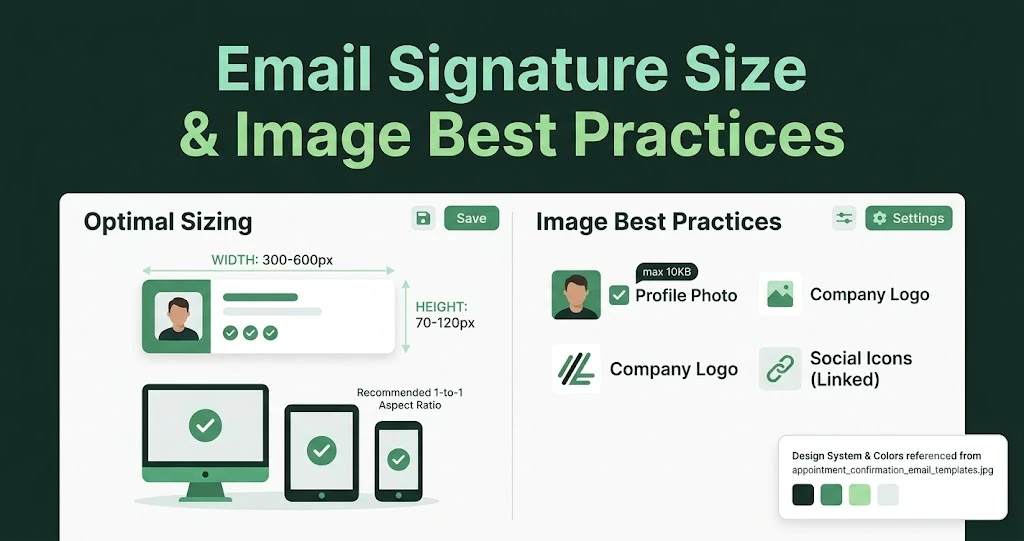
Email Signature Size and Image Best Practices
The ideal email signature is 320–600px wide and 90–200px high. Learn the best image sizes, formats, file limits, and mobile-friendly design tips.

Email Tips7 mins to read
Best Drag and Drop Email Editors in 2026
Discover the best drag and drop email editors in 2026. Compare top tools, features, templates, pricing, and automation to build stunning emails fast.
Marketing7 mins to read
4 Best Unlayer Alternatives to Design Emails
Looking for Unlayer alternatives? Explore the 4 best email design tools to create beautiful, responsive emails faster and easier.
Marketing6 mins to read
5 Beefree Alternatives to Upgrade Email Design Workflows
Looking for a better email design tool? Explore 5 Beefree alternatives that streamline workflows, improve collaboration, and elevate email campaigns.