Event Reminder Email: 15 Examples and Templates
Use 15 event reminder email templates for webinars, conferences, workshops, and more, with subject lines, timing tips, preheaders, and examples.

Md. Yaikub Hossain Razon
An event reminder email is a short message sent before an upcoming event to help recipients remember when it starts, where to go, how to join, and what to prepare. A good reminder puts the event name, date, time, time zone, location or join link, and a useful action near the top.
Whether you are hosting a webinar, conference, workshop, networking session, fundraiser, or company event, the reminder should make attending easier instead of repeating the original invitation.
Below are 15 copy-ready event reminder email templates, each with a subject line, preheader, complete message, and CTA. You will also find a suggested reminder schedule, two visual guides, subject line ideas, and practical instructions for personalizing your emails.
Event Reminder Email: Quick Answer
What should an event reminder email say? Tell attendees what the event is, when it happens, where they should go or which link to use, and whether they need to bring anything. End with one clear next step, such as Add to Calendar, View Event Details, or Join Webinar.
Simple reminder formula:
[Event Name] + [Date and Time Zone] + [Location or Join Link] + [One Preparation Detail] + [Clear CTA]
When Should You Send an Event Reminder Email?
There is no universal schedule for every event. A short virtual session may need fewer messages than a multi-day conference. A practical starting sequence is one week before, 24 hours before, and a final reminder close to start time. Adjust it for the event format and how early attendees need to prepare.
| Timing | Main Purpose | What to Include |
|---|---|---|
| Immediately after registration | Confirmation, not a reminder | Receipt/confirmation, time zone, calendar details |
| About 7 days before | Help people plan | Agenda, date, time, calendar link |
| About 24 hours before | Confirm logistics | Join link or address, check-in instructions |
| Event day / 1 hour before | Make joining easy | Start time, direct access, last practical detail |
Send only the reminders that make sense for your audience. For example, venue-based events may need a three-day travel update, while webinars may benefit from a one-hour join-link reminder. Do not send an outdated “tomorrow” message to someone who registered only minutes before the session.
Event Reminder Email Timeline
A practical sequence for registered attendees
7 Days Before
Reconfirm event details, highlight the agenda, share a calendar link.
24 Hours Before
Bring the venue address or join link, arrival time, and key instructions to the top.
Day Of / 1 Hour Before
Make access effortless. Send only the most relevant final details.
Adjust timing to your event and suppress unnecessary reminders when possible.
What to Include in Every Event Reminder Email
The exact copy changes by event, but the essentials stay consistent:
- Recognizable subject line: Name the event and useful timing.
- Helpful preheader: Preview the location, join link, or preparation step.
- Event details: Full name, date, start time, and time zone.
- Access: Venue address and entry instructions or the correct virtual join link.
- Preparation: Ticket, ID, materials, parking, or technical requirements if applicable.
- Clear next step: Calendar, agenda, directions, ticket, or join link.
- Contact option: A place to get help if plans change.
Event Reminder Email Anatomy
Build the message in the order attendees need to read it.
1. Subject + Preheader
Tomorrow: [Event Name]
Time, location, and access details inside.
2. Event Identification
[Event Name] takes place on [Date].
3. Practical Details
[Start Time + Time Zone] · [Venue / Join Link] · [Check-In]
4. One Preparation Step
Bring [Ticket] or arrive [X Minutes] early, if applicable.
5. Primary CTA: View Event Details
15 Event Reminder Email Examples and Templates
Each template below includes best use, recommended timing, subject line, preheader, complete body copy, and a CTA label. Replace the square-bracketed placeholders with real event information before sending. These are copywriting templates that you can build into your preferred email layout.
1. One-Week Event Reminder Email
When to send: About 7 days before the event. Best for: Registered attendees who need a calendar reminder and an agenda preview.
Subject: One week to go: [Event Name]
Preheader: Your event details, agenda preview, and calendar link are inside.
Hi [First Name],
We are looking forward to welcoming you to [Event Name] next week.
Date: [Day, Date]
Time: [Start Time] [Time Zone]
Location: [Venue and Address / Join Link]
We will be covering [Agenda Highlight 1], [Agenda Highlight 2], and [Key Takeaway]. You can review the full agenda before the event and save the time on your calendar.
If your plans have changed, please let us know using [Attendance Update Link] so we can keep the attendee list accurate.
See you soon,
[Event Team / Organization]
CTA label: Add to Calendar
Customization tip: Send this to confirmed registrants, not people who still need to register.
2. Three-Day In-Person Event Reminder
When to send: Around 3 days before the event. Best for: Attendees who need travel, arrival and entry instructions.
Subject: 3 days until [Event Name]: Plan your visit
Preheader: Find the address, check-in time, and arrival instructions.
Hello [First Name],
[Event Name] is coming up in three days. Here are the details to help you plan your visit.
Date: [Date]
Doors Open: [Time] [Time Zone]
Venue: [Venue Name, Full Address]
Parking / Transit: [Parking or Directions Link]
Please arrive [Recommended Arrival Window] before the first session and bring [Ticket / QR Code / Identification, if required]. Our team will be at [Check-In Location] to help you find your way.
If you need accessibility assistance or have a question, contact [Support Contact].
We look forward to seeing you,
[Event Team]
CTA label: View Directions
Customization tip: Use directions and parking details only when they have been confirmed.
3. 24-Hour Event Reminder Email
When to send: The day before the event. Best for: A short final logistics summary for confirmed attendees.
Subject: Tomorrow: [Event Name] at [Time]
Preheader: Everything you need for tomorrow, including your access details.
Hi [First Name],
Just a reminder that [Event Name] takes place tomorrow.
When: [Date], [Time] [Time Zone]
Where: [Venue and Address / Online Join Link]
Check-In: [Arrival Instructions / Virtual Access Instructions]
Please keep [Ticket / Registration Email] handy. If you are joining online, check your connection and use the access link above a few minutes early.
We are excited to have you with us.
Best,
[Event Team]
CTA label: View Event Details
Customization tip: Put date, time and the usable access link near the beginning.
4. Same-Day In-Person Event Reminder
When to send: On the event day, before travel or doors opening. Best for: Events where attendees need exact entrance and check-in instructions.
Subject: Today is the day: [Event Name]
Preheader: Doors open at [Time]. Here is where to check in.
Hello [First Name],
We are ready to welcome you to [Event Name] today.
Event Starts: [Time] [Time Zone]
Doors Open: [Time]
Venue: [Full Address]
Entrance: [Door / Check-In Desk / Building Name]
Have your [Ticket / QR Code] ready when you arrive. For last-minute directions or accessibility questions, contact [Support Contact].
We look forward to a great event together.
[Event Team]
CTA label: Open Venue Map
Customization tip: For early-morning events, send this early enough to support travel planning.
5. One-Hour Webinar Reminder Email
When to send: About 60 minutes before the virtual session. Best for: Registered webinar attendees.
Subject: In 1 hour: [Webinar Name]
Preheader: Your join link and start time are here.
Hi [First Name],
Your webinar, [Webinar Name], begins in one hour.
Start: [Time] [Time Zone]
Join: [Personal Webinar Join Link]
Topic: [One-Sentence Session Topic]
You can join a few minutes early to check your audio. Bring any questions you would like the presenter to address during [Q&A Segment, if included].
See you online,
[Webinar Team]
CTA label: Join the Webinar
Customization tip: Use the attendee-specific join URL if the webinar platform issues unique links.
For virtual events, make sure the webinar link belongs to the right attendee and the displayed time includes an explicit time zone.
6. Webinar Starting-Now Reminder
When to send: At the scheduled start time, for registrants who have not joined. Best for: Last access reminder for virtual attendees.
Subject: We are live: Join [Webinar Name]
Preheader: The session has started. Enter using your registration link.
Hi [First Name],
[Webinar Name] is starting now, and your access link is ready.
Live Session: [Webinar Name]
Join Link: [Personal Webinar Join Link]
You can enter the session now. We will begin with [Opening Topic] before moving into [Main Discussion].
Hope to see you there,
[Webinar Team]
CTA label: Join Live Session
Customization tip: Suppress this reminder for attendees already present when your platform supports attendance-based segmentation.
7. Conference Attendance Reminder
When to send: About 3–5 days before the conference. Best for: Multi-session or multi-day conferences.
Subject: Your guide to [Conference Name]
Preheader: Sessions, badge pickup, and venue information in one place.
Hello [First Name],
We are looking forward to seeing you at [Conference Name]. Here is your attendee overview.
Conference Dates: [Dates]
Venue: [Name and Address]
Badge Pickup: [Location and Hours]
Agenda: [Agenda Link]
We recommend reviewing the sessions you would like to attend and noting any workshops with separate check-in requirements. If you are traveling, visit [Travel Information Link] for arrival details.
We look forward to connecting,
[Conference Team]
CTA label: View Conference Agenda
Customization tip: Segment speakers, exhibitors and standard attendees when their arrival instructions differ.
8. Workshop Preparation Reminder
When to send: Around 2–3 days before the workshop. Best for: Hands-on workshops with preparation or required materials.
Subject: Before [Workshop Name]: What to bring
Preheader: A short preparation checklist for your session.
Hi [First Name],
Your place at [Workshop Name] is confirmed. We are sharing a few preparation details so you can make the most of the session.
Date: [Date]
Time: [Time] [Time Zone]
Venue / Access: [Address or Join Link]
Please bring [Required Material 1] and [Required Material 2]. If you can, complete [Pre-Workshop Task] beforehand. We will provide [Materials or Resources Provided] during the workshop.
Questions about the setup? Reply to this message or reach us at [Contact].
See you at the workshop,
[Workshop Host]
CTA label: View Preparation Checklist
Customization tip: Do not add unnecessary preparation steps; keep the checklist achievable.
9. Company Town Hall Reminder
When to send: 1 day before an internal company event. Best for: Internal meetings, employee briefings and all-hands events.
Subject: Tomorrow: [Company] town hall
Preheader: Agenda, meeting time, and access details for the team.
Hello Team,
A reminder that our [Month / Quarter] town hall is scheduled for tomorrow.
Date: [Date]
Time: [Time] [Time Zone]
Location: [Room / Meeting Link]
We will cover [Business Update], [Team Highlight], and [Q&A]. If you would like to submit a question before the session, use [Question Submission Link] by [Deadline, if any].
Please add the event to your calendar and join on time.
Thanks,
[Internal Communications Team]
CTA label: View Agenda
Customization tip: Keep internal distribution lists and confidential details appropriate to the audience.
10. Networking Event Reminder
When to send: 1–2 days before the event. Best for: Mixers, professional meetups and community networking.
Subject: See you at [Networking Event] on [Date]
Preheader: Where to meet, when doors open, and what to expect.
Hi [First Name],
We are looking forward to connecting with you at [Networking Event].
Date: [Date]
Time: [Time] [Time Zone]
Location: [Venue, Full Address]
Check-In: [Registration Desk / Floor]
The evening will include [Brief Program Overview] and time to meet other attendees. Feel free to bring [Business Cards / Relevant Materials, if useful].
If you can no longer attend, please update your RSVP using [RSVP Update Link].
See you there,
[Organizer]
CTA label: View Event Details
Customization tip: Keep the message friendly and practical rather than re-selling an event to registered people.
For event emails that involve a deadline to register, use a different message from an attendee reminder. MailEditor also covers last-chance email examples for registration deadlines.
11. Live Product Demo Reminder
When to send: 24 hours before the scheduled demonstration. Best for: SaaS demos, feature walkthroughs and product launch sessions.
Subject: Tomorrow: Your live demo of [Product]
Preheader: Join details and the features we will cover.
Hi [First Name],
This is a reminder that your live [Product] demonstration is scheduled for tomorrow.
Date: [Date]
Time: [Time] [Time Zone]
Join Link: [Demo Access Link]
We will walk through [Feature 1], [Feature 2], and [Relevant Use Case], then leave time for questions. If there is a workflow you would like us to discuss, simply reply before the session.
Looking forward to the conversation,
[Product Team]
CTA label: Open Demo Details
Customization tip: This is a reminder for an already booked demo, not an unsolicited sales pitch.
12. Fundraising Event Reminder
When to send: About 2 days before a confirmed fundraising event. Best for: Nonprofit dinners, charity walks and fundraising gatherings.
Subject: We look forward to seeing you at [Fundraiser]
Preheader: Arrival details and what your attendance supports.
Dear [First Name],
Thank you for being part of [Fundraiser Name]. We are looking forward to gathering with you on [Date].
Time: [Time] [Time Zone]
Location: [Venue and Address]
Entry Details: [Ticket or Check-In Information]
During the event, you will hear about [Program / Mission] and how the community is supporting [Specific Cause]. You can find the schedule and accessibility information at [Event Details Link].
Thank you for your support,
[Nonprofit Team]
CTA label: View Event Information
Customization tip: Avoid implying a donation amount or impact claim that the organization cannot substantiate.
13. Paid Event Ticket Reminder
When to send: About 24–48 hours before admission. Best for: Ticketed events with entry requirements or assigned seats.
Subject: Your ticket details for [Event Name]
Preheader: Find entry time, venue, and your ticket access link.
Hi [First Name],
Your ticket for [Event Name] is ready for your visit.
Date: [Date]
Event Starts: [Time] [Time Zone]
Doors Open: [Time]
Venue: [Address]
Ticket: [Secure Ticket Link]
Please have your ticket ready at the entrance. If the event uses assigned seating, your details are available under [Seat Information]. For ticket access questions, contact [Support].
Enjoy the event,
[Ticketing / Event Team]
CTA label: View My Ticket
Customization tip: Treat unique tickets and QR codes as private attendee information.
14. Hybrid Event Reminder Email
When to send: 1 day before the event. Best for: Events that have both on-site and virtual attendance.
Subject: Tomorrow: How to attend [Event Name]
Preheader: Your in-person or online access instructions.
Hi [First Name],
[Event Name] takes place tomorrow, and we want to make arrival simple.
Date: [Date]
Start Time: [Time] [Time Zone]
In Person: [Venue and Entry Instructions]
Online: [Secure Join Link / Access Instructions]
Please use the attendance option you selected during registration. In-person attendees should arrive by [Arrival Time], while online attendees can join a few minutes early.
If you need to change your attendance type, follow [Update Attendance Link] or contact [Support].
See you soon,
[Event Team]
CTA label: View Attendance Instructions
Customization tip: For better segmentation, send separate variants with only the relevant access path.
15. RSVP Deadline Reminder for Invitees
When to send: Only when an RSVP deadline is approaching, before registration is confirmed. Best for: Invited contacts who have not yet responded.
Subject: RSVP reminder: [Event Name] by [Deadline]
Preheader: Please confirm whether you can attend.
Hi [First Name],
We wanted to follow up on your invitation to [Event Name]. If you would like to join us, please let us know by [RSVP Deadline].
Event: [Event Name]
Date: [Date]
Time: [Time] [Time Zone]
Location: [Venue / Virtual Format]
Your response helps us finalize [Seating / Materials / Event Preparation]. If you cannot attend, you can decline using the same RSVP page.
We hope to hear from you,
[Organizer]
CTA label: Respond to Invitation
Customization tip: This is a pre-registration RSVP reminder. Do not send it to people who already confirmed or declined.
Event Reminder Email Subject Lines: 25 Quick Ideas
Keep the event name and timing visible early. The best version depends on whether the person is registered, invited, or preparing to join.
For Registered Attendees
- Reminder: [Event Name] is next week
- Your [Event Name] details are here
- Tomorrow: [Event Name] begins at [Time]
- Save the date: [Event Name] on [Date]
- Here is your event-day checklist
- 3 days until [Event Name]
- Your attendee guide for [Event Name]
- Everything you need for [Event Name]
For Webinars and Virtual Events
- Join [Webinar Name] in 1 hour
- Your link for tomorrow's webinar
- [Webinar Name] is about to begin
- We are live: Join [Event Name]
- Starting today at [Time]: [Webinar Name]
- Your virtual event access details
- See you online at [Time]
- Before [Webinar Name]: Your access link
For In-Person Events and RSVP Deadlines
- Doors open at [Time]: [Event Name]
- Plan your arrival for [Event Name]
- Where to check in tomorrow
- Your ticket and venue details
- See you at [Venue] on [Date]
- What to bring to [Workshop Name]
- RSVP by [Deadline] for [Event Name]
- Can you join us? RSVP closes [Date]
- A quick reminder about [Event Name]
Event Reminder Subject Line + Preheader Examples
The preheader should add helpful information, not repeat the subject line word for word. For a more detailed framework, see Email Preheader Best Practices.
| Subject | Preheader |
|---|---|
| Tomorrow: [Event Name] | Find your time, directions, and check-in details. |
| Your webinar starts in 1 hour | Use your personal join link to enter the session. |
| What to bring to [Workshop] | A short checklist to help you get ready. |
| Your [Conference] attendee guide | Badge collection, venue information, and agenda. |
| RSVP reminder: [Event Name] | Please respond by [Date] so we can plan. |
How to Write an Event Reminder Email in 6 Steps
1. Segment Recipients by Their Status
Separate confirmed attendees from invitees who have not replied, people who declined, and registrants who have already joined a live session. A registered attendee needs logistics; an unconfirmed invitee needs a polite RSVP request. Sending both messages to everyone creates confusion.
2. Use a Recognizable Subject Line
Include the event name, timing, or reason for the reminder. Keep the most useful words close to the beginning so the message still makes sense when the inbox truncates it.
3. Put Date, Time, and Access Early
For a virtual event, show the time zone and join link. For an in-person event, show the full address, doors-open time, and entry instructions. A reminder should reduce the need to search through older emails.
4. Give One Helpful Preparation Detail
Think of what could prevent the attendee from joining smoothly. It might be a ticket, parking instruction, workshop material, accessibility request, or system check. Choose the detail that actually matters.
5. Use One Primary CTA
Choose the action attendees most need at that stage. Examples include Add to Calendar, View Directions, View Ticket, and Join Webinar. Link it to a genuine event destination when creating the actual email.
6. Test the Exact Message Before Sending
Check event timing, time zones, merge fields, mobile spacing, ticket links, RSVP conditions, and personalization. Use MailEditor's Email Pre-Send Checklist for the broader campaign QA process.
Event Reminder Email vs. Event Invitation vs. Confirmation
| Email Type | Who Receives It? | Main Action |
|---|---|---|
| Invitation | Potential attendees | Register or RSVP |
| Confirmation | Newly registered attendees | Save details or calendar event |
| Reminder | Registered or invited people, depending on message | Attend, prepare, join or respond |
| Post-event follow-up | Attendees or registrants | View recap, reply or give feedback |
Keep these messages separate where possible. A reminder for someone who already paid for a ticket should not tell them to purchase the same ticket again.
Common Event Reminder Email Mistakes
Sending the Wrong Message to the Wrong Segment
Use registration and RSVP status to distinguish invitees from confirmed attendees. Stop unnecessary messages after a recipient declines, cancels, or has already checked in when your event platform allows it.
Leaving Out the Time Zone
A time such as “2:00 PM” can be ambiguous for a remote audience. Use the correct time zone or display an attendee-localized time with a reliable calendar link.
Hiding the Join Link or Venue Address
Do not bury the most important detail under a long promotional introduction. Put the access details early and make the CTA easy to find.
Making Every Reminder Identical
A week-out note can highlight the agenda. A day-before email should focus on logistics. An hour-before message should prioritize access.
Using Urgency Without a Genuine Deadline
“Last chance” should refer to a real registration or response deadline, not simply the fact that an attendee's already-confirmed event is approaching.
Using a Broken or Shared Personal Link
Test personalized URLs, tickets, and QR codes carefully. Avoid exposing another attendee's private link or registration details.
Skipping Mobile and Inbox Testing
Even concise reminders need mobile-friendly text, tappable buttons, readable dates, and reliable links. Send a test through the actual sending platform before activating a sequence.
How to Create an Event Reminder Email With MailEditor
Once the message is ready, you can use the MailEditor email editor to build a clean, responsive reminder layout, adjust event text and branding, add CTA buttons, and review the design before export.
- Choose a starting layout from the MailEditor email template library, or begin with your own design.
- Replace sample copy with one of the reminder examples above.
- Add the actual date, time zone, venue address or join link.
- Use a clear button or linked text for the main action.
- Review mobile spacing and ensure access details stay near the top.
- Export the email or continue through your supported sending workflow.
- Configure the actual send schedule, recipient rules, and tracking in your event platform or email service provider.
- Send a test with real personalization and link values.
MailEditor helps with the email's content and design. Event-triggered scheduling, attendance-status filtering, and delivery automation depend on the capabilities of the platform you use to send it.
Event Reminder Email Checklist
- Correct event name, date, time, and time zone
- Correct recipient segment and registration status
- Venue address or verified join link near the top
- Required arrival, check-in, or preparation information
- Subject line matches the event stage
- Preheader adds useful information
- One clear CTA and working destination
- Readable mobile layout and sufficient contrast
- Working personalization and missing-name fallback
- Appropriate contact / attendance-update instructions
- Correct schedule and no redundant sends
- Final test sent through the real delivery workflow
Final Answer
The best event reminder email is a short, useful message that answers what, when, where, and what to do next. A practical sequence is to send an early planning reminder, a logistics reminder the day before, and a short final access reminder when appropriate.
Use one of the 15 templates above, personalize it for the right attendee group, and put the most useful information first. Then build a mobile-friendly email and test the exact reminder that recipients will receive.
Frequently Asked Questions
What is an event reminder email?
When should I send an event reminder email?
How do you politely remind someone about an event?
What should an event reminder email include?
What is a good subject line for an event reminder?
Can I send an event reminder email 24 hours before?
How many event reminder emails are too many?
Should a webinar reminder include the join link?
Is an event reminder different from a registration confirmation?
How can I make event reminder emails mobile-friendly?
Can I use these event reminder email examples in MailEditor?
Popular Blogs
Email Design2 mins to read
Top Email Template Builders & HTML Email Editors for 2026
Compare the best email template builders and HTML editors to design professional, responsive campaigns without coding.
Email Design9 mins to read
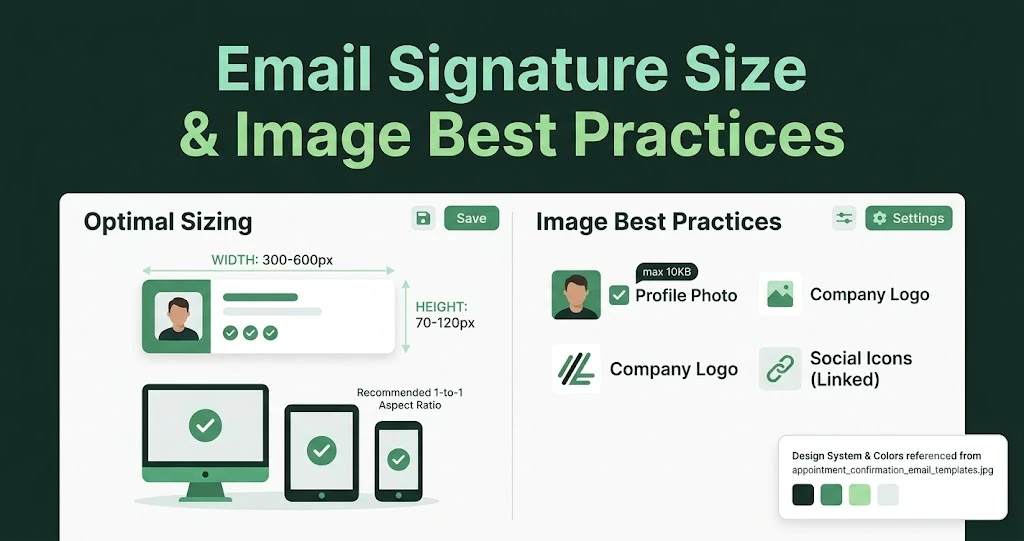
Email Signature Size and Image Best Practices
The ideal email signature is 320–600px wide and 90–200px high. Learn the best image sizes, formats, file limits, and mobile-friendly design tips.

Email Tips7 mins to read
Best Drag and Drop Email Editors in 2026
Discover the best drag and drop email editors in 2026. Compare top tools, features, templates, pricing, and automation to build stunning emails fast.
Marketing7 mins to read
4 Best Unlayer Alternatives to Design Emails
Looking for Unlayer alternatives? Explore the 4 best email design tools to create beautiful, responsive emails faster and easier.
Marketing6 mins to read
5 Beefree Alternatives to Upgrade Email Design Workflows
Looking for a better email design tool? Explore 5 Beefree alternatives that streamline workflows, improve collaboration, and elevate email campaigns.