Thank You Email to Customers: Examples & Templates
Explore 12 thank you email examples for customers with copy-ready templates, subject lines, and personalization tips. Create your own with MailEditor.

Md. Yaikub Hossain Razon
A thank you email to customers should recognize a real customer action and make the person feel appreciated, not processed. A first-time buyer, a loyal subscriber, someone who leaves feedback, and a customer who waited through a support issue all deserve different wording.
Below are 12 original, copy-ready customer thank-you email examples and text templates, each with a subject line, preheader, complete message, and customization advice. You will also find guidance on timing, useful calls to action, and related MailEditor designs. These are illustrative messages, not screenshots or quotations from real brands.
Quick answer: A useful customer thank-you email names the reason for appreciation, sounds human, gives one relevant next step when needed, and avoids disguising a sales pitch as gratitude. Keep the message specific to the action and send it only when the underlying event is confirmed.
When Should You Send a Thank-You Email to a Customer?
Match the trigger and timing to the reason you are saying thanks. Transactional order messages should follow a successful transaction and contain required details; a standalone appreciation message is optional and should offer something distinct.
| Customer moment | Suggested trigger | Best approach |
|---|---|---|
| First purchase | After a completed purchase | Personal welcome with a useful resource |
| Repeat purchase or loyalty milestone | After the verified event | Recognition of continued trust |
| Review, referral, or survey | After the contribution is recorded | Appreciation without pressure |
| Support case | After a confirmed resolution | Specific acknowledgment and open support path |
| Event attendance | After the event | Thank-you plus real session resources |
| End-of-year relationship | When timely and relevant | Gratitude without a forced promotion |
Avoid sending a second generic thank-you immediately after an order receipt if it adds nothing new. For a practical distinction between messages that confirm a purchase and those that appreciate a relationship, see our ecommerce email design guide.
12 Thank You Email Examples and Templates for Customers
These are original adaptable copy samples. Replace bracketed fields with verified details, remove any CTA that does not apply, and personalize only with data you are allowed to use. “No CTA needed” means the message can end naturally without a sales button.
1. First Purchase Thank-You
Best for: New buyer, separate from the transactional receipt
Why it works: Acknowledge the first purchase without copying an order confirmation or inventing a delivery promise.
Customize it: Add the actual product name and one helpful resource; send separately only if it adds value beyond the receipt.
2. Repeat Customer Thank-You
Best for: Second or later purchase
Why it works: Recognition feels more specific than a generic marketing blast.
Customize it: Only say “again” when purchase history confirms a repeat order.
3. Customer Loyalty Milestone
Best for: Verified membership or loyalty anniversary
Why it works: Connects gratitude with a real milestone and a useful account destination.
Customize it: Use only milestones your system tracks reliably; remove the account link when no membership area exists.
4. Subscription Renewal Thank-You
Best for: After a successful renewal
Why it works: Gratitude comes first, followed by relevant service information.
Customize it: Confirm the renewal succeeded before sending; do not substitute this for a required billing notice.
5. After A Service Appointment
Best for: Completed visit or service
Why it works: Gives the customer a practical next step rather than an immediate upsell.
Customize it: Send after the service actually finishes; include only instructions relevant to their visit.
6. Thank-You For A Customer Review
Best for: After a confirmed review
Why it works: Thanks the customer without making the message conditional on a positive rating.
Customize it: Do not promise a reward unless one is genuinely available and permitted; avoid asking customers to revise a negative review.
Need a visual layout? MailEditor has adjacent layouts for order acknowledgments and feedback requests. They are not dedicated general appreciation templates, so choose based on the actual customer moment.
7. Thank-You For A Referral
Best for: After a verified referral
Why it works: Focuses on the relationship rather than suggesting the reward is automatic.
Customize it: Only trigger when a referral is actually recorded; check eligibility and disclose real reward terms.
8. Thank-You For Completing A Survey
Best for: After a submitted customer survey
Why it works: Acknowledges effort after completion rather than sending another request.
Customize it: Trigger only after submission is confirmed; remove the results promise if no follow-up is planned.
9. Support-Resolution Thank-You
Best for: Resolved customer support case
Why it works: Acknowledges inconvenience without pretending the issue never happened.
Customize it: Send only after a verified resolution; if a problem remains open, use a status update instead.
10. Event Attendance Thank-You
Best for: After an attended customer event
Why it works: Adds practical value through genuine event resources.
Customize it: Send to confirmed attendees; use a separate message for registrants who did not attend.
11. Customer Community Thank-You
Best for: Membership or community participation
Why it works: Recognizes participation without making assumptions about purchase behavior.
Customize it: Mention a concrete contribution only when you can verify it; include a relevant community page rather than a sales link.
12. End-Of-Year Customer Appreciation
Best for: Relationship-focused seasonal note
Why it works: Allows a sincere thank-you to stand alone without an obligatory promotion.
Customize it: Keep it genuinely seasonal and avoid adding unverified year-in-review statistics.
Thank You Email Subject Lines and Preheaders
The subject should identify the relationship moment without exaggeration. The preheader can clarify why you are writing or what the recipient will find inside. These short pairs work when the corresponding action is real:
| Situation | Subject line | Preheader |
|---|---|---|
| First purchase | Thank you for choosing [Brand] | A short note to welcome you. |
| Repeat customer | We appreciate you coming back | It means a lot to see you again. |
| Loyalty milestone | Thanks for [Milestone] together | A quick note from the team. |
| Renewal | Thank you for staying with us | Your plan details are available here. |
| After a service | Thanks for trusting us with [Service] | A useful follow-up from our team. |
| Review | We appreciate your feedback | Thanks for sharing your experience. |
| Referral | Thanks for spreading the word | We value your trust. |
| Survey | Thanks for your responses | We appreciate the time you took. |
| Resolved support issue | Thank you for your patience | We are here if you need anything else. |
| Event | Thank you for joining [Event] | Your session resources are ready. |
| Community | Thanks for being part of [Community] | Your participation matters. |
| Year-end | A sincere thank-you from [Brand] | No sale, just a note of appreciation. |
Subject lines alone do not guarantee opens or conversions. Keep the subject honest and aligned with the actual message. See our email preheader best practices guide for writing complementary preview text.
How to Write a Thank-You Email That Feels Genuine
Use a simple sequence: specific reason → genuine appreciation → useful detail → optional next step. Not every thank-you needs a reward, marketing offer, or CTA.
- Name the action. Thank customers for a purchase, review, referral, renewal, visit, or contribution that actually happened.
- Keep the focus on the customer. Avoid beginning with sales pitches or broad claims about your business.
- Personalize with restraint. Use the customer name and relevant experience only where your data is accurate and expected.
- Offer useful information. A care guide, plan link, resolution update, or event resources can justify a CTA.
- Keep the tone appropriate. A support-resolution note should sound different from a cheerful loyalty celebration.
- Check the send conditions. Make sure your trigger, audience, contact permissions, and details are correct before automating.
How to Create a Personalized Thank-You Email With MailEditor AI
If none of the ready-made layouts fits your message, you can use the MailEditor AI Email Template Generator to draft a thank-you email from a short description. The generator can create email copy and a layout, which you can then customize in the visual editor. Start with a real customer moment rather than a generic “thank you” prompt.
- Choose the reason for appreciation. Pick one of the 12 examples above, such as a first purchase, a review, or a loyalty milestone. Confirm that the event actually happened.
- Describe the audience and tone. Tell the generator what kind of business is sending the message, why it is thanking the customer, and whether a CTA is genuinely useful.
- Generate a first draft. Review the suggested headline, message, email structure, and button. Do not treat generated details as verified customer information.
- Personalize the design. Update the brand name, logo, colors, message, links, and images as needed. Remove a promotional block or CTA if the purpose is simply to express thanks.
- Test before sending. Replace any remaining placeholders, check mobile readability and destinations, send a test email, and export the finished design for your sending workflow.
Example AI prompt: Create a warm, professional thank-you email for a skincare brand after a customer's first purchase. Use a clean cream-and-sage layout, a short “Thank you for choosing us” headline, a genuine appreciation message, and a helpful product-care link. Avoid discounts or invented order details. Make the layout readable on mobile.
Use the generated layout as a starting point, not as a substitute for checking customer data or links. If you prefer a prebuilt design, the related layout options in the next section can be customized manually.
Choose a Starting Layout for Your Thank-You Email
The right layout depends on what you are thanking the customer for. You can adapt these related MailEditor designs or start with a simple layout for a standalone appreciation note. They serve different purposes, so keep the message relevant to the customer moment.
- After a purchase: Use an order-focused design when the message needs to confirm a transaction. Include a sincere thank-you without hiding order details.
- After a feedback request: Use a feedback-request design only when asking for a review is the goal. If feedback has already been received, send a separate appreciation message instead.
- For a standalone thank-you: Start from a simple layout, remove unrelated promotions or order blocks, and focus on one personalized appreciation message.
You can also explore the Customer Appreciation collection for suitable starting points. Review the current options before choosing a design; the related product links above are not dedicated all-purpose thank-you templates.
Customer Thank-You Email Checklist
- The reason for thanking the customer is specific and accurate.
- The recipient belongs to the correct segment and the triggering event is confirmed.
- Bracketed placeholders are replaced, and names or milestones are verified.
- Any reward, discount, service promise, or milestone is genuine.
- The CTA is useful and points to a working page, or it is removed.
- The email does not repeat a receipt or support notice without additional value.
- Copy is readable on mobile, with working links and accessible design.
- Consent, preferences, and applicable email requirements are respected.
- A test email has been reviewed in the actual sending workflow.
Before sending a campaign, follow the MailEditor email pre-send checklist. For longer lifecycle communication, the follow-up email guide covers different situations without treating every message as a marketing promotion.
Final Answer
A strong thank you email to customers is timely, specific, and genuinely helpful. You can thank someone for their first purchase, ongoing loyalty, a review, a referral, a successful renewal, or patience during a support issue, but the wording should reflect the actual moment.
Choose one of the 12 original customer thank-you email examples above, personalize the reason for appreciation, and remove anything that does not belong. When you need a visual email design, browse MailEditor customer appreciation layouts or adapt one of the verified related templates to the right purpose. The best thank-you message does not need to sell something to be useful.
Frequently Asked Questions
Popular Blogs
Email Design2 mins to read
Top Email Template Builders & HTML Email Editors for 2026
Compare the best email template builders and HTML editors to design professional, responsive campaigns without coding.
Email Design9 mins to read
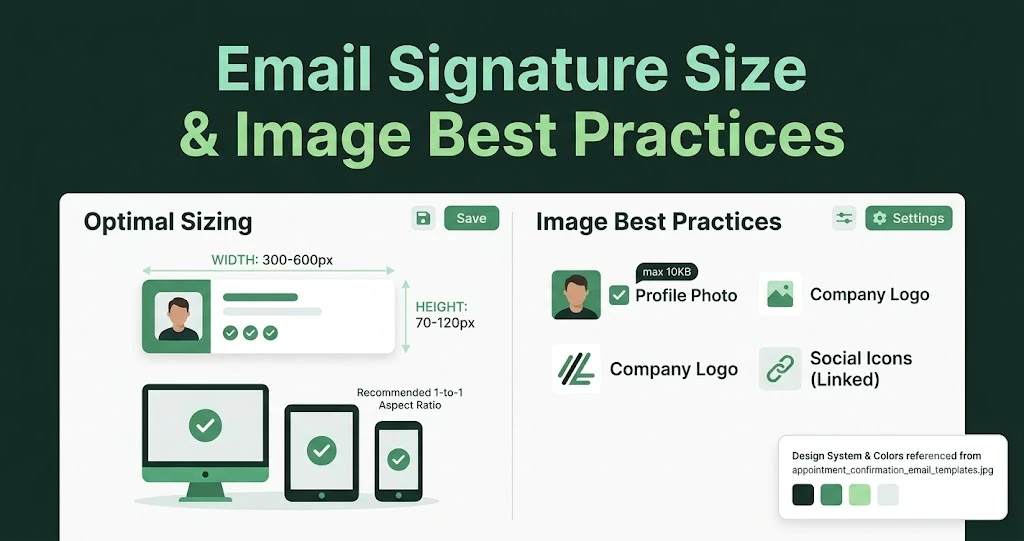
Email Signature Size and Image Best Practices
The ideal email signature is 320–600px wide and 90–200px high. Learn the best image sizes, formats, file limits, and mobile-friendly design tips.

Email Tips7 mins to read
Best Drag and Drop Email Editors in 2026
Discover the best drag and drop email editors in 2026. Compare top tools, features, templates, pricing, and automation to build stunning emails fast.
Marketing7 mins to read
4 Best Unlayer Alternatives to Design Emails
Looking for Unlayer alternatives? Explore the 4 best email design tools to create beautiful, responsive emails faster and easier.
Marketing6 mins to read
5 Beefree Alternatives to Upgrade Email Design Workflows
Looking for a better email design tool? Explore 5 Beefree alternatives that streamline workflows, improve collaboration, and elevate email campaigns.