Survey Invitation Email: Examples, Subject Lines & Templates
A survey invitation email asks for feedback with a clear purpose, time estimate, and CTA. Explore 10 examples, subject lines, reminders, and a template.

Md. Yaikub Hossain Razon
Survey invitation email templates help businesses invite customers, employees, event attendees, and users to share feedback. A strong invitation explains what the survey is about, why the answer matters, how long it should take, and where to respond. Keep the request specific and make one next step easy to find.
This guide includes 10 complete survey invitation email examples, ready-to-adapt subject lines and preheaders, reminder messages, and one relevant MailEditor design. You can choose a message for a particular audience instead of sending the same generic feedback request to everyone.
What Is a Survey Invitation Email?
A survey invitation email is a message asking a defined audience to complete a questionnaire or provide feedback about a specific experience, service, product, event, or workplace topic. It contains the context and link or response option needed to participate, rather than the full research report.
A customer rating request may ask a single question, while an employee engagement survey can cover several topics. The invitation should honestly set expectations for the actual survey. For general template-selection guidance, read how to choose an email template by campaign goal.
Learn about a recent purchase, delivery, or service interaction.
Collect feature feedback or evaluate a new workflow.
Understand what worked and improve future sessions.
Invite thoughtful workplace feedback with clear privacy rules.
What Should a Survey Invitation Email Include?
Every invitation should answer a few practical questions before the reader clicks. The objective is to reduce uncertainty without making the email longer than the survey itself.
- Recognizable sender: Use the actual company, team, or research organizer and an appropriate reply address.
- Relevant subject and preheader: Say which interaction or topic the survey covers, without vague urgency.
- Reason for asking: Explain what the feedback will help improve or evaluate.
- Honest effort estimate: Use the tested survey duration or question count, not a guessed promise.
- One clear action: Link the CTA to the working survey, rating collection, or secure feedback form.
- Trust information: Describe privacy, anonymity, incentive terms, and a close date only when those claims are accurate.
- Appreciation and support: Thank the person and give an appropriate contact or preference option.
Before you copy: The examples use bracketed fields such as [First Name], [Survey Length], and [Survey Link]. Replace every field with real information. Never call a survey anonymous if responses can be connected to participants, and do not claim that answers are confidential unless your actual process supports that statement.
10 Survey Invitation Email Examples You Can Copy
These are original, adaptable samples for different survey goals. Each message includes a subject line, supporting preheader, complete email body, suggested action text, and a customization tip. Any button wording shown below is a label to connect to your own destination, not a live survey link.
1. Customer Satisfaction Survey Invitation
Best for: A relationship or customer experience survey sent to eligible existing customers
Subject: How is your experience with [Company Name]?
Preheader: A short [Survey Length] survey to help us prioritize improvements.
Hi [First Name],
Thank you for choosing [Company Name]. We are reviewing how customers experience [Service or Product Area], and we would like to hear what has worked well and where we can do better.
Our survey covers [Topics] and takes approximately [Verified Survey Length] to complete. Your answers will help our team decide which parts of the customer experience deserve more attention.
If you would like to take part, please use the survey link below by [Close Date, if applicable]. You can read how your responses will be handled at [Privacy Information Location].
Thank you for sharing your perspective. We appreciate the opportunity to learn from it.
Best regards,
[Customer Experience Team]
Sample CTA; link it to your own survey or feedback page.
Customization tip: Reference the actual customer journey, rather than promising that every response will lead to a specific change.
2. Post-Purchase Survey Invitation
Best for: Recent buyers after an order is delivered or fulfilled
Subject: How did your [Product Name] order go?
Preheader: Tell us about delivery and the product in [Survey Length].
Hi [First Name],
We hope your recent order from [Store Name] arrived as expected. We are asking a small group of customers about the ordering and delivery experience.
The [Question Count]-question survey asks about [Delivery, Packaging, or Product Experience]. It should take around [Verified Survey Length], and your feedback can help us improve future orders.
You can share your experience using the link below. If your order needs immediate help, please contact [Support Channel] instead of relying on survey responses for assistance.
Thanks for taking the time to tell us how it went.
Warm regards,
The [Store Name] Team
Sample CTA; link it to your own survey or feedback page.
Customization tip: Trigger after verified delivery and keep the survey separate from urgent order-support requests.
3. Customer Support Feedback Survey Email
Best for: Customers after a support case is genuinely resolved
Subject: How was your recent support experience?
Preheader: A few questions about ticket [Reference] and our response.
Hello [First Name],
Your support request [Ticket Reference] was marked resolved on [Date]. We would appreciate a quick assessment of the assistance you received.
The survey asks about the clarity of our response and whether the issue was handled effectively. It takes approximately [Verified Survey Length] to finish.
Please use the feedback link below if you would like to share your experience. If the issue is still open or has returned, reply through [Support Channel] so our team can continue helping you.
Thank you for helping us improve the support experience.
Kind regards,
[Company Name] Support Team
Sample CTA; link it to your own survey or feedback page.
Customization tip: Do not assume a case is solved merely because an automated system closed the ticket.
4. Product Feature Feedback Survey Invitation
Best for: Customers who used a recently released product feature
Subject: Tell us what you think of [Feature Name]
Preheader: Your feedback will help us assess the next improvements.
Hi [First Name],
You recently had access to [Feature Name] in [Product Name], and we are reviewing how well it supports everyday tasks.
We are interested in what felt useful, what took extra effort, and what you would change. The [Question Count]-question survey takes about [Verified Survey Length].
If you have a moment, open the survey below and share your experience by [Optional Close Date]. We will review the results alongside other product feedback when planning future updates.
Thanks for helping us understand how the feature works in real situations.
Best,
The [Product Name] Team
Sample CTA; link it to your own survey or feedback page.
Customization tip: Send only to people who have actually encountered the feature; avoid implying that a suggested change is guaranteed.
5. SaaS Onboarding Experience Survey Email
Best for: New users who have reached a meaningful onboarding milestone
Subject: How was your first week with [Product Name]?
Preheader: A short survey about setup, guidance, and your first tasks.
Hi [First Name],
You have been getting started with [Product Name], and we would like to learn whether the initial setup was clear.
The survey focuses on account setup, helpful guidance, and anything that slowed down your first [Task or Workflow]. It takes approximately [Verified Survey Length] to complete.
Your answers will help our team prioritize improvements to onboarding materials and the product experience. Use the survey link below whenever it suits you before [Optional Close Date].
If you need help now, our [Support Channel] is available independently of this survey.
Thank you,
[Company Name] Onboarding Team
Sample CTA; link it to your own survey or feedback page.
Customization tip: Define the milestone based on real product usage, not an arbitrary account age.
6. NPS Survey Invitation Email
Best for: Eligible customers asked about their willingness to recommend a product
Subject: Would you recommend [Company Name]?
Preheader: One rating and an optional reason for your answer.
Hi [First Name],
We would like to understand how [Company Name] fits your needs today.
Our short feedback survey starts with one question: how likely are you to recommend [Company Name] to a friend or colleague? You may also have the option to explain your rating in your own words.
The survey takes approximately [Verified Survey Length]. We review the results to understand the broader customer experience and identify areas worth improving.
If you would like to share your view, please use the survey below. All ratings, including critical feedback, are welcome.
Thank you for your time,
[Customer Experience Team]
Sample CTA; link it to your own survey or feedback page.
Customization tip: Use the actual NPS question and 0-to-10 scale in the survey; never screen out critical responses.
7. Post-Event Survey Invitation Email
Best for: People who actually attended an event, webinar, or workshop
Subject: How was [Event Name]?
Preheader: Share what was useful and what we could improve.
Hello [First Name],
Thank you for joining [Event Name] on [Date]. We hope the session provided practical ideas you can use.
We are collecting attendee feedback on [Session Content, Speakers, or Format] to help us improve future events. The survey includes [Question Count] questions and takes about [Verified Survey Length].
Please share your thoughts by [Close Date]. You can tell us what you enjoyed, what felt less helpful, and which topics you would like us to explore next.
Thanks again for being part of the event.
Best wishes,
[Events Team]
Sample CTA; link it to your own survey or feedback page.
Customization tip: Send to attendees rather than registrants who never joined, unless you are surveying registration experience separately.
8. Employee Engagement Survey Invitation
Best for: Employees invited to a workplace pulse or engagement survey
Subject: Our [Quarter or Year] employee survey is open
Preheader: See the topics, completion time, privacy terms, and closing date.
Hello Team,
Our [Survey Name] is open from [Start Date] through [Close Date]. We are asking for your perspective on [Workplace Topics] so we can better understand where our working practices are helping and where they need attention.
The questionnaire takes approximately [Verified Survey Length]. Participation is [Voluntary or Required, as accurately applicable], and responses will be handled according to [Actual Privacy and Access Arrangement].
After the survey closes, we plan to share an overview of the findings by [Planned Communication Date] and explain the next steps we are able to take.
You can access the questionnaire below. For accessibility or survey questions, contact [HR or Research Contact].
Thank you for contributing,
[People Team or Survey Sponsor]
Sample CTA; link it to your own survey or feedback page.
Customization tip: State precisely who can see individual responses; do not promise anonymity merely because results are reported in groups.
9. Course or Training Evaluation Survey Email
Best for: Students or participants after finishing a course or training session
Subject: Help us improve [Course or Workshop Name]
Preheader: A short evaluation of content, pacing, and learning support.
Hi [First Name],
Congratulations on completing [Course or Training Name]. We are collecting feedback from participants to understand how well the sessions supported their learning.
The [Question Count]-question survey asks about the materials, pace, activities, and support. It takes approximately [Verified Survey Length].
Your responses will help the training team review future sessions. Please submit your feedback by [Close Date] if you would like to participate.
Thank you for learning with us and sharing your perspective.
Kind regards,
[Training Team]
Sample CTA; link it to your own survey or feedback page.
Customization tip: Separate course evaluation from final grades or assessment outcomes, and disclose any relationship if one exists.
10. User Research Survey Invitation Email
Best for: Eligible users invited to participate in research about a workflow or market need
Subject: Would you share your experience with [Topic]?
Preheader: Learn about the [Survey Length] research survey and eligibility.
Hi [First Name],
We are researching how [Audience] approaches [Specific Task or Problem], and your perspective could help us understand common needs and challenges.
If you meet [Actual Eligibility Criteria], we invite you to answer a short survey about your experience. The estimated completion time is [Verified Survey Length]. Participation is [Voluntary Status], and any incentive is described in [Actual Incentive Terms, or Remove This Sentence].
You can review the purpose, data-use information, and survey questions through the link below. Please respond by [Close Date, if applicable].
Thank you for considering the invitation.
Best regards,
[Research Team or Organization]
Sample CTA; link it to your own survey or feedback page.
Customization tip: Use a genuine audience segment and disclose incentive eligibility, data usage, and any research partner accurately.
Survey Invitation Email Subject Lines and Preheaders
A survey subject line should identify the feedback topic rather than making a general appeal. The preheader can add an accurate time estimate, deadline, or reason for taking part. See email preheader best practices for additional inbox-copy guidance.
| Use case | Subject line | Preheader |
|---|---|---|
| Customer satisfaction | How are we doing at [Company Name]? | Share your experience in [Survey Length]. |
| Post-purchase | Tell us about your recent [Product] order | We would like to hear about delivery and product quality. |
| Support | How was support ticket [Reference]? | A short survey about the help you received. |
| Product feedback | Your feedback on [Feature Name] | Tell us what worked and what could be improved. |
| Onboarding | How was getting started with [Product]? | A few questions about setup and your first tasks. |
| NPS | Would you recommend [Company Name]? | One rating and an optional comment. |
| Event | Tell us about [Event Name] | What should we keep or change next time? |
| Employee | [Survey Name] is open until [Date] | Review the privacy details and estimated time. |
| Training | How was [Course Name]? | Help us improve the next course session. |
| User research | Share your experience with [Topic] | See the study purpose and eligibility details. |
| Reminder | A reminder about your [Topic] survey | The survey is open until [Close Date]. |
| Final reminder | Your [Topic] survey closes [Date] | There is still time to share your perspective. |
Avoid including sensitive employee or customer information in subject lines or preview text. These fields can be visible on lock screens and shared devices. Keep the opening words meaningful even if the inbox truncates the rest.
Customer Feedback Email Template You Can Customize in MailEditor
The examples above provide complete email copy. If you also need an editable visual design, MailEditor has one relevant option for a short customer feedback request. It is a rating-focused template, not a survey-hosting service or a guaranteed multi-question questionnaire.
Customer Feedback Email Template
Best for: Customer satisfaction, post-service feedback, quick ratings, and a one-question survey invitation.
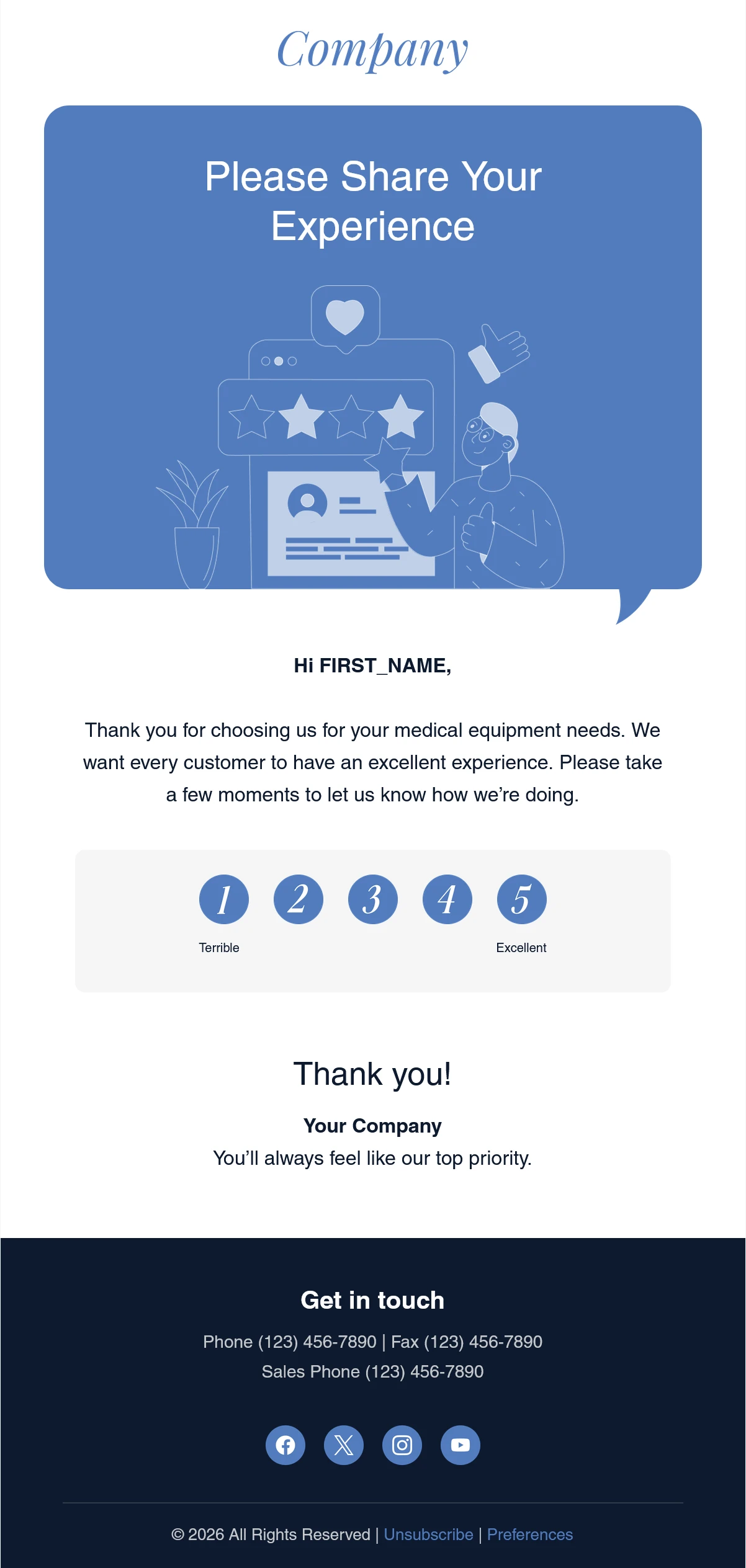
This actual MailEditor layout uses a blue-and-navy palette, a personalized greeting, and a simple response scale. It works well when the main request is to rate an experience without reading a long invitation. For a multi-question survey, adapt the email copy and send the CTA to your separate survey form.
Before editing: Replace the sample industry copy, logo, organization name, contact details, and footer links. Connect each rating option to a real feedback collection flow, confirm that responses are actually recorded, and test the destination for every rating.
If you want to compare other layouts for engagement campaigns, browse the MailEditor email template library. Choose a design whose CTA and content structure fit your survey, not simply a design with a similar color scheme.
How to Customize and Send a Survey Invitation Email
You can prepare the invitation layout in MailEditor’s email editor, then use your actual email-sending platform and survey system to distribute the message and collect answers. The editor helps with email design; it does not replace the questionnaire or response database.
- Choose the survey audience. Select customers, attendees, employees, or users who are actually eligible to answer. Honor communication preferences and suppressions.
- Select a matching invitation. Start with one of the copy-ready examples above, or customize the Customer Feedback Email Template.
- Set a truthful time expectation. Test the questionnaire yourself and replace [Survey Length] with a realistic estimate.
- Connect the right destination. Link the primary action or rating options to your verified survey form or feedback system. Do not leave sample buttons active.
- Review privacy and deadlines. Confirm consent, visibility of responses, any incentive conditions, and the actual close date.
- Preview and test the delivered message. Check the mobile layout, preheader, merge fields, buttons, landing page, completion flow, and thank-you experience.
Use the email pre-send checklist for a final review of sender identity, audience, responsive layout, links, and the delivered test email.
Open the editable feedback layout, replace the sample content, and connect your survey or rating destination before sending.
Explore the Feedback Template →Open MailEditorSurvey Reminder and Thank-You Email Examples
An invitation is only one part of a feedback campaign. You may also need one considerate follow-up for people who have not answered and a short thank-you for participants. Keep reminders audience-aware and stop them when someone completes or opts out of the survey.
Survey Reminder Email
Subject: A reminder about our [Topic] survey
Preheader: You can still share your view until [Close Date].
Hi [First Name],
We recently invited you to share feedback about [Survey Topic]. If you have not had a chance to respond, the survey is still available until [Close Date].
It takes approximately [Verified Survey Length], and your perspective will help us review [Specific Improvement Area]. If you have already submitted your answers, thank you, and please disregard this reminder.
Thank you for considering it.
[Team Name]
Sample CTA; link it to your own survey or feedback page.
Customization tip: Prefer reminders to nonrespondents only. A common starting point is one follow-up after a few days, adjusted for the survey window and audience. Qualtrics documentation describes reminder distributions tied to unfinished survey responses.
Survey Thank-You Email
Subject: Thank you for your feedback on [Topic]
Preheader: We appreciate the time you took to share your perspective.
Hi [First Name],
Thank you for completing our [Survey Name] survey. We appreciate the time and care you put into your answers.
Our team will review the feedback as part of our work on [Specific Topic]. Where appropriate, we plan to share a summary of the main findings or next steps through [Communication Channel].
Thank you again for helping us learn.
[Team Name]
Customization tip: Send this only after the system has recorded a completed response, and remove any promised results update you cannot actually provide.
Survey Invitation Email Best Practices
- Explain the specific experience. Mention the order, feature, event, support case, or workplace topic the recipient recognizes.
- Keep the invitation focused. State the purpose, effort estimate, privacy information and one next action without adding unrelated promotions.
- Make the survey itself reasonable. A short email cannot fix an overly long or confusing questionnaire. Test the actual flow on a phone.
- Send at a relevant moment. Request post-service or post-event feedback while the experience is still recent, but choose appropriate timing for employee or long-term relationship surveys.
- Use subject and preheader together. Add new information in the preheader rather than repeating the subject.
- Describe privacy accurately. Anonymity, confidentiality and access restrictions are different. Explain exactly what your collection process supports.
- Use incentives transparently. State eligibility, value and conditions when a real incentive applies; do not invent rewards or selectively solicit positive feedback.
- Respect recipients. Honor communication preferences, opt-outs and relevant consent requirements. Avoid repeated requests to nonresponders.
- Close the feedback loop. Where practical, share themes or actions after the survey without promising an individual reply to every participant.
- Test results collection. Check that each survey CTA and rating option records the intended response before a live send.
For additional survey guidance on invitation clarity, realistic effort estimates, and testing, see SurveyMonkey’s response rate recommendations. These are practical design principles, not guaranteed response-rate improvements.
Final Answer
A strong survey invitation email template is short, relevant, and easy to act on. Explain why the recipient is being asked, what the survey covers, how much time it takes, and where to respond. Give an accurate deadline and privacy explanation when they apply, then keep the email focused on one CTA.
Choose one of the 10 complete examples above and adapt the subject, preheader, body and survey link for your audience. If you need a ready-to-edit visual layout for a short rating request, use the MailEditor Customer Feedback Email Template and connect its actions to your genuine feedback workflow.
Frequently Asked Questions
Popular Blogs
Email Design2 mins to read
Top Email Template Builders & HTML Email Editors for 2026
Compare the best email template builders and HTML editors to design professional, responsive campaigns without coding.
Email Design9 mins to read
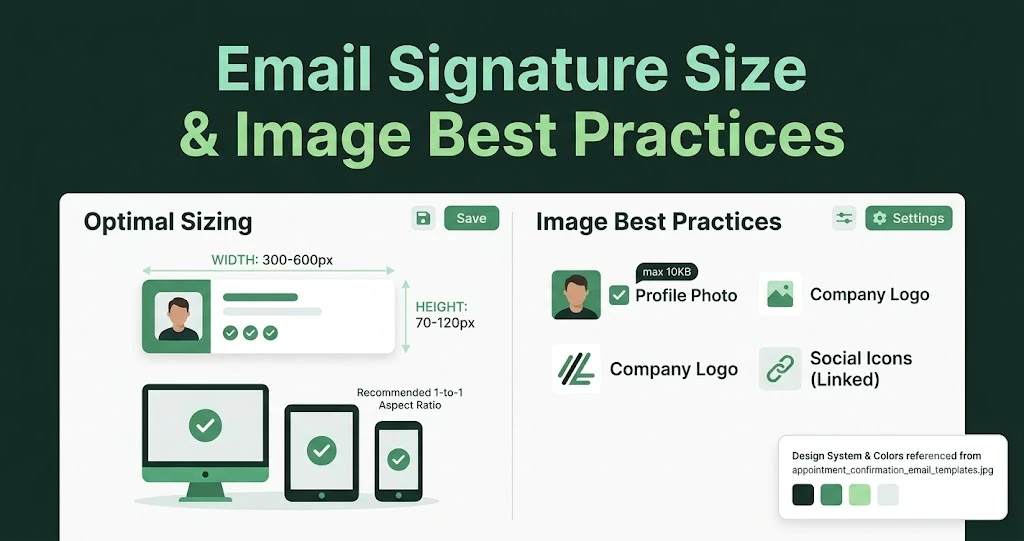
Email Signature Size and Image Best Practices
The ideal email signature is 320–600px wide and 90–200px high. Learn the best image sizes, formats, file limits, and mobile-friendly design tips.

Email Tips7 mins to read
Best Drag and Drop Email Editors in 2026
Discover the best drag and drop email editors in 2026. Compare top tools, features, templates, pricing, and automation to build stunning emails fast.
Marketing7 mins to read
4 Best Unlayer Alternatives to Design Emails
Looking for Unlayer alternatives? Explore the 4 best email design tools to create beautiful, responsive emails faster and easier.
Marketing6 mins to read
5 Beefree Alternatives to Upgrade Email Design Workflows
Looking for a better email design tool? Explore 5 Beefree alternatives that streamline workflows, improve collaboration, and elevate email campaigns.