Happy New Year Email Signature: 2027 Ideas & Templates
A Happy New Year email signature should include a warm greeting, professional contact details and an optional festive banner. Explore 2027 ideas and templates.

Md. Yaikub Hossain Razon
A Happy New Year email signature is a seasonal version of your regular email signature that adds a short greeting, a festive banner or a timely business message without hiding your name, role or contact details. For professional emails in 2027, a simple line such as “Wishing you a successful and fulfilling 2027” is often enough. Add a small branded banner only when it serves a clear purpose.
This guide includes 20 original greetings, six realistic signature examples, banner ideas, two copy-ready HTML templates and instructions for adding your seasonal signature to Gmail or Outlook. Whether you are writing to clients, coworkers or customers, choose a design that fits your audience rather than turning every email into a holiday advertisement.
Quick answer: Keep your usual signature, insert one New Year greeting above or below the contact details, and optionally add a compact banner. Save your standard signature separately so you can restore it after the holiday period.
What Is a Happy New Year Email Signature?
A New Year signature is the personal sign-off that accompanies everyday messages during the holiday period. It can be as simple as a greeting above your name or as visual as a small banner under your normal contact information. A signature is not the same as a full New Year email: the latter is a separate message or marketing campaign with its own subject line and content.
| Format | Best for | What to include |
|---|---|---|
| Text-only greeting | Daily correspondence, formal clients | One warm sentence + regular signature |
| Branded seasonal signature | Client-facing teams and agencies | Greeting, identity, contact details, optional logo |
| Signature with a banner | Sales, events or holiday announcements | A single relevant message or link |
| Temporary availability notice | Support and operations | Verified reopening date or response hours |
20 Professional Happy New Year Email Signature Messages
Use one of these original lines as a seasonal closing. For a first email to a new contact, choose a neutral professional greeting. For a long-standing relationship, a warmer thank-you can feel more personal.
Professional and corporate
- Wishing you a successful and rewarding 2027.
- Best wishes for a healthy and prosperous New Year.
- Wishing you a bright start to the year ahead.
- May 2027 bring new opportunities and meaningful progress.
- Warm wishes for a productive and fulfilling New Year.
Clients and business partners
- Thank you for your trust. Wishing you a wonderful 2027.
- Here’s to another year of working together.
- Wishing you and your team continued success in the New Year.
- Grateful for our partnership and excited for what comes next.
- Thank you for being part of our journey. Happy New Year!
Colleagues and internal teams
- Wishing you a fresh start and a great year ahead.
- Here’s to new ideas, shared wins and a wonderful 2027.
- Thank you for all we accomplished together this year.
- Hope the New Year brings you plenty to celebrate.
- Happy New Year to you and your loved ones!
Short, friendly and inclusive
- Happy New Year!
- Cheers to a fresh start in 2027.
- Warm wishes for the year ahead.
- Wishing you peace, health and happiness.
- All the best for 2027!
For sensitive conversations, complaints or urgent support requests, skip the cheerful greeting when it would feel out of place. You can keep a standard signature available for those replies.
6 Happy New Year Email Signature Examples You Can Customize
The following are original illustrative designs, not screenshots of real campaigns or existing MailEditor templates. Names, organizations and contact information are fictional. Replace the sample information with your own before using any example.
1. Minimal professional signature
Best for: consultants, executives and formal correspondence.
Account Director | Northline Studio
Customize it: Keep the greeting as plain text. This format works even when remote images are blocked.
2. Client appreciation signature
Best for: account managers, freelancers and long-term customers.
Client Success Manager | Cedar & Co.
Customize it: Use a relationship-specific thank-you rather than a generic sales pitch.
3. Corporate New Year banner signature
Best for: teams that want a consistent seasonal look.
Operations Lead | Brightwell Group
A fresh start. A shared purpose.
Customize it: Use the same approved seasonal message across the team, while preserving individual sender details.
4. Friendly team signature
Best for: internal communication and creative teams.
Design Lead | Maple Creative
Customize it: A warm line works well for colleagues. Keep a more formal version for external contacts if needed.
5. Sales and promotional signature
Best for: sales representatives with a genuinely relevant January campaign.
Sales Consultant | Harbor Goods
Explore our January collection
Customize it: Replace the sample promotional line with a real offer and link to its actual landing page. Do not add an offer to every conversation by default.
6. Holiday availability signature
Best for: support teams and service businesses.
Customer Support | Fieldstone Services
Customize it: Use this only when the stated opening hours are accurate, and remove the notice as soon as normal service resumes.
For a different identity layout, browse MailEditor email signature templates and adapt an appropriate starting design to the holiday.
New Year Email Signature Banner Ideas
A banner is optional. Add one when it communicates something useful or reinforces your brand; otherwise a text-only greeting is easier to read in long reply threads.
1. Corporate New Year greeting

Best for executives, consultants and professional client correspondence.
2. Client appreciation banner

Best for account managers, agencies and customer-facing teams.
3. New Year promotional banner

Best for sales teams and relevant January promotions.
These are original illustrative image examples. Choose a banner that fits your brand and keep it horizontal. A suggested display size is around 320 to 600 pixels wide and 60 to 120 pixels high; a 400 × 80 pixel banner is a compact starting point. Aim for a file size under 60 KB when practical, use a PNG or JPEG, and include meaningful alt text. These are design targets, not universal client limits. The examples above are shown larger for clarity.
If you use a higher-resolution source image for sharper screens, set its intended display width and height explicitly. Test the result in your actual email client. See the email signature size and image best practices guide for detailed sizing advice.
2 Copy-Ready New Year Email Signature HTML Templates
The following lightweight HTML snippets are intentionally image-free so you can use them without hosting a logo or banner. Replace the sample name, title, company, email and website. If you add artwork, use a publicly accessible HTTPS image URL and retain the live text.
Template 1: Professional text-first signature
<table role="presentation" cellpadding="0" cellspacing="0" border="0" style="border-collapse:collapse;font-family:Arial,sans-serif;font-size:14px;line-height:1.5;color:#25343c;">
  <tr>
    <td style="padding:0 0 10px;color:#176b60;">Wishing you a successful 2027.</td>
  </tr>
  <tr>
    <td style="padding:0 0 5px;">Best regards,</td>
  </tr>
  <tr>
    <td>
      <strong style="font-size:16px;color:#172c33;">Alex Morgan</strong><br>
      Account Director | Your Company<br>
      <a href="mailto:alex@example.com" style="color:#176b60;">alex@example.com</a><br>
      <a href="https://example.com" style="color:#176b60;">example.com</a>
    </td>
  </tr>
</table>
Template 2: Signature with a live-text seasonal banner
Thank you for being part of our journey.
<table role="presentation" cellpadding="0" cellspacing="0" border="0" style="border-collapse:collapse;width:100%;max-width:360px;font-family:Arial,sans-serif;font-size:14px;line-height:1.5;color:#25343c;">
  <tr>
    <td style="padding:0 0 8px;">Warm wishes for the year ahead.</td>
  </tr>
  <tr>
    <td>
      <strong style="font-size:16px;color:#172c33;">Sam Rivera</strong><br>
      Customer Success | Your Company<br>
      <a href="mailto:sam@example.com" style="color:#176b60;">sam@example.com</a>
    </td>
  </tr>
  <tr>
    <td style="padding:12px 0 0;">
      <table role="presentation" width="100%" cellpadding="0" cellspacing="0" border="0" style="border-collapse:collapse;">
        <tr>
          <td bgcolor="#173b58" style="background-color:#173b58;color:#ffffff;padding:12px 15px;">
            <strong style="font-size:17px;">Happy New Year 2027</strong><br>
            <span style="font-size:13px;">Thank you for being part of our journey.</span>
          </td>
        </tr>
      </table>
    </td>
  </tr>
</table>
Copy the HTML source, paste it into MailEditor’s signature copier, then copy the rendered signature into your email app. Do not paste raw HTML directly into a visual signature field. Formatting may change when pasted, so always send a test message.
How to Create a New Year Email Signature With MailEditor
Start with your usual identity and choose a seasonal treatment that does not distract from your contact information. MailEditor offers a signature generator for building and copying a personalized design.
- Open the signature generator and choose a layout that fits your role.
- Enter your real name, job title, company and relevant contact links.
- Customize your colors, logo or photo where the chosen layout allows.
- Copy the signature into your email app. Add your New Year greeting above the copied signature in the signature editor if the layout has no greeting field.
- Save a separate seasonal version, preview it and send yourself a test email.
How to Add a New Year Email Signature in Gmail and Outlook
Gmail on desktop
- Open Gmail settings and go to the full settings page.
- In the General tab, find the Signature section and create a new signature named New Year 2027.
- Paste the rendered signature into the editing area, or enter your greeting and format it there.
- Choose the seasonal signature as your default for new messages, and optionally keep the standard signature for replies and forwards.
- Save your changes and send a test email.
For additional settings, see Google’s Gmail signature instructions. Mobile apps may have separate signature behavior, so check the device you actually use.
New Outlook and Outlook on the web
- Open Settings and navigate to Accounts or Account, then Signatures.
- Choose the relevant email account, create a new signature and give it a recognizable name.
- Paste the formatted signature or compose it using the editor.
- Select whether it should appear automatically on new messages or replies, then save and test it.
Classic Outlook for Windows
Open File > Options > Mail > Signatures, or open a new message and use Signature > Signatures. Create the seasonal version, paste the formatted design, assign it to the appropriate account and set your preferred defaults. Save it, then open a new message to check the result. See Microsoft’s Outlook signature guide for version-specific options.
New Year Email Signature Design Best Practices
- Keep identity first: a readable name, role and contact method matter more than decoration.
- Use one greeting: avoid repeating the same wish in the email body, the sign-off and the banner.
- Keep it compact: avoid oversized artwork, multiple calls to action or banners that dominate a reply thread.
- Make the message accessible: keep essential information as selectable text, use readable contrast and add alt text for meaningful images.
- Use a reliable image format: static PNG or JPEG is a safer starting point than animation; do not depend on animation to communicate essential information.
- Test desktop, mobile and dark mode: send a real message and check links, image loading, alignment and the readability of your banner.
- Preserve your company policy: retain any required legal footer or contact details and use an approved seasonal design.
When Should You Add and Remove Your New Year Email Signature?
There is no fixed rule. A short seasonal period helps your signature remain relevant without carrying an outdated greeting deep into January. The schedule below is a suggested starting point for 2027 campaigns, not a mandatory deadline.
| Suggested period | Signature treatment |
|---|---|
| December 26 to 31, 2026 | Use a forward-looking New Year greeting or a combined holiday message. |
| January 1 to 7, 2027 | Use a direct Happy New Year greeting; keep only current offers or notices. |
| January 8 onward | Restore your normal signature unless a specific January campaign is still relevant. |
| After a dated promotion or closure ends | Remove that banner or notice immediately, regardless of the calendar. |
For international audiences, adjust the dates and greeting to local holidays and business etiquette. Keep a separate standard signature ready for conversations that do not call for seasonal messaging.
New Year Email Templates for Your Holiday Campaigns
Need to send a dedicated greeting, promotion or newsletter rather than update your everyday sign-off? These MailEditor designs are full email templates, not email signature templates. Choose one based on your campaign goal.
1. New Year Travel Email Template
Inspire customers to plan a January trip or explore upcoming destinations.

2. New Year Email Template 2027
Create a seasonal promotion or fresh-start campaign for retail and wellness audiences.

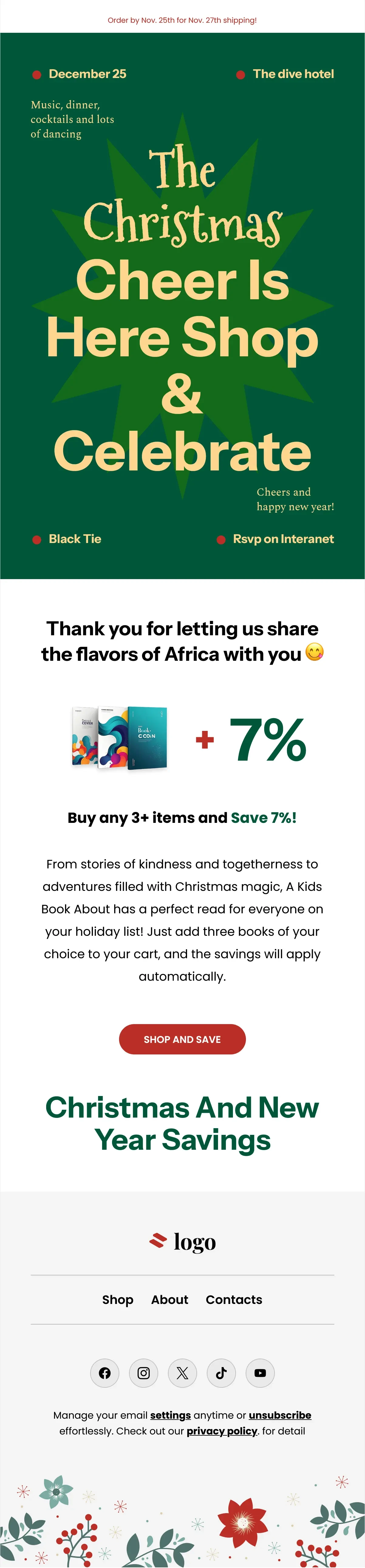
3. Christmas & New Year Email Template
Combine holiday greetings with a welcome or seasonal promotion.
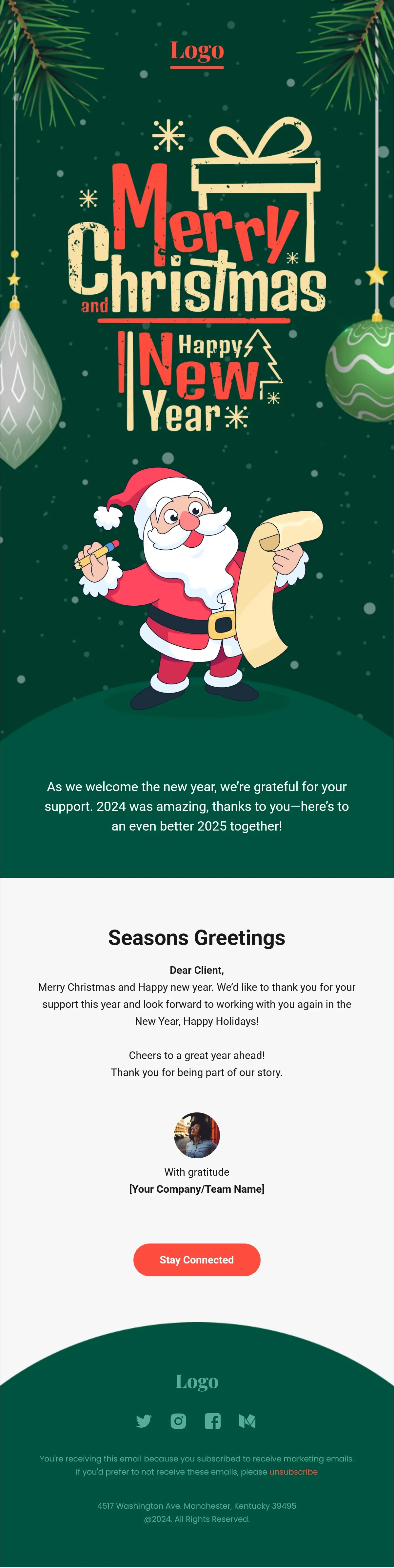
4. Christmas & New Year Newsletter Template
Share seasonal updates, product highlights or a year-end newsletter.
For more holiday campaign copy, explore our Christmas email examples.
Final Answer
The best Happy New Year email signature for 2027 is the one that fits your relationship with the recipient. Start with a warm, concise greeting, keep your usual contact information visible and add a banner only if it communicates something useful. A simple text-first signature is a strong choice for most professional emails; a compact branded banner can work well for a seasonal campaign.
Save the holiday version separately, test it in your email client and switch back to the regular version after the greeting or campaign stops being relevant.
Frequently Asked Questions
Popular Blogs
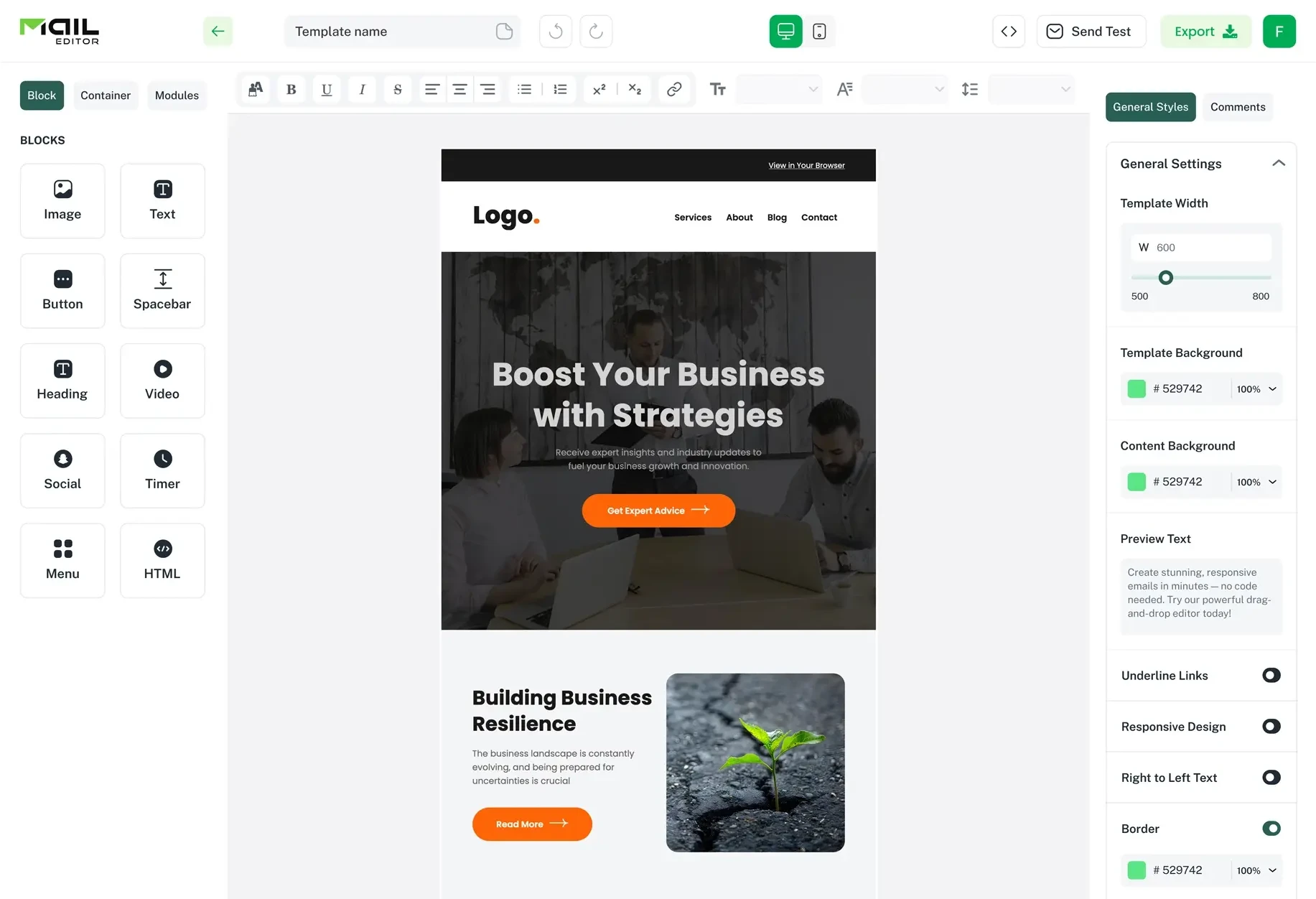
Email Design2 mins to read
Top Email Template Builders & HTML Email Editors for 2026
Compare the best email template builders and HTML editors to design professional, responsive campaigns without coding.
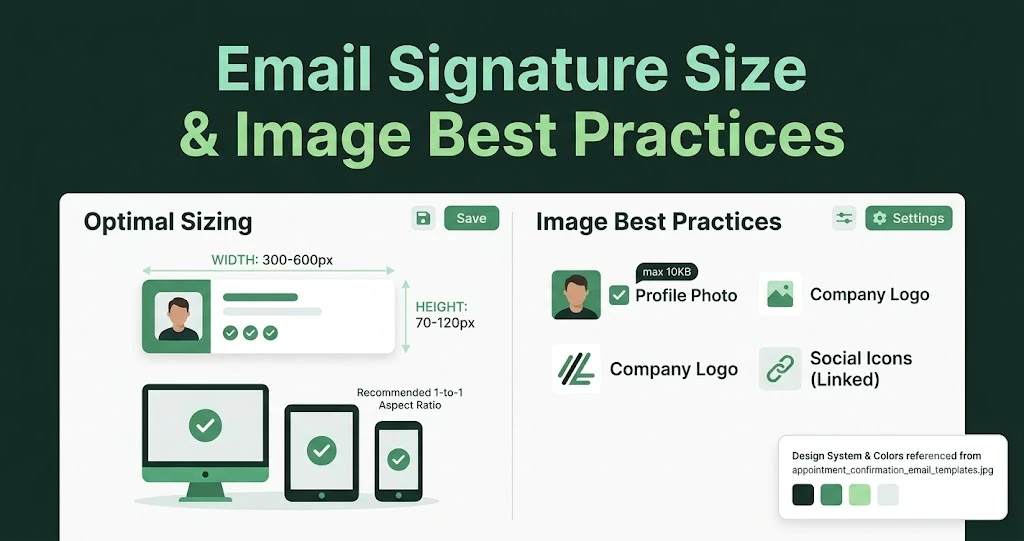
Email Design9 mins to read
Email Signature Size and Image Best Practices
The ideal email signature is 320–600px wide and 90–200px high. Learn the best image sizes, formats, file limits, and mobile-friendly design tips.

Email Tips7 mins to read
Best Drag and Drop Email Editors in 2026
Discover the best drag and drop email editors in 2026. Compare top tools, features, templates, pricing, and automation to build stunning emails fast.

Marketing7 mins to read
4 Best Unlayer Alternatives to Design Emails
Looking for Unlayer alternatives? Explore the 4 best email design tools to create beautiful, responsive emails faster and easier.

Marketing6 mins to read
5 Beefree Alternatives to Upgrade Email Design Workflows
Looking for a better email design tool? Explore 5 Beefree alternatives that streamline workflows, improve collaboration, and elevate email campaigns.