Best Email Signature Editors Online (2026): 10 Tools Compared
Compare best email signature editors online for Gmail, Outlook and Microsoft 365. Explore top tools for individuals and businesses.

Md. Yaikub Hossain Razon
Email signatures boost professionalism, brand identity and contact convenience for every single recipient. Promote websites, share special offers and link your social profiles through them. It actually gets you 10x more clicks with every email you send.
But finding an email signature editor online is hassle. Most of them are paid and others don’t actually have all features.
I have tested many for my own email marketing. And after all, best email signature editor online is one you will find in editors like MailEditor, Canva, HubSpot and Gimmio.
But which one is suitable for you? Let’s give you glance at each.
TL;DR:
| MailEditor is best choice for white label and embeddable email signature editing. Exclaimer and CodeTwo are better for centralized team management. Canva, MySignature and Signature. Email are good options for individual and small businesses. Choose a tool to fits your email client, team size and features you need. |
MailEditor
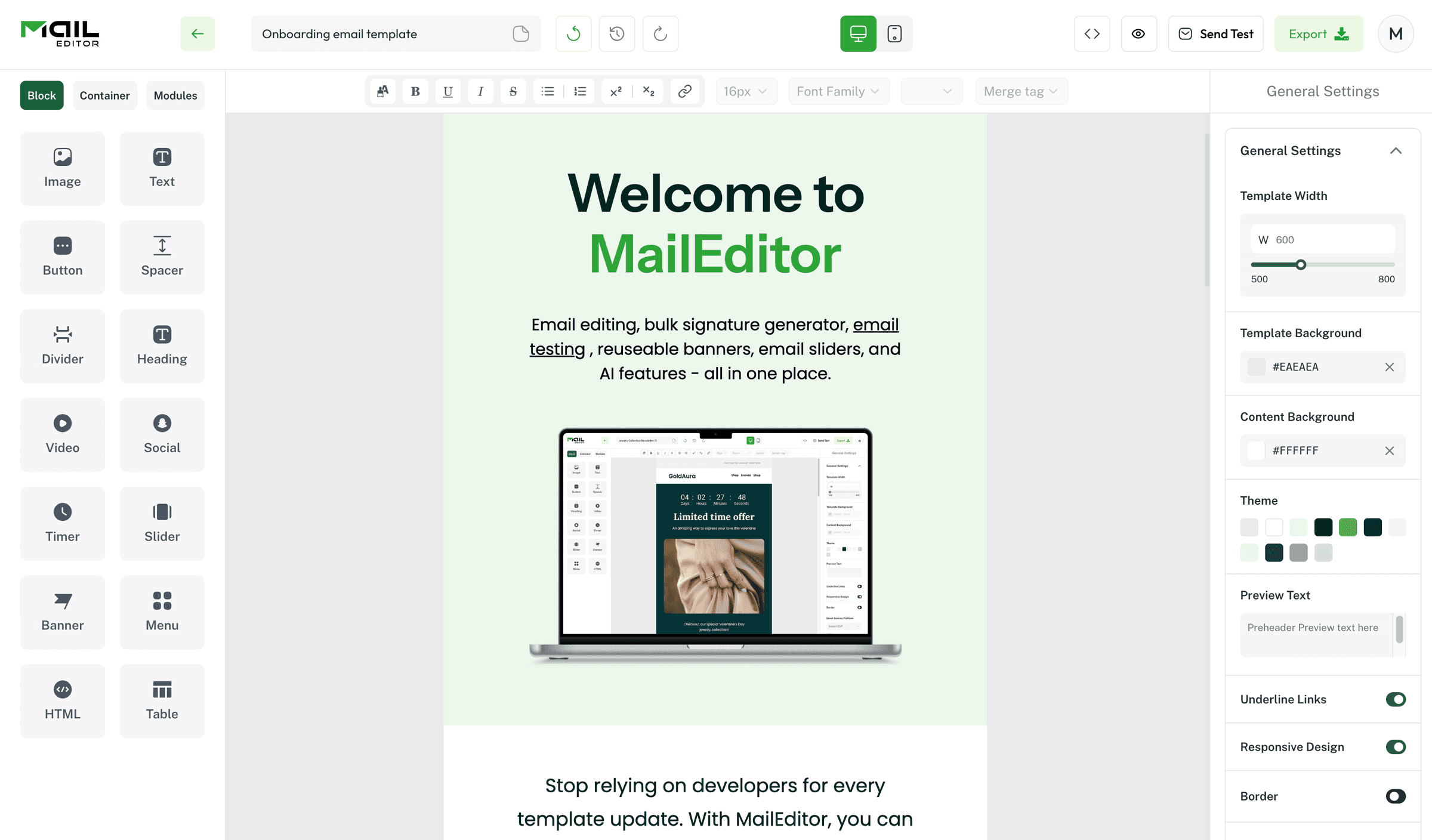
MailEditor gives SaaS companies and software providers white label editor they can embed into their products. You can embed editor directly into your product. You can create and customize professional email signatures free.
You get drag and drop editor and it's easy to use, along with HTML editing for advanced customization.
Your users can add company logos, profile photos, social media icons and banners. You can also add contact details and call to action buttons. This is to create signatures designed to match their brand.
MailEditor also supports major email clients. It includs Gmail, Outlook, Apple Mail and Microsoft 365. So your users can use their signatures across different platforms.
If you're building CRM, email marketing tool, customer communication platform or any other SaaS product. So, you can integrate MailEditor into your application and keep entire experience under your own brand.
Key features:
- White label email signature editor
- Drag and drop signature builder
- HTML editing for advanced customization
- Custom templates and branding
- Logos, banners, profile photos and social media icons
- Easy integration with your platform
- Developer friendly implementation
Canva

Canva has thousands of customizable templates. So, you can create signature to matches your personal or business brand without any design experience.
Drag and drop your logo, photo, brand colors, icons, details or banners. Once you're satisfied save design to Gmail, Outlook or Apple Mail. One thing to remember is Canva is for design rather than for editing active email signatures.
It lacks features such as centralized signature management, dynamic fields and company updates. If you need to manage signatures for an entire team, you probably need dedicated email signature solution.
Key features:
- Thousands of customizable templates
- Drag and drop editor
- Logo, photo and brand color customization
- Social media icons and contact details
- Easy export for Gmail, Outlook and Apple Mail
- No coding or design skills required
Gimmio

With Gimmio you can design custom email signatures using drag & drop editor. It allows you to create email signatures of your own design while maintaining proper branding without touching HTML.
Pick from custom templates or build unique signature from scratch today. Include logos, profile photos, social icons, banners, contact info and buttons. Customize your fonts, colors and many more design elements with total ease.
Gimmio also works well for teams.
Collect employee signatures in one place. Make sure all of them use same branding. Then add signature to Gmail, Outlook, Apple Mail, Microsoft 365 and other email clients.
Key features
- Drag and drop signature editor
- Ready made templates
- Custom branding and layouts
- Team signature management
- Gmail, Outlook, Apple Mail and Microsoft 365 support
- HTML export
Newoldstamp

Newoldstamp makes signature process much easier. You can create, manage and update them from one place.
You can make your signatures look really nice with your company logos, photos, social icons, banners and messages that tell people about your company. This way your company will look the same everywhere.
Also easy to run marketing campaigns by adding seasonal banners or call-to-action buttons to employee emails.
Newoldstamp integrates with Google Workspace and Microsoft 365 and makes management simple for teams. It supports Gmail, Outlook, Apple Mail and other popular email clients for easy deployment.
Key features
- Centralized email signature management
- Company wide branding
- Marketing banners and CTA campaigns
- Google Workspace and Microsoft 365 integration
- Gmail, Outlook and Apple Mail support
- Team management and signature updates
CodeTwo Email Signatures

CodeTwo is built for organizations and want to manage every employee's email signature from single dashboard. So, you don’t need to rely on users to update them manually.
You can create branded signatures with logos, contact details, social media icons, promotional banners and legal disclaimers. Any changes you make are applied across organization.
It helps keep every email consistent with your brand.
CodeTwo also lets you schedule marketing banners, target different signature templates for different teams and manage signatures without interrupting employees.
Key features
- Centralized signature management
- Microsoft 365 integration
- Automatic signature updates
- Marketing banners and campaigns
- Legal disclaimers and dynamic fields
- Team signature templates
- No HTML coding required
MySignature
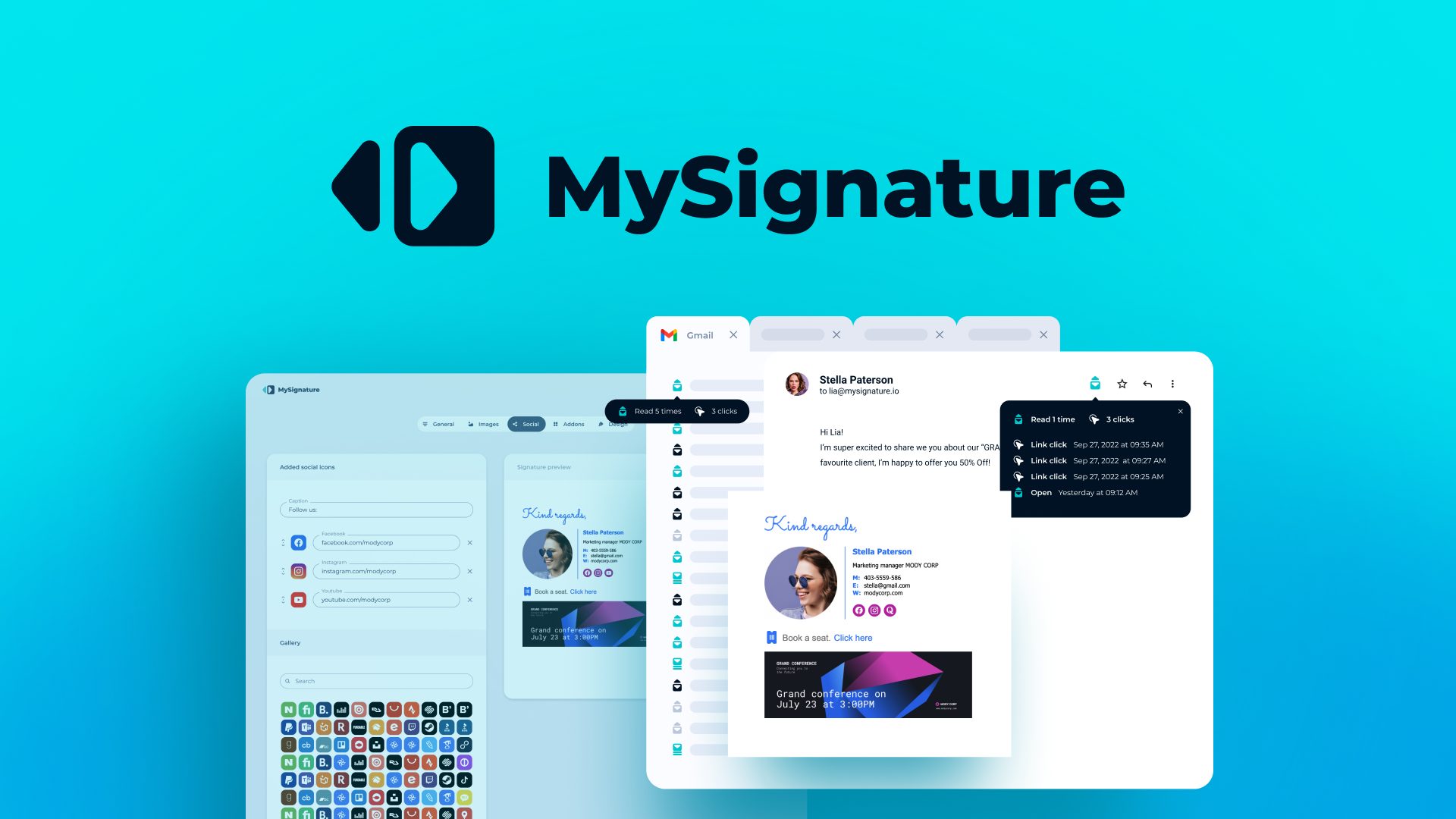
MySignature comes with ready made templates. So, you can customize with your name, job title, company logo, profile photo, contact details and social media links.
The editor is really simple to use so you can make a looking signature in just a few minutes. You can also add banners. Call to action buttons to your website to promote the website or to book meetings or to highlight a special offer, from the website.
Once your signature is ready, you can use it with Gmail, Outlook, Apple Mail and other popular email clients.
But it doesn't offer advanced team management features found in enterprise tools. Still, it's more than enough for freelancers, consultants and small businesses.
Key features
- Ready made signature templates
- Drag and drop editor
- Logo, profile photo and social media support
- Promotional banners and CTA buttons
- Gmail, Outlook and Apple Mail compatibility
- No coding required
Exclaimer
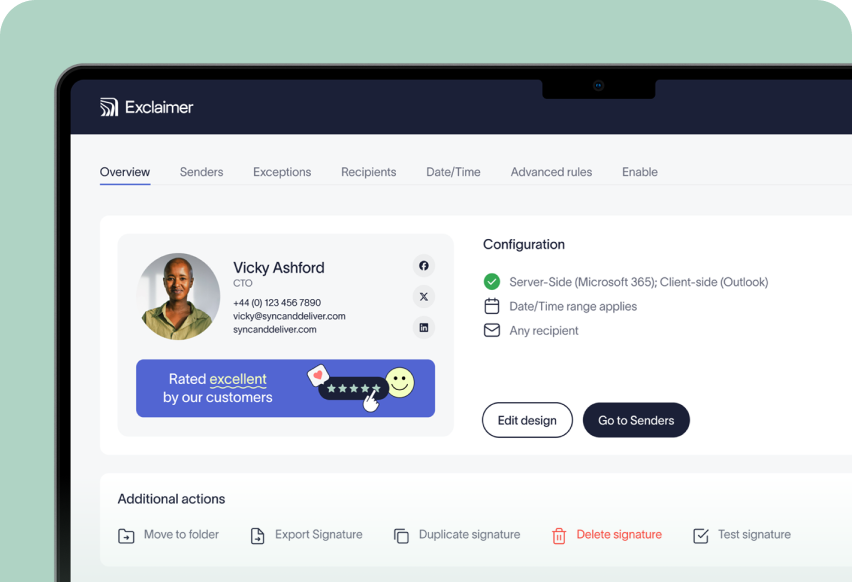
Exclaimer is one of the most popular enterprise solutions. You can manage them from central dashboard and automatically apply them to every employee's emails.
You can make signatures that have your company logos on them. These signatures can also have media icons and promotional banners. You can even make disclaimers and add things, like names and job titles and phone numbers to these signatures.
This makes it easy to keep your branding consistent while running company marketing campaigns.
That’s why it's a strong choice for organizations with need for centralized management. Overall, it has better brand control and less manual work.
Key features
- Centralized email signature management
- Microsoft 365 and Google Workspace integration
- Dynamic fields and employee directory sync
- Marketing banners and campaign management
- Legal disclaimers and compliance support
Frequently Asked Questions
Question: Can I create an email signature without coding?
AnswerYes. Most email signature editors include drag and drop builder. This allows you to create professional signature without writing HTML.
Question: Which email clients do email signature editors support?
AnswerMost tools work with popular email clients. This includes Gmail, Outlook, Apple Mail, Microsoft 365 and Google Workspace. Some also support Yahoo Mail and Thunderbird.
Question: What should professional email signature include?
AnswerA professional email signature should include your name, job title and company name. Also include phone number, email address, website, company logo and relevant social media links. You can add CTA button or promotional banner as well.
Question: Are free email signature editors worth using?
AnswerFree tools are great for creating basic email signature. However if you need advanced features like team management, centralized updates, analytics or custom branding, paid solution is usually better choice.
Question: Can businesses manage employee email signatures from one place?
AnswerYes. Many enterprise tools including Exclaimer, CodeTwo and Newoldstamp let you create, update and manage employee email signatures from centralized dashboard.
Question: Can I add banners and social media icons to my email signature?
AnswerYes. Most modern email signature editors let you add logos, banners, social media icons, profile photos and call to action buttons.
Question: Why should I use an email signature editor?
Answer: An email signature editor helps you create consistent, professional signature without manual process. It also makes it easier to keep your branding consistent and update signatures. Especially when your contact details or marketing campaigns change.
Popular Blogs

Email Design2 mins to read
Top Email Template Builders & HTML Email Editors for 2026
Compare the best email template builders and HTML editors to design professional, responsive campaigns without coding.

Email Design9 mins to read
Email Signature Size and Image Best Practices
The ideal email signature is 320–600px wide and 90–200px high. Learn the best image sizes, formats, file limits, and mobile-friendly design tips.

Email Tips7 mins to read
Best Drag and Drop Email Editors in 2026
Discover the best drag and drop email editors in 2026. Compare top tools, features, templates, pricing, and automation to build stunning emails fast.

Marketing7 mins to read
4 Best Unlayer Alternatives to Design Emails
Looking for Unlayer alternatives? Explore the 4 best email design tools to create beautiful, responsive emails faster and easier.

Marketing6 mins to read
5 Beefree Alternatives to Upgrade Email Design Workflows
Looking for a better email design tool? Explore 5 Beefree alternatives that streamline workflows, improve collaboration, and elevate email campaigns.