Best Email Builders for SaaS: 7 Embedded Options Compared
The best email builders for SaaS offer embeddable editing with SDK, plugin, or iframe options. Compare 7 platforms, features, integration needs, and trade-offs.

Md. Yaikub Hossain Razon
Choosing the best email builder for SaaS means choosing what your users will do inside your product, not just which drag-and-drop editor looks attractive in a demo. A CRM may need a branded campaign builder, a booking platform may need a straightforward email template editor, and an ESP may need deeper control over user sessions, saved designs, and export events.
This guide compares seven real embedded email builder options: MailEditor, Unlayer, Beefree SDK, Stripo Plugin, TOPOL Plugin, Chamaileon SDK, and GrapesJS Studio SDK. We focus on integration models, workflow fit, trade-offs, and questions your development team should test before committing. Screenshots are interface illustrations, not proof of a live production integration.
Quick answer: There is no universal winner. MailEditor is worth evaluating for a hosted iframe editor with server-signed user identity and a backend template API. Unlayer and Beefree SDK suit teams that need a JavaScript SDK and richer client-side integration. Stripo, TOPOL, and Chamaileon offer different approaches to embedding email editing, while GrapesJS Studio SDK is relevant when developers want a configurable editor framework with an email project type.
Best Email Builders for SaaS at a Glance
Start with the embed model. A hosted iframe may reduce frontend integration work, but it does not give you the same event-level control as a JavaScript SDK. The table summarizes product positioning based on vendors' official product pages and documentation, not independent performance benchmarks.
| Email builder | Integration approach | Best fit | Main consideration |
|---|---|---|---|
| MailEditor Plugin | Hosted iframe, signed identity, Backend API | SaaS teams that want embedded email editing without a client SDK | No client-side JavaScript SDK or iframe events |
| Unlayer | JavaScript SDK and framework wrappers | Products needing configurable editing and host-side callbacks | Plan-specific features and integration work |
| Beefree SDK | Embeddable SDK with authenticated initialization | Email-heavy SaaS platforms, including multi-format product suites | Feature entitlements, authorization and usage |
| Stripo Plugin | JavaScript plugin plus APIs | Teams emphasizing email design and template workflows | Editor initialization, storage and API configuration |
| TOPOL Plugin | Embedded plugin and documented framework packages | Teams wanting a focused email editor in their app | White-label, custom blocks and hosting requirements by plan |
| Chamaileon SDK | Embeddable SDK and APIs | Products needing modular email editing and collaborative workflows | Implementation scope and API-key entitlements |
| GrapesJS Studio SDK | Configurable visual editor SDK with email project type | Developer teams wanting to build a tailored editing environment | Developer ownership of setup, persistence and email output validation |
A practical short list is more useful than picking a winner from the first comparison table. If real-time editor callbacks are essential, test an SDK. If fast hosted embedding and backend retrieval matter most, evaluate an iframe-first approach. Either way, confirm how the editor saves content and how your sending system receives the final HTML.
How We Compared These Embedded Email Builders
We used published product pages and developer documentation available in November 2026. We did not conduct hands-on integration tests for all seven vendors, measure load times, inspect private enterprise contracts, or claim that screenshots demonstrate a working SDK deployment. The criteria below reflect the questions a SaaS buyer actually has to resolve.
- Embedding model: Hosted iframe, JavaScript plugin, SDK, API, or configurable framework.
- Product control: Custom blocks, branding, permissions, templates, and editor callbacks.
- Identity and persistence: Authentication, per-customer isolation, storage responsibilities, and project retrieval.
- Output: HTML export, source/design JSON where supported, rendering expectations, and integration with a separate sending service.
- Operations: Plan limits, pricing units, asset hosting, compliance checks, versioning, and maintenance.
What “best” means here: Each product is evaluated for a particular SaaS need, not assigned an invented performance score. “Best for” is an editorial recommendation based on documented positioning; your own proof-of-concept should determine the final decision.
7 Best Embedded Email Builders for SaaS: Detailed Comparison
1. MailEditor Plugin: Hosted Email Editor for SaaS
Best for: CRMs, ESPs, booking systems, recruitment platforms, and SaaS products that prefer a hosted editor and server-side workflow.
MailEditor provides a visual drag-and-drop email editor inside a host SaaS application. Its plugin documentation describes a hosted iframe, a server-side signed user identity, and a Backend API for reading users' saved templates. The product is for teams that want email creation in their app without implementing a full client-side editor library.
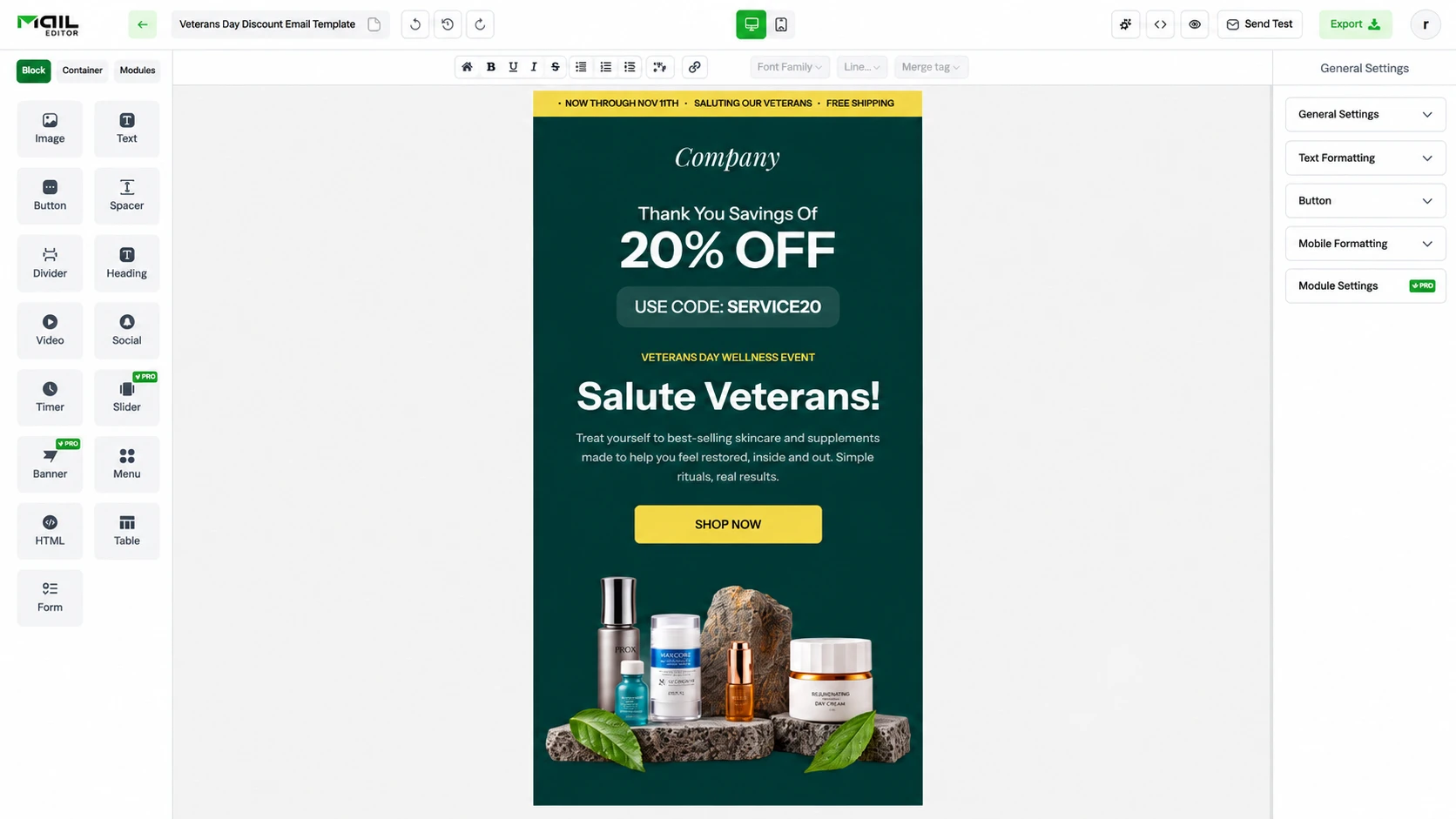
Integration model: Create a plugin, allow the host domain, sign the end-user ID on your server, render the editor iframe, then retrieve saved work using the Backend API.
What stands out: The workflow separates a browser-based editing experience from server-side authentication and saved-template retrieval. Brand and editor configuration can be managed through the plugin settings.
What to check: MailEditor currently does not offer a client-side JavaScript SDK or postMessage-style iframe events for the host page. It is not an email campaign sender. If your product needs live editing callbacks or deeply customized host-to-editor interactions, validate this limitation first.
Our take: Choose MailEditor if speed to a working embedded editor and backend control matter more than granular client-side events.
Official MailEditor Plugin documentation or product page.
Explore MailEditor Plugin Read Plugin Documentation
2. Unlayer: JavaScript SDK for Embedded Email Editing
Best for: SaaS and CRM engineering teams that need an editor as a programmable part of a larger interface.
Unlayer offers an embeddable drag-and-drop email builder for products that want editor controls inside an application. Its documentation shows JavaScript initialization, configuration options, and integrations through framework wrappers such as React, Angular, and Vue.
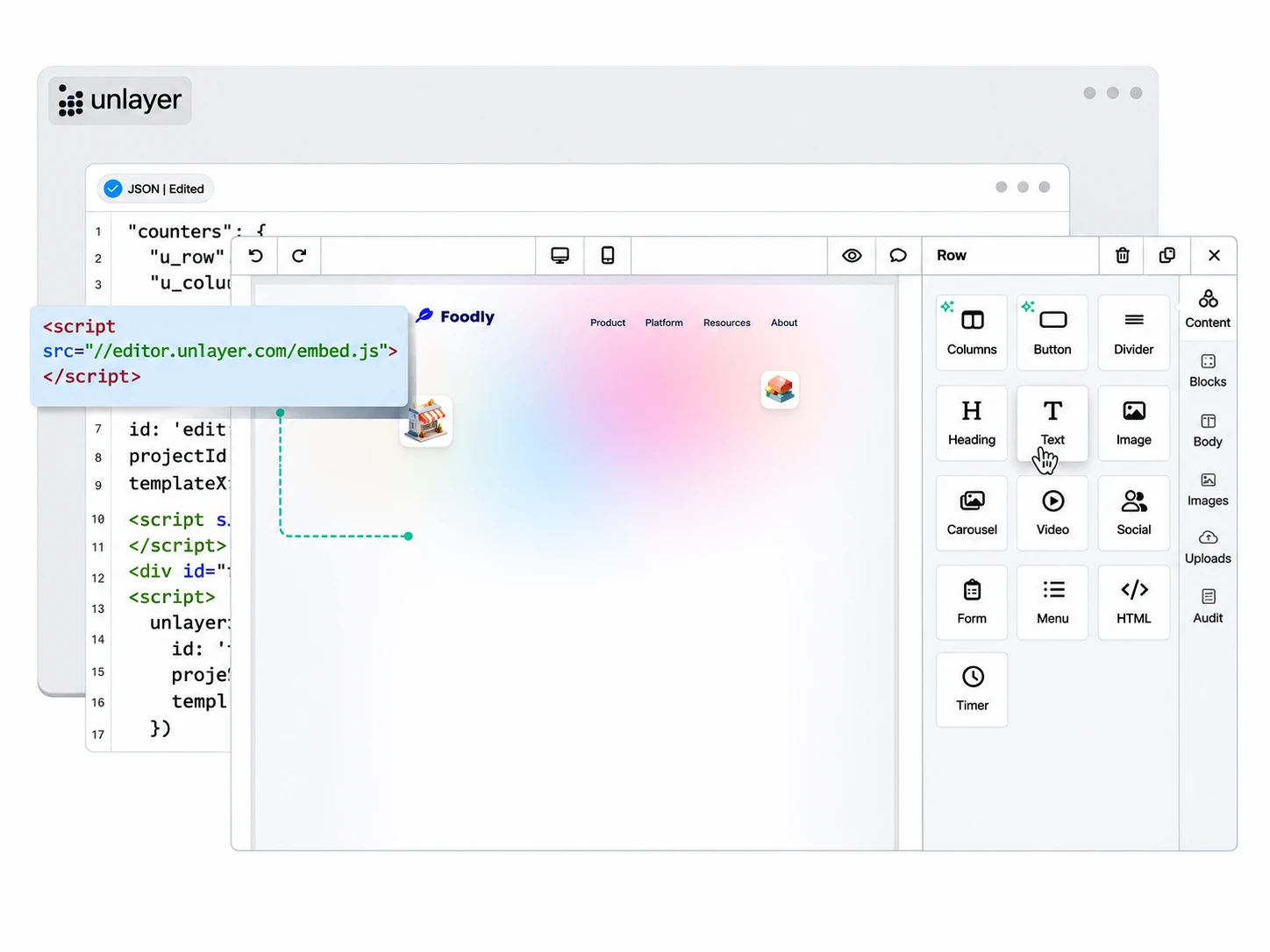
Integration model: Load and initialize its JavaScript editor inside a page and connect the editor's design and export workflows to your application.
What stands out: A well-documented embedding path, configurable visual tools, and SDK-level integration options make Unlayer worth prototyping when host-side behavior matters.
What to check: Plan-specific capabilities, licensing, events, asset handling, and output should be checked in your intended implementation. The approved screenshot is an official UI illustration rather than evidence of a running integration.
Our take: Consider Unlayer when application developers need more client-side control than an iframe-only model exposes.
Official Unlayer documentation or product page.
3. Beefree SDK: Visual Email Builder for Multi-Format SaaS Products
Best for: SaaS platforms where users create email campaigns and where additional visual builder types may be part of the roadmap.
Beefree SDK lets software teams embed a no-code email builder. The provider also documents related page and popup builder products, which can be relevant to SaaS suites offering several design formats within the same account.
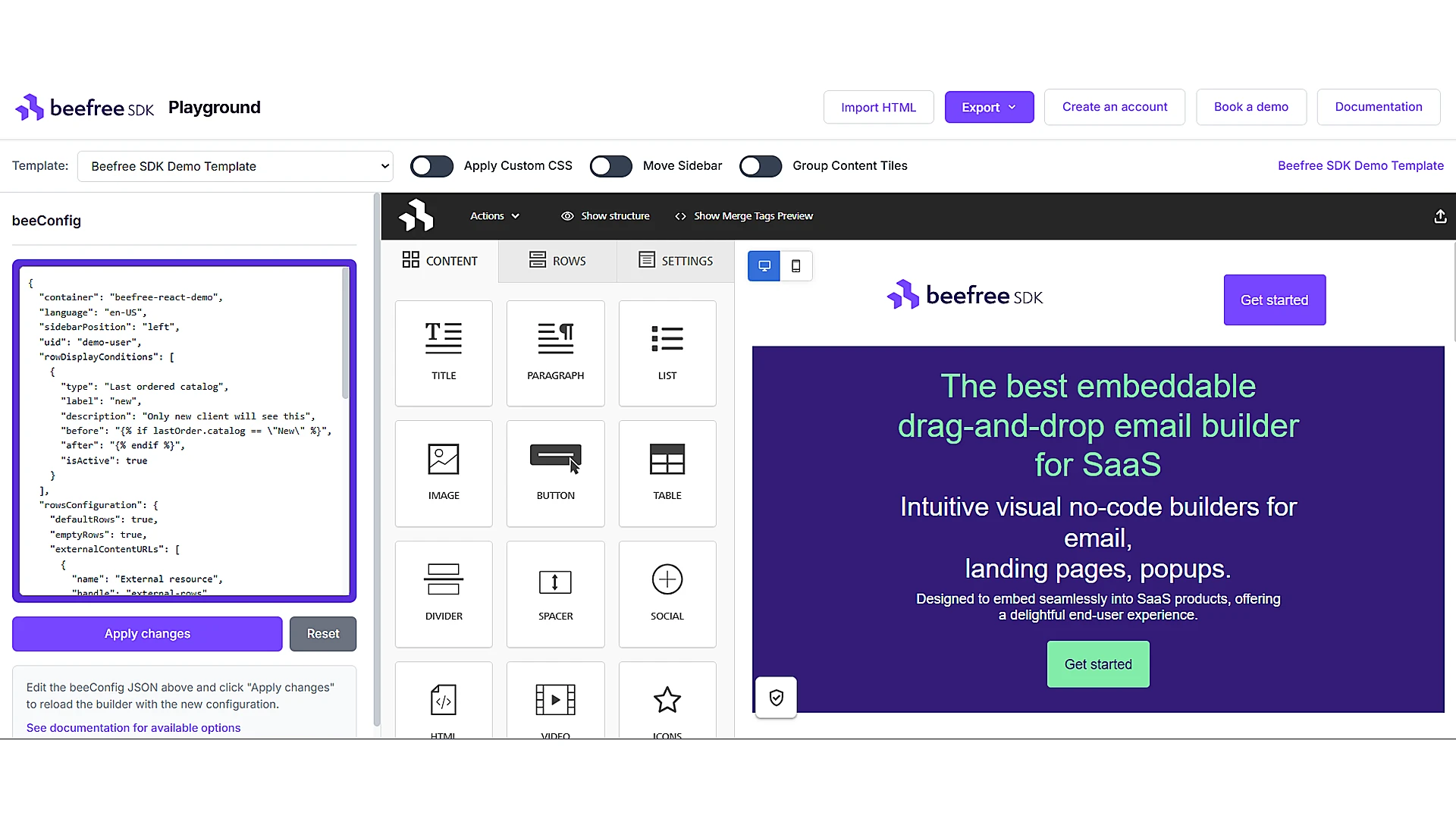
Integration model: Initialize an authenticated builder inside your application. Official quickstarts demonstrate embedding workflows for React, Vue, Angular, and other stacks.
What stands out: Visual content blocks, design tooling, and developer documentation make it a candidate for products that want a configurable creation experience.
What to check: Verify what is included in the selected plan, how authentication and template persistence work, and which content types you actually need. Do not assume every feature shown in a public playground is available on every tier.
Our take: Choose Beefree SDK when a broader visual-content roadmap makes sense and your team can support SDK integration.
Official Beefree SDK documentation or product page.
4. Stripo Plugin: Embeddable Email Design and Template Editing
Best for: SaaS platforms and email tools prioritizing template editing and email-design functionality.
Stripo offers an embedded version of its email editor through the Stripo Plugin. Its product and API pages describe JavaScript-based initialization and APIs for integration with the host application. The editor can support teams for whom email-specific design workflows are central to the product.
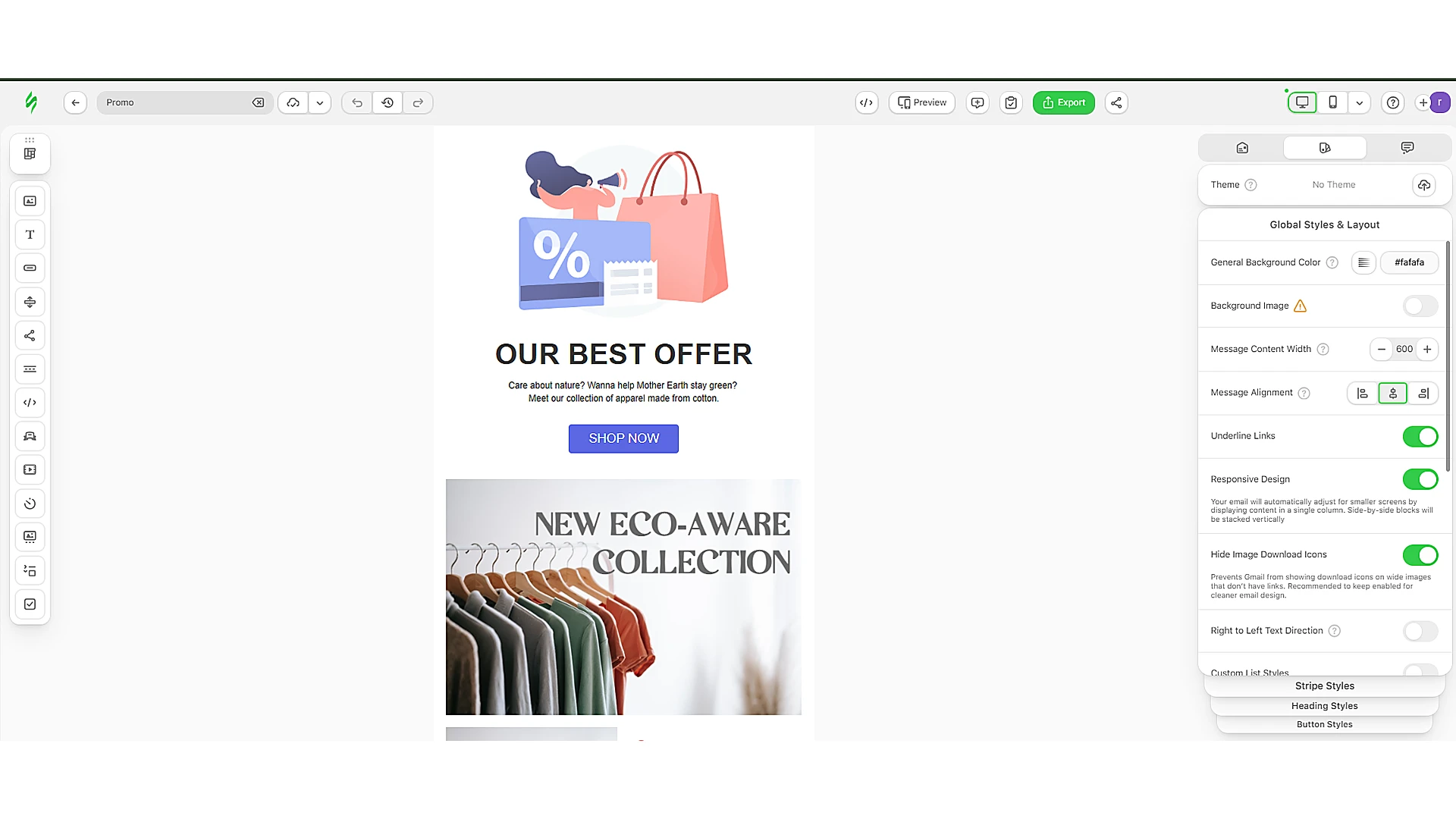
Integration model: Embed the Stripo Plugin into your interface, configure application credentials and the relevant storage or backend interactions, and connect its editing outputs to your workflow.
What stands out: An email-oriented editing interface and a documented plugin API are attractive for software products serving marketers or designers.
What to check: Check the correct plugin plan, export workflow, branding options, and which elements must be hosted or maintained by your team. The screenshot you provided shows the editor UI, not proof of a production integration.
Our take: Choose Stripo when email-template production is a core feature and your integration team can implement a plugin-based workflow.
Official Stripo Plugin documentation or product page.
5. TOPOL Plugin: Focused Embedded Email Editing
Best for: Software platforms that want a focused embedded drag-and-drop email editor with a practical developer integration path.
TOPOL Plugin provides an embeddable email editing experience distinct from the standalone TOPOL PRO product. Its documentation describes a script-based integration, typed framework packages, customization, and storage choices.
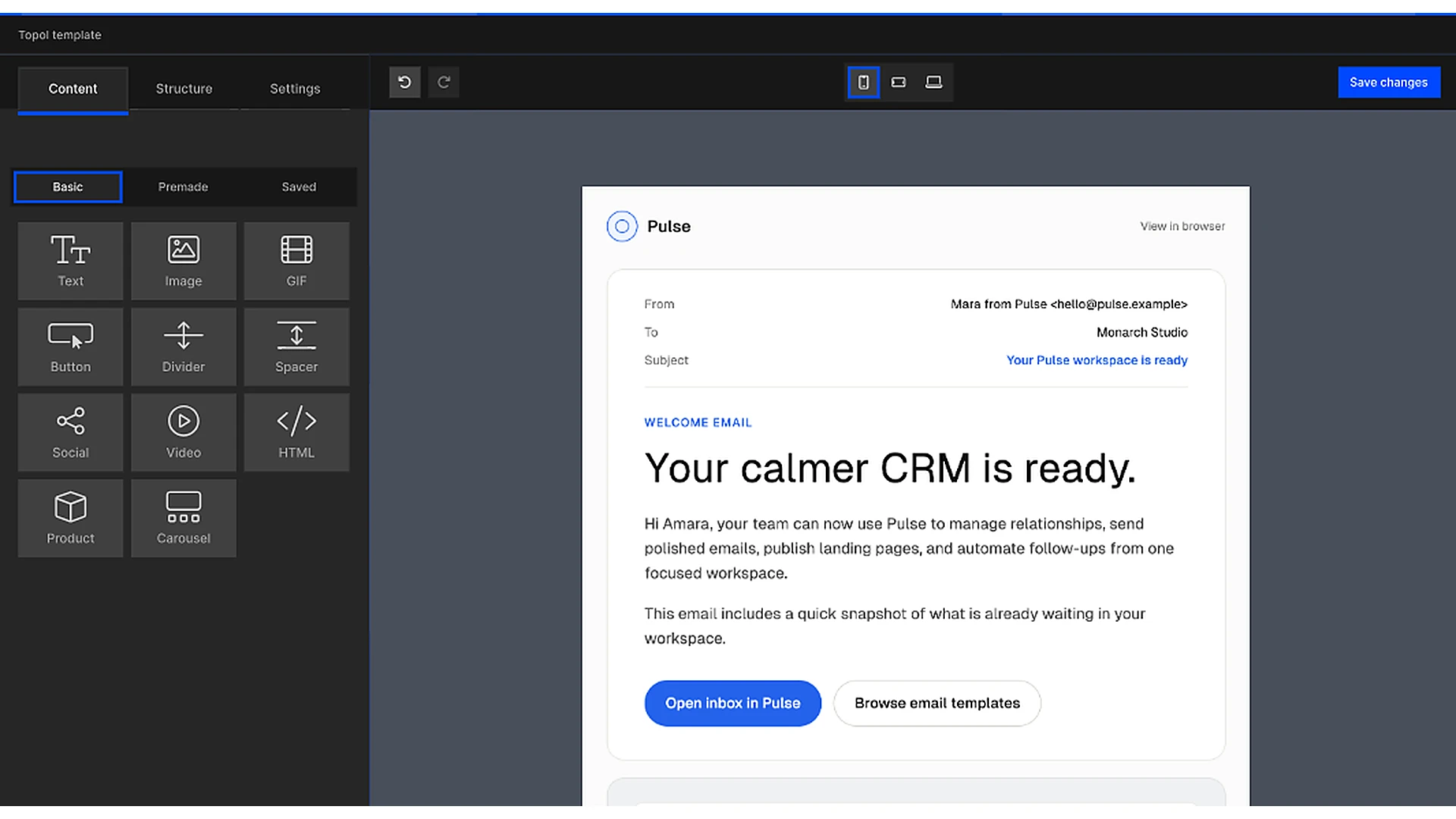
Integration model: Use the plugin integration flow, configure its editor and storage options, and connect saved designs and exported HTML to your application.
What stands out: The product is explicitly positioned for embedding, with documentation addressing custom blocks, localization and white labeling.
What to check: Confirm the chosen plugin tier, allowed domains, data handling, and how its API or iframe interacts with your application. Do not confuse TOPOL Plugin pricing with a standalone TOPOL PRO subscription.
Our take: Choose TOPOL Plugin when you need a dedicated editor experience and want to compare its customization and licensing against SDK alternatives.
Official TOPOL Plugin documentation or product page.
6. Chamaileon SDK: Modular Email Editing for Product Teams
Best for: SaaS products that need a configurable email editing surface and are willing to integrate a broader set of SDK and API components.
Chamaileon positions its SDK as a modular, white-label email builder that can be embedded in an application or combined with APIs. The public documentation covers editor integration and email HTML generation. This makes it relevant for products with structured content creation and team workflows.
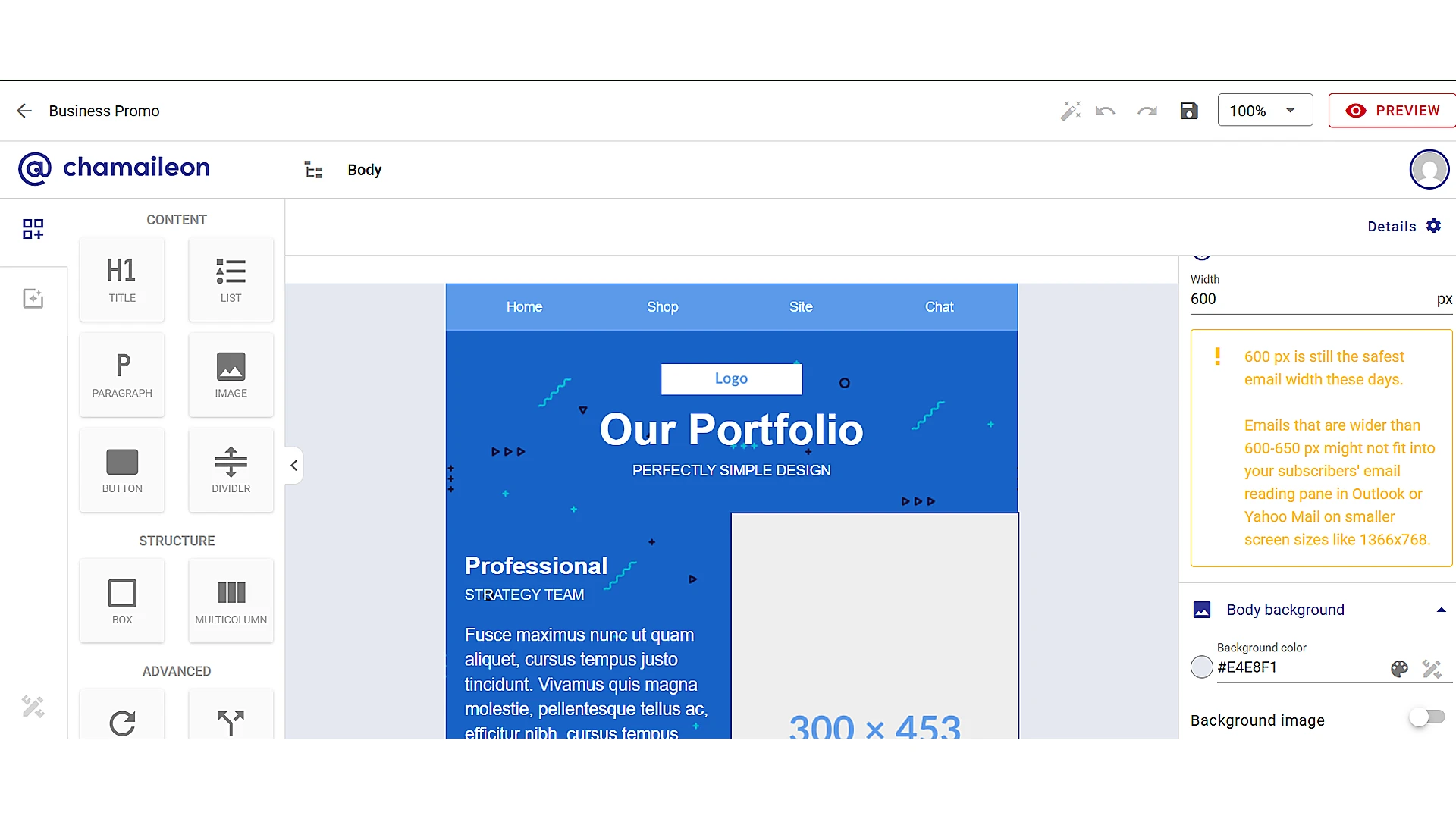
Integration model: Embed the editor using the SDK and design how saved document data and HTML output will flow between Chamaileon components and your app.
What stands out: Email-specific editing tools, document-based workflows, and an API-oriented integration path offer flexibility for more involved SaaS products.
What to check: Validate API access, persistence, user management, export responsibilities, and collaboration features in the plan you are evaluating. Crop or conceal personal account details in any screenshot before publication.
Our take: Consider Chamaileon when a modular integration and collaborative email creation requirements justify additional implementation planning.
Official Chamaileon SDK documentation or product page.
7. GrapesJS Studio SDK: Configurable Email Editor Framework
Best for: Development teams that want to configure their editing environment deeply and can own integration and export validation.
GrapesJS Studio SDK is the commercial embeddable editor offering built on the GrapesJS ecosystem. Its official documentation includes an email project type with MJML-based newsletter editing. This is different from using a generic website page editor and assuming it will produce email-safe HTML.
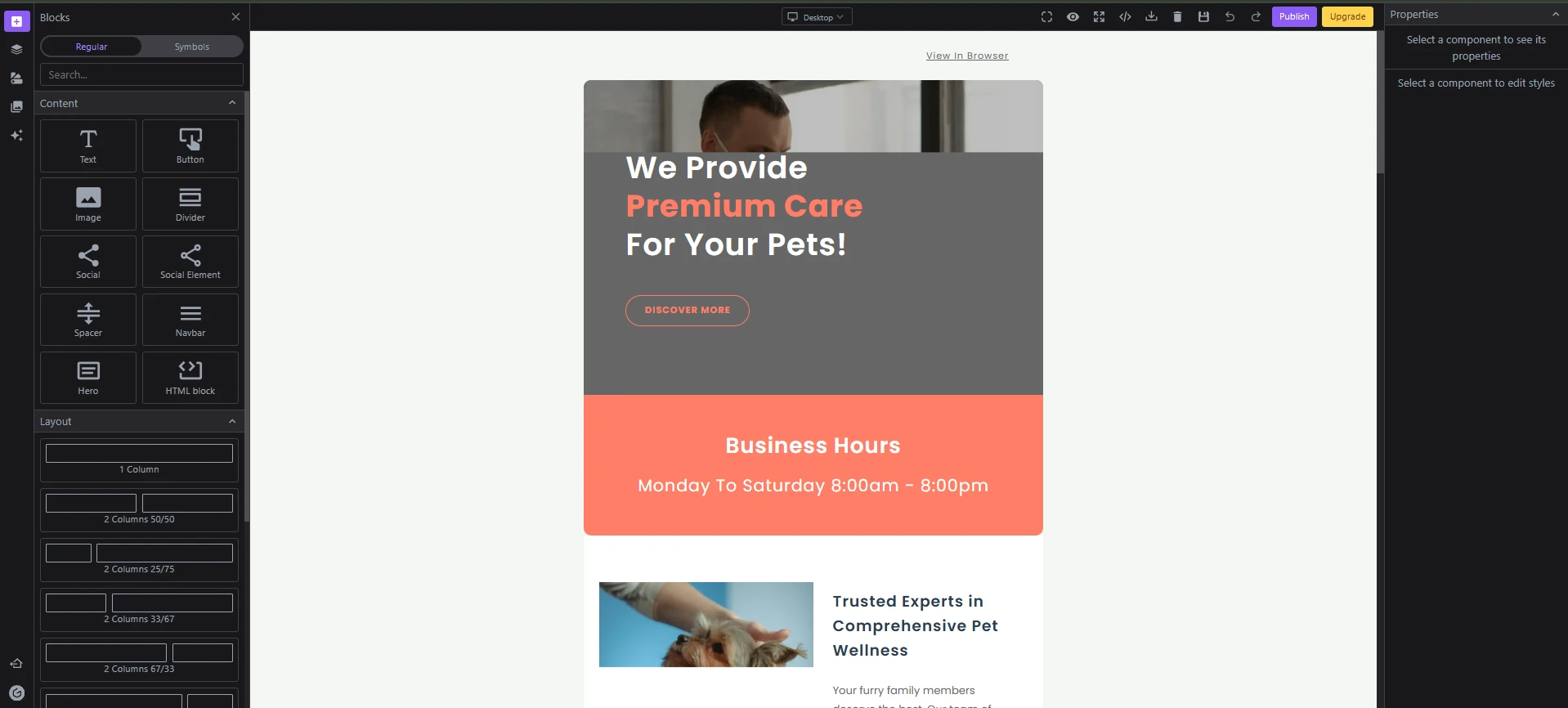
Integration model: Initialize Studio SDK with an email project configuration, then plan project storage, reusable components, and email HTML output for your application.
What stands out: A configurable block-and-style editing surface and an explicit email project type offer a path to a tailored email authoring experience.
What to check: The SDK still requires development work. Verify licensing, persistence, output conversion, and email-client compatibility testing. Do not use a website builder screenshot as evidence of email editor functionality.
Our take: Choose GrapesJS Studio SDK when implementation flexibility is central and your team is prepared to manage more of the editor architecture.
Official GrapesJS Studio SDK documentation or product page.
Which Embedded Email Builder Fits Your SaaS?
The right choice depends on who owns the editing workflow. Use the decision prompts below when creating a shortlist. They do not replace a proof-of-concept, but they prevent teams from treating every product with a drag-and-drop canvas as interchangeable.
| Your requirement | Start by evaluating | Why |
|---|---|---|
| Ship a hosted email editor with minimal client-side integration | MailEditor Plugin | Iframe integration and server-side retrieval may align with a simpler frontend architecture. |
| React/Vue/Angular app needs editor initialization and callbacks | Unlayer or Beefree SDK | Published SDK and framework integrations are designed for host-app development. |
| Template-heavy marketing editor within an existing platform | Stripo Plugin | Email design features and an embedded JavaScript plugin are a natural starting point. |
| Dedicated email builder with configurable blocks and branding | TOPOL Plugin | Embedding and editor customization are central to the plugin documentation. |
| Modular editor with API-oriented workflows | Chamaileon SDK | An editor plus API model can suit more involved product workflows. |
| Deeply tailored editor with dedicated email project configuration | GrapesJS Studio SDK | A configurable SDK can support specialized block, layout and persistence requirements. |
SAAS EMAIL BUILDER DECISION GUIDE
Which Embedded Email Builder Fits Your SaaS?
01 · INTEGRATION NEED
Hosted editor / fast embedding
Iframe + backend workflow
START BY EVALUATING
MailEditor Plugin
02 · INTEGRATION NEED
Frontend SDK control
JavaScript SDK integration
START BY EVALUATING
Unlayer · Beefree SDK
03 · INTEGRATION NEED
Email template workflows
Embeddable email plugins
START BY EVALUATING
Stripo Plugin · TOPOL Plugin
04 · INTEGRATION NEED
Configurable editor architecture
Modular / extensible SDK
START BY EVALUATING
Chamaileon SDK · GrapesJS Studio SDK
Plugin vs SDK vs API: What Changes for Your SaaS?
These terms describe different integration surfaces, not a hierarchy of product quality. A hosted iframe typically isolates more of the editor inside a provider-controlled surface. A JavaScript SDK lets your frontend initialize an editor and may expose programmatic controls and callbacks. An API handles server-side actions such as fetching templates, saving documents, generating output or managing access; it is not automatically a visual editor.
| Approach | Common responsibility | Typical trade-off |
|---|---|---|
| Hosted iframe or plugin | Render an authenticated editor view, configure access, retrieve output | Less frontend editor code, but host-side events may be limited |
| JavaScript SDK | Initialize editor, handle events, connect assets and persistence | Greater integration control, with more implementation work |
| Backend API | Manage identity, template data, HTML generation or export | Supports workflows but does not by itself provide a drag-and-drop UI |
For a deeper explanation of the plugin architecture, see our Email Builder Plugin for SaaS guide. We also have a separate published Email Builder SDK guide. This comparison stays focused on picking a vendor rather than repeating SDK fundamentals.
How to Choose the Best Email Builder for Your SaaS
Before signing a contract, give each shortlisted vendor the same test scenario: one authenticated user opens an existing branded template, changes text and an image, saves it, reopens it, exports usable HTML, and completes a send through your own sending system. That test reveals more than a marketing feature list.
1. Identity, tenancy and access
Ask how the editor identifies users and keeps one customer's templates separate from another's. Confirm where secrets are stored, whether domains can be allowlisted, how tokens expire, and how your own permissions map to editor actions. A simple iframe URL should never require exposing a long-lived backend secret in browser code.
2. Template storage and data ownership
Check whether the vendor stores source design JSON, exported HTML, images, and reusable modules; whether you can use your own storage; and how you migrate those assets if you change vendors. Request a clear account-deletion, backup and retention story. Portability should be demonstrated by an actual export and re-import test.
3. Branding, blocks and user permissions
Your SaaS may want to hide advanced HTML blocks, lock down branding, restrict fonts, expose reusable layouts, or show different options to different plans. Confirm which controls can be changed programmatically and which require vendor dashboard configuration.
4. HTML output and inbox compatibility
An editor preview is not a delivered email. Test its exported HTML in the inboxes your customers use, including the Outlook versions and mobile clients that matter to your audience. Check link tracking compatibility, images-off behavior, buttons, dark mode, accessibility and personalization placeholders. No vendor screenshot can prove inbox compatibility.
5. Events, APIs and automation
List the exact events your app needs: editor ready, template saved, changes detected, preview requested, export complete, or session closed. Some products expose events on the client; others expect your server to read saved work through an API. Verify each required event in documentation rather than assuming it exists because an SDK or plugin is available.
6. Pricing units and ongoing cost
Compare the cost of users, monthly active users, workspaces, API calls, storage, templates, premium features and support. Some plans limit the number of active applications or embed environments. A lower entry price may not be the best long-term deal if it requires a substantial custom integration or migration later.
7. Proof-of-concept acceptance criteria
Define a short pass/fail checklist for your engineering team. A useful trial covers responsive editor embedding, correct user isolation, save/reopen, export, expected host integrations, asset permissions and failure handling. Document the vendor plan tested so evaluation features are not confused with production entitlements.
Pricing and Total Cost: What to Compare Beyond the Plan
Vendor pricing and packaged features can change, so a comparison article should not freeze plan numbers without a dated, official quotation. Instead, use a common total-cost model and request the current plan sheet from each vendor.
| Cost component | Question to ask | Why it matters |
|---|---|---|
| License or subscription | Per app, per workspace, per MAU, or flat monthly? | Pricing can behave differently as customer count grows. |
| Feature access | Are custom blocks, storage, branding and API access included? | Plan restrictions can change architecture. |
| Developer effort | How much authentication, saving, hosting and export code is required? | A cheaper plan can take longer to integrate. |
| Asset and data storage | Who hosts images, designs and generated HTML? | Storage costs and portability affect operations. |
| Support and SLA | What happens during an editor outage or API failure? | Support response and reliability matter in a customer-facing feature. |
| Migration and exit | Can our users' finished HTML and design sources be exported? | Vendor lock-in can become a future product cost. |
Buying tip: Ask every vendor to quote the same deployment scenario, such as one product, one production origin, a stated number of active creators, your required features, and your expected storage/API use. Comparing a standalone marketer subscription against an embedded SDK contract is misleading.
How to Embed MailEditor in a SaaS Workflow
If a hosted iframe approach matches your requirements, MailEditor documents a straightforward server-and-browser integration. The following describes the intended flow, not a claim that no backend development is needed.
- Create a plugin. Configure the plugin in your MailEditor dashboard and allow the domains from which your application will embed it.
- Keep the secret server-side. Use your server to sign an application-specific end-user identifier. Do not expose the plugin secret in the browser.
- Render the editor iframe. Build the signed editor URL and display it inside the relevant page of your SaaS application.
- Let users edit and save. The hosted editor manages its own session and saving workflow. Configure available blocks, modules and branding options as supported by your plan.
- Retrieve the completed work. Use MailEditor's Backend API to read templates or HTML and pass the result into your application's own email workflow.
This approach is attractive when your product needs embedded email creation without owning a full visual-editing SDK. It is less suitable if your app depends on live iframe-to-host events. MailEditor itself does not send bulk marketing emails for your SaaS customers; the sending platform remains a separate component.
See MailEditor Plugin View the Integration Guide
Common Mistakes When Comparing SaaS Email Builders
- Confusing standalone products with embed licenses: Confirm you are buying the SDK or plugin intended for your own application, not just a marketer account.
- Assuming “white label” means complete customization: Branding, branding removal, hidden panels and custom blocks may each have different limits.
- Using screenshots as integration evidence: An editor can look excellent in a product demo while your requirements for save events or data ownership remain unmet.
- Skipping HTML output tests: Emails must work in real inboxes, not only in a web browser preview.
- Ignoring identity and storage: Multi-tenant template isolation and export paths belong in the technical acceptance criteria.
- Comparing incomparable pricing tiers: The right comparison is between plans that include your required embed features and scale.
Final Answer
The best email builder for SaaS is the one that fits your integration model, data responsibilities, and user workflow. MailEditor is a practical candidate for a hosted iframe editor with a server-side identity and template API. Unlayer and Beefree SDK are natural candidates when developer-facing SDK integration matters. Stripo and TOPOL offer embedded plugin approaches, Chamaileon offers a modular SDK/API path, and GrapesJS Studio SDK suits teams prepared to build around a configurable email project environment.
Shortlist two or three vendors, test the same branded-template workflow in each, then compare real integration work, saved-data access, output quality and total cost. If a hosted editor is the direction you want to explore first, review the MailEditor Plugin and its official integration documentation.
Frequently Asked Questions
Popular Blogs
Email Design2 mins to read
Top Email Template Builders & HTML Email Editors for 2026
Compare the best email template builders and HTML editors to design professional, responsive campaigns without coding.
Email Design9 mins to read
Email Signature Size and Image Best Practices
The ideal email signature is 320–600px wide and 90–200px high. Learn the best image sizes, formats, file limits, and mobile-friendly design tips.

Email Tips7 mins to read
Best Drag and Drop Email Editors in 2026
Discover the best drag and drop email editors in 2026. Compare top tools, features, templates, pricing, and automation to build stunning emails fast.

Marketing7 mins to read
4 Best Unlayer Alternatives to Design Emails
Looking for Unlayer alternatives? Explore the 4 best email design tools to create beautiful, responsive emails faster and easier.
Marketing6 mins to read
5 Beefree Alternatives to Upgrade Email Design Workflows
Looking for a better email design tool? Explore 5 Beefree alternatives that streamline workflows, improve collaboration, and elevate email campaigns.