10 Email Template Management Software for Marketing Teams (2026)
Discover the 10 best email template management software for marketing teams in 2026. Compare pricing, features, integrations, collaboration, pros and cons.

Md. Yaikub Hossain Razon
Most marketing teams do not have an email design problem. They have an email production problem.
The template exists. It looked fine three campaigns ago. But now it lives in someone's Downloads folder, the footer still has last year's address, and the one person who could edit the HTML left in March.
So every send turns into a small negotiation between marketing, design, and whoever is closest to a code editor.
The team didn't always have that. So, I went on a hunt for the top 10 email marketing platforms. And looked at the tools in this category the way a marketing team actually shops for one.
Luckily, I found some! And this section is all about them, so let’s tag along.
Best Email Marketing Platform At A Glance
|
Tool |
Best For |
Starting Price |
|
MailEditor |
Existing HTML emails |
Free |
|
Stripo |
Templates & integrations |
$20/mo |
|
Beefree |
Quick email design |
Free |
|
Knak |
Enterprise teams |
Custom |
|
Dyspatch |
Approval & governance |
$500/mo+ |
|
Chamaileon |
Team collaboration |
$300/mo |
|
Tabular |
Reusable blocks |
$29/mo |
|
Postcards |
Custom fonts |
Free |
|
Topol |
Beginners & agencies |
Free |
|
Stensul |
High-volume teams |
Custom |
1. MailEditor
MailEditor is best for teams that already have HTML emails and need to reuse them, not rebuild them
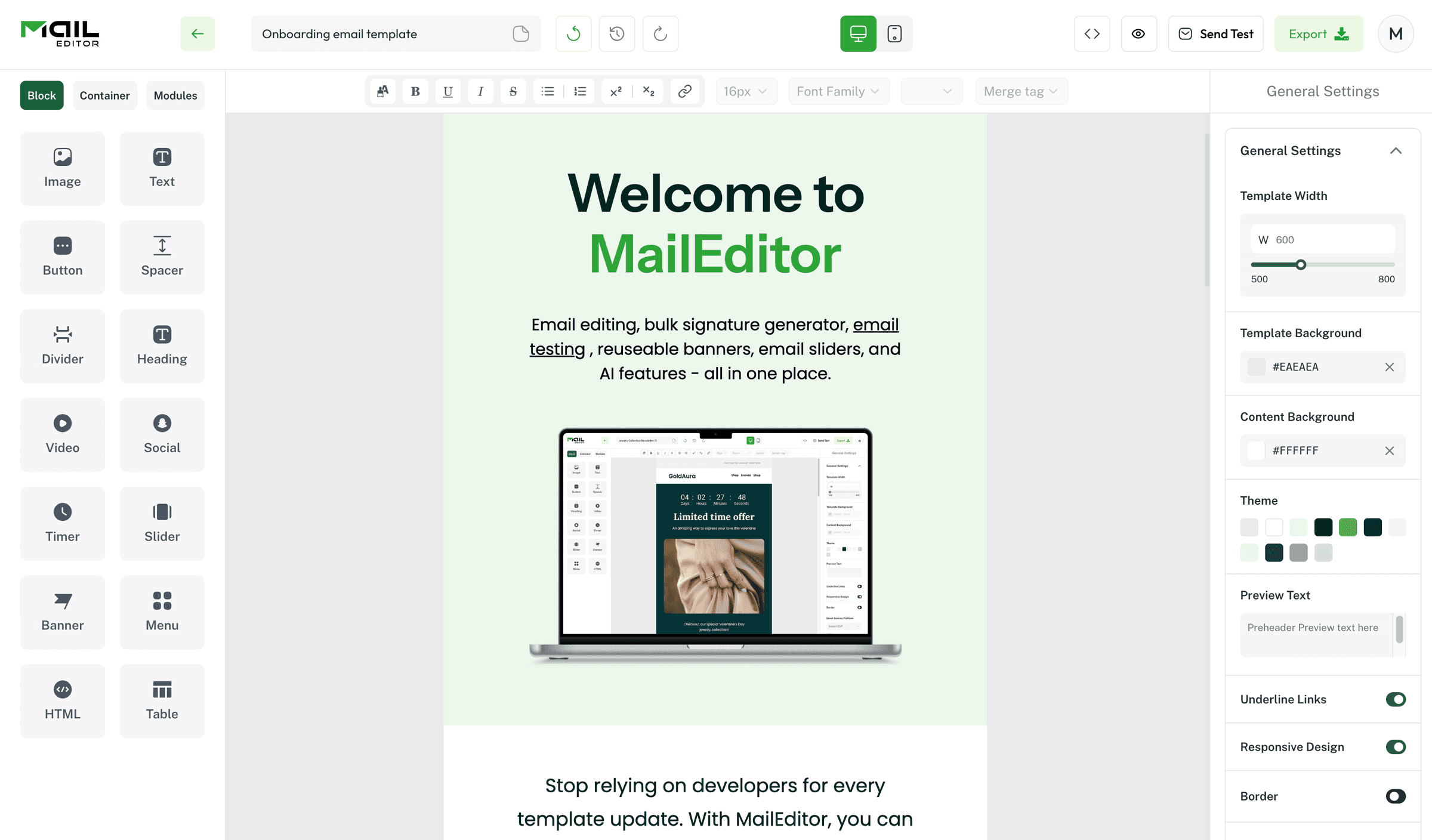
I put MailEditor first because it solved the problem I actually had.
Most builders in this category want you to start from a blank canvas. I did not have a blank canvas. I had a folder of old campaign HTML that nobody wanted to touch.
This email editor let me upload one of those files. The editor rendered it visually, right there in the browser. I swapped the hero image, rewrote the copy, fixed the footer, and exported clean HTML.
No code at any point. That one workflow is the whole reason it beat everything else on this list.
The module builder is where it gets genuinely useful. There are 120+ pre-built blocks, and you can nest them inside each other. Everything is responsive by default. I stopped rebuilding the same three-column product row every quarter and just dropped the module in.
Branded Modules is the feature I did not expect to care about. You set your fonts, buttons, colors, links, and text presets one time. Every new email inherits them. That is what stops template drift, and honestly, most mid-tier builders skip it completely.
You also get countdown timers, sliders, and editable banners. And when I wanted full control, the raw HTML block was sitting right there.
Then there is the free tool suite, which does not even ask you to sign up:
- Bulk signature generator. Build one signature and apply it across your whole team at once, instead of doing it person by person.
- Email testing tool. Preview and test rendering across devices and email clients before you send.
- Signature copier. Exports your signature in the right format for any email client.
- HTML beautifier. Paste in messy template code and get back clean, indented HTML.
There are also 18 ESP-specific template libraries, so you are not guessing whether a design will survive the paste into Mailchimp, Klaviyo, HubSpot, Brevo, Marketo, or Campaign Monitor.
And they ship constantly. Weekly release notes. The August 2026 batch added 30 new templates. Earlier updates brought an advanced image editor, Mailchimp content sync, and live chat support.
What I did not love. There is no native multi-step approval workflow yet. If your team needs assigned reviewers and a full audit trail, Dyspatch handles that better. The AI template generator is still marked as "upcoming" in some places. So, I would treat it as a roadmap rather than a shipped feature.
2. Stripo

Stripo is the tool most people land on first, and for good reason: its template library includes around 1,500 HTML emails.
You get all responsive and properly categorized so you are not scrolling forever. I found something close to what I needed in about two minutes, which is not something I can say about most builders.
But the library is not the real reason to use it. The integration list is.
Stripo exports into 70+ email service providers. If you run one brand on Mailchimp and a client on Brevo and something else on ActiveCampaign, you build once and push everywhere. That is the whole promise of a dedicated template tool, and Stripo delivers it better than anyone.
The feature that saved me an embarrassment was the error checker. I left a block empty by accident, and the editor flagged it before export. Small thing. Prevented a broken send.
You can also try the whole editor without registering, which I appreciated,. Here is where the pricing sits, because this is where teams get caught out:
- Free. 1 user, 1 project, 10 stored templates, 4 exports a month, full access to the template library.
- Basic, $20/mo. 50 stored templates per project, 50 exports a month, one collaborator, testing on 2 email clients.
- Medium, $45/mo. 300 stored templates, 300 exports, up to 3 users.
- Pro, $95/mo. Unlimited stored templates, unlimited exports, testing on 3 clients, up to 10 users.
Things I didn't like much: You need the Medium plan before you can add a second and third user, which is steep if you are a small team that just wants to collaborate. Brand Guidelines are locked to paid plans too.
3. Beefree

Beefree is the one I reach for when something needs to go out today. Cause it has more than a million people who have built emails on it, and you can feel that in the editor. It is fast, it is obvious, and nothing gets in your way. There are 370+ responsive templates to start from.
The asset library is the standout. You get over 500,000 stock images plus a pile of GIFs and stickers, all inside the editor. I did not have to open a separate tab to find a hero image. This may sound minor until you have done it 40 times in a month.
Image editing is built in and decent. I cropped, adjusted, and dropped the image straight into the design without leaving the tool.
You can add ESP-specific merge tags directly in the builder for personalization. So the placeholder you drop in actually resolves once the template lands in Mailchimp or HubSpot.
But I didn’t know the fact that the free plan is tighter than it looks. You can only save and reuse limited content, basically a header or a footer, so the reusable-block idea barely works until you pay. PDF export is locked. And Beefree branding stays on your emails.
4. Knak
Knak is a different category of tool, and you will know within thirty seconds whether you need it. This is not a template builder for a two-person team. It is built for large marketing organizations where twenty people touch email and brand consistency is a compliance issue, not a preference.
The editor is modular and block-based, with pre-approved blocks.
That is the key idea. A regional marketer in another country cannot go off-brand because the only components available to them are those your brand team has signed off on. Everything is no-code, so marketers build without waiting on a developer.
It plugs natively into Marketo, Eloqua, and Salesforce Marketing Cloud Account Engagement. Templates sync straight into the automation platform, so nobody is copying and pasting HTML into a system they barely know how to navigate.
The governance and collaboration stack is the real product:
- Pre-approved modular components. Marketers assemble, they do not design from scratch.
- Brand guideline enforcement. Applied at the component level, not left to good intentions.
- Granular user permissions. Control who can build, who can edit, and who can approve.
- Multi-workspace environments. Separate spaces for different business units or regions.
- Revision, comment, and approval workflows. Feedback happens within the tool rather than in a chain of test emails.
- Real-time collaboration. Multiple people in the same email at the same time.
That approval piece matters more than it sounds. Without it, stakeholders either need seats in your marketing automation platform, where they get lost, or you end up sending twenty test emails to a group thread. Knak removes both.
For scale, Citrix runs Knak across a marketing team of 80+ people.
But I didn’t like-
It is enterprise software with enterprise friction. Overkill for anyone with fewer than about 15 marketers, and the value collapses if you are not on Marketo, Eloqua, or SFMC.
5. Dyspatch

Dyspatch is the tool I would point at if your bottleneck is sign-off rather than design.
It positions itself as a content management system for email, and that framing is accurate. Marketing and transactional templates live in the same place, which is rare. Most teams run those two streams in completely separate systems. So, you get two versions of the brand.
The organizational layer is what makes it work. You get workspaces, themes, blocks, and a shared image library. So when someone asks where the current version of the welcome email lives, there is an actual answer.
Locked sections are the governance piece.
Your brand team decides which parts of a template are editable and which are frozen. A marketer can change the headline and the CTA. They cannot touch the legal footer.
Also, Dyspatch leans more heavily into AMP for Email than almost anyone else. They ship pre-coded interactive modules. So, you can embed surveys, product review forms, and carousels directly inside the email.
Their own claim is that these can significantly lift engagement, though I would treat vendor numbers as vendor numbers.
Rendering is checked across 90+ email clients and devices before anything goes out.
Things I didn't love: The editor itself is unremarkable. You are not paying for a delightful building experience. You are paying for the governance wrapped around it. And the pricing is enterprise, typically in the $500-$ 2,000-a-month range.
6. Chamaileon

Chamaileon describes its editor as a combination of Sketch and Google Docs, and after using it, that is a fair description.
The sharing model is the best part. I generated a shareable link and sent it to a colleague, just as you would share a doc. No account setup on their end, no exporting a preview, no zip file. They opened it and gave feedback. That sounds small. It removes an entire round of back-and-forth.
The image editor is genuinely strong and built right in.
I added filters, dropped text over an image, and adjusted exposure without opening anything else. Most builders make you leave and come back with a finished file.
The template library is smaller at 100+ designs, but they are modern and all responsive. I would rather have 100 templates I would actually use than 1,500 I have to filter through.
What I did not love 2 things, and one is significant.
The integration list is thin. Just a handful of ESPs and CRMs. Most of the time you are exporting HTML to paste in manually, or downloading a zip file. After using Stripo's 70+ integrations, that felt like a step backward.
The session timeout is annoying. If you do not tick "keep me logged in," you will be logged out after roughly 30 minutes of inactivity.
And then the pricing. Plans start at $300 a month for 3 seats. That is more than three times what Stripo charges for its top tier, with fewer integrations and templates. I could not find a scenario where I would recommend it over the alternatives on price alone.
7. Tabular
Tabular is the one that surprised me most on this list. It does the reusable-block thing properly and cheaply. You build a block, save it as a team block, and everyone on your team can pull it into their emails.
That is the core of template management, and Tabular gives it to you at $29 a month instead of $300.
The editor is clean and quick. Drag in text, images, buttons, and layout blocks. Nothing fancy, nothing in the way.
Their 37 free templates are organized by purpose rather than by industry, which I found more useful in practice. They split into transactional, relational, and promotional. So, you pick based on what the email is doing rather than scrolling past restaurant designs to find a receipt layout.
Here is how the plans break down:
- Free Forever. 3 custom emails a month, 5 email previews a day, collaboration on emails, and the 37 free templates.
- Plus, $29/mo. 100 exports a month, 50 previews daily, unlimited stored emails, 2 organization members, unlimited teamspaces, plus Mailchimp and Klaviyo builder support.
- Pro, $39/mo. Unlimited stored emails and exports, 100 previews daily, 3 organization members.
- Organization, $99/mo. 300 previews daily, 5 organization members, and secret teamspaces.
I didn't love the integration list, it is still growing. Klaviyo, Brevo, Mailchimp, HubSpot, and SendGrid are covered, but several popular small business platforms are not there yet. Check that your ESP is supported before you commit.
8. Postcards by Designmodo
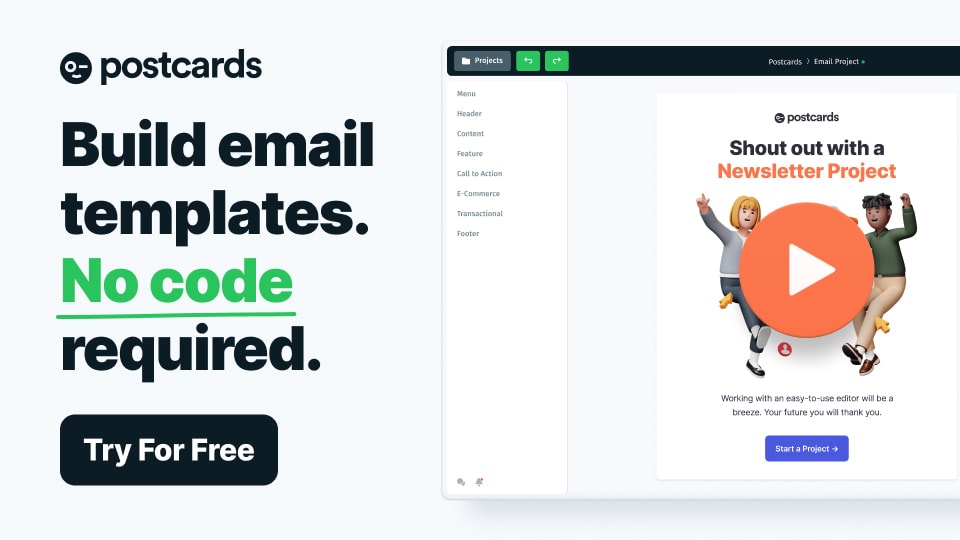
Postcards has one feature that nothing else on this list matches, and if it matters to you, it decides the whole thing.
You get access to over 900 Google fonts. Every other builder here gives you a shortlist and, if you are lucky, a custom font upload. Postcards just hands you the whole library. If your brand lives in a specific typeface, this is the tool that will not fight you.
The interface is deliberately simple. I did not feel overwhelmed the way I do in editors that expose every setting at once. You drag, you edit, you are done.
Collaboration operates on a viewer-and-editor model. You invite people in as one or the other, so a stakeholder can look and comment without accidentally moving a block.
The pro modules are well built, and there are plenty of them, so you are not starting from nothing.
However, the free plan runs out fast. You get 10 email template projects and only 5 exports, and if you are working at any real pace, you will hit that inside a week. There is also no HTML code editing, which is a hard stop for anyone who occasionally needs to drop into the markup. Stripo lets you do that. Postcards does not.
9. Topol
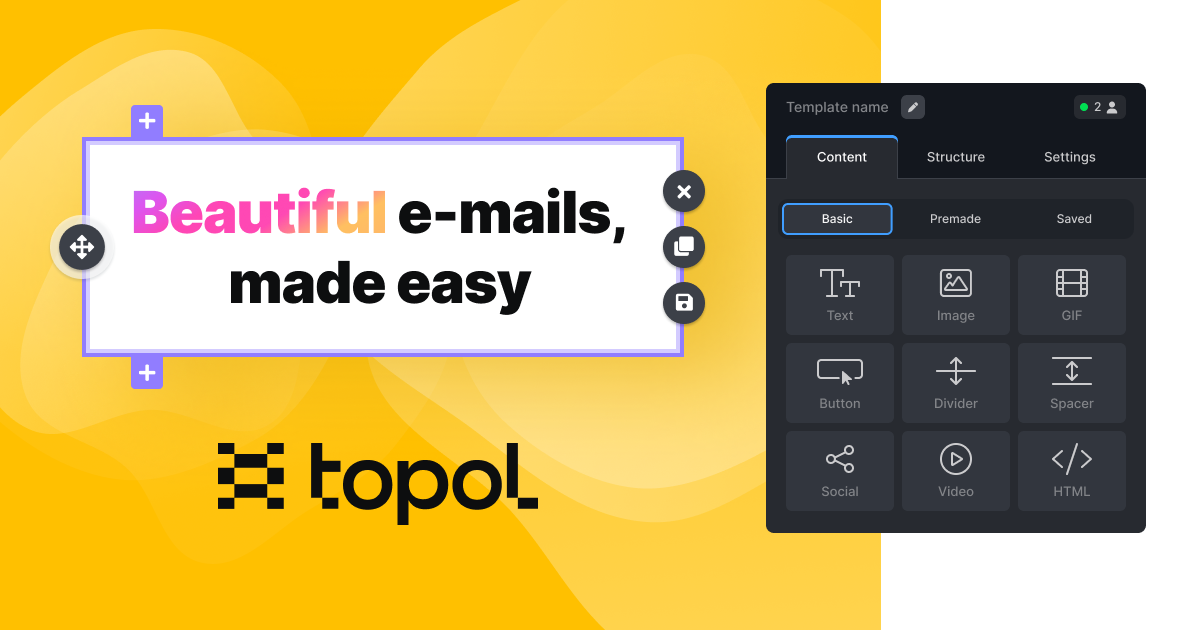
Topol is the easiest tool to hand to someone who has never built an email here. No coding experience needed, no design background needed. The drag-and-drop is fast and feels intuitive rather than fussy. But there are still enough customization options that you do not hit a ceiling on day two.
The folder and team structure is what makes it work for agencies.
You create folders to keep templates organized and separate teams for separate clients. When you are running email for six brands, that separation stops everything from blurring together.
Export options are broader than most. You can download the HTML with images, or export as JSON, or push directly into Brevo, Mailchimp, or Constant Contact on the Pro plan. There is also an expirable share link, which I used to send a template to a client for review without giving them account access.
The Pexels integration means professional stock photography is available inside the editor, though that is a paid feature.
What I did not love-
Pre-made templates are not included, so you are building from scratch, and the integrations are locked behind paid plans. There are over 360 responsive templates available, but you need Pro to touch them. That makes the free tier more of a demo than a working option.
10. Stensul
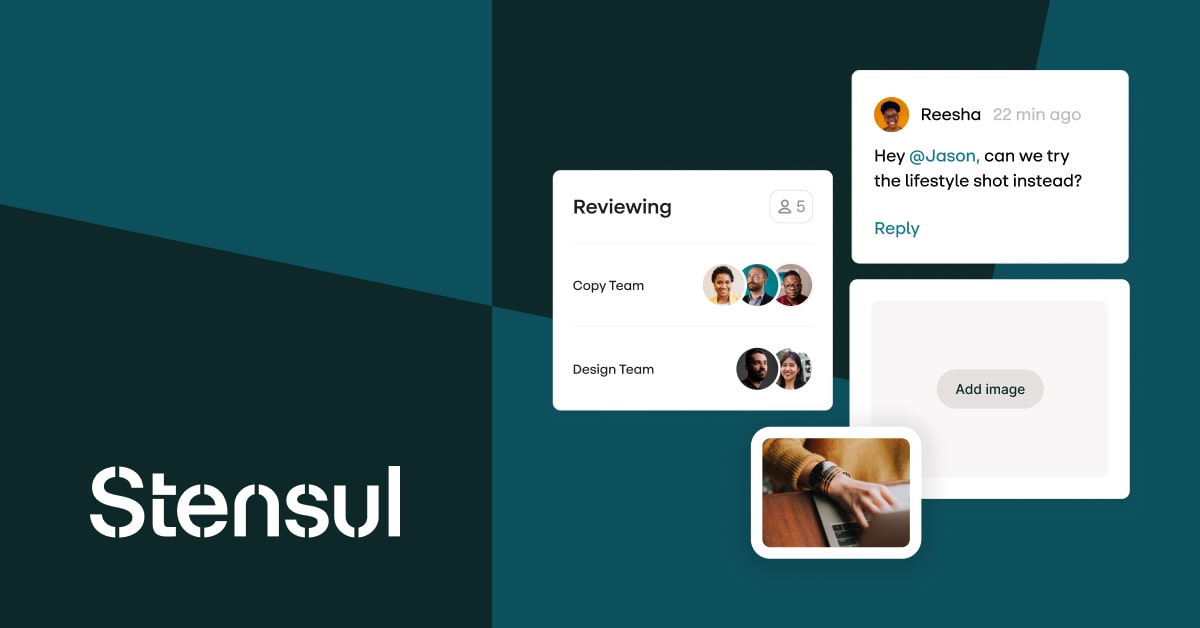
Stensul rounds out the list as the third enterprise option, alongside Knak and Dyspatch.
The pitch is email creation at scale. Not better design, faster throughput. Stensul is built for organizations that produce high volumes of email, where the bottleneck is the production process itself, not the creative.
Like Knak, it works with pre-approved modular components, has brand guardrails baked in, and integrates with major marketing automation platforms. Collaboration, review, and approval all happen inside the platform rather than across email threads.
If you are comparing the three enterprise tools, the rough split is this.
Knak is strongest if you are on Marketo, Eloqua, or SFMC. Dyspatch is strongest if you need AMP for Email and a documented audit trail. Stensul competes on production speed and workflow.
But I didn’t like the
Same caveat as the others in this tier. It is quote-based, it requires onboarding, and it is not something a small team should be evaluating. There is also less independent review coverage than Knak or Dyspatch, so you are relying more on vendor demos.
How To Choose Email Template Management Software?
Most of these tools do 70% of the same things. The differences that actually matter come down to five questions.
Do you already have HTML emails?
If yes, import and edit is your single most important feature, and MailEditor is built around it. If you are starting fresh, template library size matters more.
How many people touch a template?
One or two people means you can ignore the whole governance category and pick on editor quality. Five or more means locked sections, permissions, and approval workflows stop being nice-to-haves.
How many ESPs are you sending through?
One ESP and you may not need a dedicated builder at all. Multiple ESPs and export breadth becomes the deciding factor.
Is brand consistency a preference or a requirement?
In regulated industries, it is a requirement, and that pushes you toward Dyspatch, Knak, or Stensul. Everywhere else, branded presets are enough.
Final Thoughts
Template count is a vanity metric. What saves a team time is not rebuilding what already exists.
So here is the decision, plainly. Here is a metric you can follow-
Pick MailEditor if you have existing HTML emails. It is the only tool on this list built around import, edit, export, and that one workflow beats everything else here.
Pick Stripo if you are pushing to multiple ESPs. Nothing matches 70+ integrations.
Pick Tabular if you are a small team who just wants shared reusable blocks without an enterprise invoice.
Pick Knak, Dyspatch, or Stensul only if approval workflows are a compliance requirement, not a preference.
Start on the free plan and build one real campaign, not a test. You will know inside an hour.
Popular Blogs

Email Design2 mins to read
Top Email Template Builders & HTML Email Editors for 2026
Compare the best email template builders and HTML editors to design professional, responsive campaigns without coding.

Email Tips7 mins to read
Best Drag and Drop Email Editors in 2026
Discover the best drag and drop email editors in 2026. Compare top tools, features, templates, pricing, and automation to build stunning emails fast.

Email Design9 mins to read
Email Signature Size and Image Best Practices
The ideal email signature is 320–600px wide and 90–200px high. Learn the best image sizes, formats, file limits, and mobile-friendly design tips.

Marketing7 mins to read
4 Best Unlayer Alternatives to Design Emails
Looking for Unlayer alternatives? Explore the 4 best email design tools to create beautiful, responsive emails faster and easier.

Marketing6 mins to read
5 Beefree Alternatives to Upgrade Email Design Workflows
Looking for a better email design tool? Explore 5 Beefree alternatives that streamline workflows, improve collaboration, and elevate email campaigns.